To Next Page
R
Ronald LoganSep 8, 2025
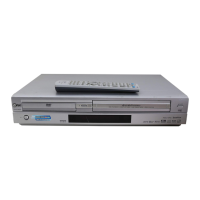
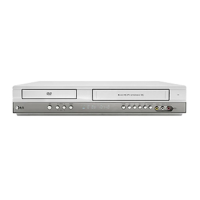
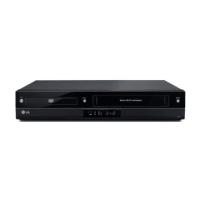
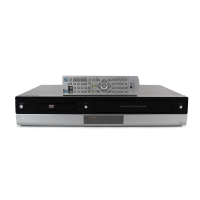
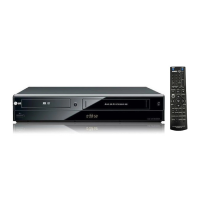
What to do if video tape cannot be inserted into LG DV1000 DVD VCR Combo?
- Cchad11Sep 8, 2025
If a video tape cannot be inserted into your LG DVD VCR Combo, eject the tape that is currently in the cassette compartment.

What to do if video tape cannot be inserted into LG DV1000 DVD VCR Combo?
If a video tape cannot be inserted into your LG DVD VCR Combo, eject the tape that is currently in the cassette compartment.
What to do if my LG DV1000 DVD VCR Combo has no picture?
If there is no picture, first ensure that your TV is set to the correct video input mode to receive the DVD signal output. Also, check that the video cable is securely connected to the jacks.
Why does my LG DVD VCR Combo remote control not work?
If the remote control isn't working, first check for any obstacles between the remote and the unit and remove them. If that doesn't work, replace the batteries in the remote control with new ones.
Why won't my LG DV1000 DVD VCR Combo DVD player start playback?
If the DVD player doesn't start playback, make sure you've inserted a playable disc, checking the disc type and Regional code. Ensure the disc is placed with the playback side down and is correctly placed within the guide on the disc tray. Also, check if the disc is dirty and clean it if necessary. Finally, cancel the Rating function or change the rating level if it is set.
What to do if my LG DV1000 DVD VCR Combo has no power?
If there is no power, make sure the power cord is securely plugged into the wall outlet.
How to fix no NICAM sound on LG DVD VCR Combo?
To get NICAM sound on your LG DVD VCR Combo, make sure NICAM in the menu is set to AUTO for the station to be recorded.
How to improve poor picture quality on LG DV1000?
If the picture quality on your LG DVD VCR Combo is poor, try cleaning the disc. Also, check the TV channels are tuned in properly, and carry out tuning again if necessary.
How to enable Hi-Fi sound on LG DV1000?
If you're not getting Hi-Fi sound from your LG DVD VCR Combo, select “STEREO” by repeatedly pressing “AUDIO” on the remote control.
Why my LG DV1000 DVD VCR Combo DVD player is not working but the power is on?
If the power is on but the DVD player of your LG DVD VCR Combo isn't working, make sure a disc is inserted. Check that the DVD or audio CD indicator in the display window is lit.
What to do if LG DV1000 DVD VCR Combo DVD player does not start playback?
If your LG DVD VCR Combo DVD player isn't starting playback, consider the following: 1. Ensure that you've inserted a playable disc, checking both the disc type and regional code. 2. Make sure the disc is placed with the playback side down. 3. Verify the disc is correctly placed within the guide on the disc tray. 4. Clean the disc if it's dirty. 5. Check if the Rating level is set; if so, cancel the Rating function or change the rating level.
Covers electrical shock, fire, and moisture hazards, and general appliance use guidelines.
Warns against opening the enclosure to avoid hazardous laser radiation exposure.
Details copyrights, serial number, features, power, and wiring information.
Specifies the remote control's effective range and instructions for battery installation.
Explains basic AV and RF connections for viewing content on a television.
Describes how to connect for DVD playback only via dedicated video and audio outputs.
Guides connecting to amplifiers or receivers for enhanced audio output.
Provides key button operations for managing both DVD and VCR functions.
Instructions for setting up the TV to receive the VCR's output signal.
Guides the first-time setup using the Automatic Channel Memory System (ACMS).
Basic steps for loading, playing, and ejecting VHS tapes.
Covers manual tracking, picture search, slow motion, and OPR for better playback.
Explains how to use the CM SKIP function to bypass commercials.
Details how to start immediate recordings for a set duration or until tape end.
Explains how to copy DVD content to a VHS tape.
Guides on copying content from external video sources.
Lists typical issues and their corresponding corrections.
Advises on cleaning video heads to resolve playback problems.
 General
| DVD Type | DVD player |
|---|---|
| Video Output System | NTSC |
| Progressive Scan | Yes |
| Remote Control | Yes |
| Brand | LG |
| Model | DV1000 |
| VHS Playback | Yes |
| Product Type | DVD VCR Combo |
| Playable Disk Types | DVD |
| Playable File Formats | JPEG |
| Connectors | Composite video output |
| Video Output | Composite Video |