EasyManua.ls Logo

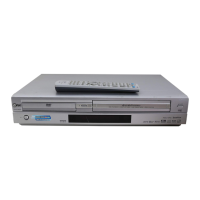
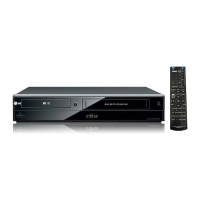
LG DV1000 - User Manual

LG DV1000
37 pages
Print Icon
To Next Page IconTo Next Page
Loading...
DVD PLAYER/
VIDEO CASSETTE
RECORDER
OWNER’S MANUAL
MODEL : DV1000
Before connecting, operating or adjusting this product,
please read this instruction booklet carefully and
completely.
FOR THE GUARANTEE TERMS & CONDITIONS,
PLEASE REFER TO BACK COVER OF THIS MANUAL.
PAL

Table of Contents

Questions and Answers

  • E
    egreenAug 21, 2025
    What to do if there is no sound from my LG DV1000?
    • J
      joshua13Aug 22, 2025
      If you're not getting any sound, make sure that the equipment connected with the audio cable is set to receive DVD audio signal output by selecting the correct input mode on the audio receiver. Also, ensure the audio cables are securely connected. Verify that the equipment connected with the audio cable is turned on. Finally, check that the Digital Audio Output is set to the correct position, then turn the DVD player on again.
  • F
    fmontgomerySep 4, 2025
    What to do if LG DV1000 DVD VCR Combo DVD player does not start playback?
    • S
      Scott WatersSep 4, 2025
      If your LG DVD VCR Combo DVD player isn't starting playback, consider the following: 1. Ensure that you've inserted a playable disc, checking both the disc type and regional code. 2. Make sure the disc is placed with the playback side down. 3. Verify the disc is correctly placed within the guide on the disc tray. 4. Clean the disc if it's dirty. 5. Check if the Rating level is set; if so, cancel the Rating function or change the rating level.
  • J
    Joseph ThorntonSep 2, 2025
    How to fix LG DV1000 remote control not working?
    • L
      lorisanchezSep 2, 2025
      If the remote control for your LG DVD VCR Combo isn't working correctly, first, remove any obstacles between the remote and the unit. If that doesn't work, replace the batteries in the remote with new ones.
  • R
    rcastilloSep 1, 2025
    Why is there no sound coming from my LG DV1000 DVD VCR Combo?
    • I
      Isaiah WeaverSep 1, 2025
      If you're experiencing no sound with your LG DVD VCR Combo, make sure the equipment connected with the audio cable is set to receive the DVD audio signal output by selecting the correct input mode on the audio receiver. Also, check that the audio cables are securely connected. Ensure that the power of the connected equipment is turned on and that the Digital Audio Output is set to the correct position. After adjusting the Digital Audio Output, turn the DVD player on again.
  • V
    vdavisAug 30, 2025
    What to do if there is no picture on my LG DVD VCR Combo?
    • J
      james55Aug 30, 2025
      If there is no picture on your LG DVD VCR Combo, ensure that your TV is set to the correct video input mode to receive the DVD signal. Also, check that the video cable is securely connected to the jacks.
  • M
    Melinda JohnsonAug 29, 2025
    Why does my LG DV1000 DVD VCR Combo DVD player not work even when the power is on?
    • J
      James RobertsonAug 29, 2025
      If the power is on but the DVD player doesn't work, make sure a disc is inserted and that the DVD or audio CD indicator in the display window is lit.
  • K
    kennedystevenAug 27, 2025
    What to do if my LG DV1000 DVD VCR Combo has no power?
    • Z
      zgonzalezAug 27, 2025
      If there is no power, make sure the power cord is securely plugged into the wall outlet.
  • A
    Amber DavisAug 27, 2025
    Why won't my LG DV1000 DVD VCR Combo DVD player start playback?
    • M
      Monica BensonAug 27, 2025
      If the DVD player doesn't start playback, make sure you've inserted a playable disc, checking the disc type and Regional code. Ensure the disc is placed with the playback side down and is correctly placed within the guide on the disc tray. Also, check if the disc is dirty and clean it if necessary. Finally, cancel the Rating function or change the rating level if it is set.
  • E
    Erin AllenAug 25, 2025
    Why does my LG DVD VCR Combo remote control not work?
    • A
      Alicia HesterAug 25, 2025
      If the remote control isn't working, first check for any obstacles between the remote and the unit and remove them. If that doesn't work, replace the batteries in the remote control with new ones.
  • L
    Luis BakerAug 23, 2025
    What to do if my LG DV1000 DVD VCR Combo has no picture?
    • S
      Scott GutierrezAug 23, 2025
      If there is no picture, first ensure that your TV is set to the correct video input mode to receive the DVD signal output. Also, check that the video cable is securely connected to the jacks.

Summary

Safety Precautions

General Safety Warnings

Covers electrical shock, fire, and moisture hazards, and general appliance use guidelines.

Laser Safety Warning

Warns against opening the enclosure to avoid hazardous laser radiation exposure.

Product Information and Copyrights

Details copyrights, serial number, features, power, and wiring information.

Remote Control

Operation Range and Battery

Specifies the remote control's effective range and instructions for battery installation.

Connections

Connecting to a TV

Explains basic AV and RF connections for viewing content on a television.

DVD Exclusive Connection

Describes how to connect for DVD playback only via dedicated video and audio outputs.

Connections (Contd)

Connecting to Optional Equipment

Guides connecting to amplifiers or receivers for enhanced audio output.

Controlling the Unit

Provides key button operations for managing both DVD and VCR functions.

Before Operation - VCR part

Tuning in a Video Channel on Your TV

Instructions for setting up the TV to receive the VCR's output signal.

Before Operation - VCR part (Contd)

Initial Unit Setup

Guides the first-time setup using the Automatic Channel Memory System (ACMS).

Before Operation - VCR part (Contd)

Before Operation - DVD part (Contd)

Before Operation - DVD part (Contd)

Operation with Tape

Playing a Tape

Basic steps for loading, playing, and ejecting VHS tapes.

Picture Quality Adjustments

Covers manual tracking, picture search, slow motion, and OPR for better playback.

Commercial Skip

Explains how to use the CM SKIP function to bypass commercials.

Operation with Tape (Contd)

Instant Timer Recording (ITR)

Details how to start immediate recordings for a set duration or until tape end.

Operation with Tape (Contd)

Operation with DVD and Video CD

Operation with DVD and Video CD (Contd)

Operation with Audio CD and MP3 Discs

Special Recording

Copying from DVD to VCR

Explains how to copy DVD content to a VHS tape.

Recording from another video recorder

Guides on copying content from external video sources.

Troubleshooting

Common Problems and Solutions

Lists typical issues and their corresponding corrections.

Video Head Cleaning

Advises on cleaning video heads to resolve playback problems.

Specification

GUARANTEE

LG DV1000 Specifications

General IconGeneral
DVD TypeDVD player
Video Output SystemNTSC
Progressive ScanYes
Remote ControlYes
BrandLG
ModelDV1000
VHS PlaybackYes
Product TypeDVD VCR Combo
Playable Disk TypesDVD
Playable File FormatsJPEG
ConnectorsComposite video output
Video OutputComposite Video

Related product manuals