EasyManua.ls Logo

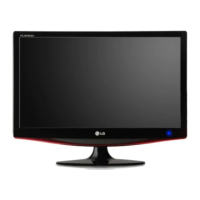
LG DX2343 - User Manual

LG DX2343
32 pages
Print Icon
To Next Page IconTo Next Page
Loading...
www.lg.com
OWNER'S MANUAL
CINEMA 3D MONITOR
DX2343
DX2743
D2343P
D2743P
Please read the safety information carefully before using the product.
List of Cinema 3D Monitor Models
ENGLISH

Questions and Answers

  • T
    Terry DavisAug 11, 2025
    How to troubleshoot a blank screen on my LG Monitor?
    • J
      John BoydAug 12, 2025
      If nothing is displayed on your LG Monitor screen, first, ensure the power cord is properly connected to the outlet and check the power indicator. Then, adjust the brightness and contrast settings. Also, verify the signal cable is securely connected to your computer and that your computer is powered on and not in power-saving mode. If the 'NO SIGNAL' message appears for 30 seconds, the monitor automatically enters power saving mode. Finally, confirm the cable connecting the monitor and PC is correctly attached. If the signals from the PC are out of the monitor's frequency range, consult the 'Product Specification' section of the manual to set the appropriate frequency.
  • W
    William GarzaAug 18, 2025
    How to unlock OSD on LG DX2343?
    • F
      fernandeznathanAug 18, 2025
      If the "OSD LOCKED" message is displayed on your LG Monitor, press and hold the MENU button for a couple of seconds to unlock the OSD. The "OSD UNLOCKED" message will then be displayed.
  • J
    Jessica WeissAug 23, 2025
    Why does my LG DX2343 display abnormal colors?
    • B
      Brian DouglasAug 23, 2025
      If the display color on your LG Monitor is abnormal, set the color to 24 bit (true color) or higher by navigating to Control Panel > Display > Settings > Color Quality in Windows. Also, check the signal cable connection, and if necessary, reconnect the cable or re-insert the PC's video card. Note that this issue is not an error and is not related to the monitor's performance.
  • S
    schultzdanielAug 29, 2025
    What to do if the 'Unknown Monitor' message appears on my LG DX2343?
    • S
      Shawn IrwinAug 30, 2025
      If the 'Unknown Monitor' message appears when your LG Monitor is connected, install the monitor driver provided with the monitor or download it from the LG Electronics homepage (http://www.lg.com). Additionally, check if the plug & play function is supported by referring to the video card user manual.
  • X
    xgarciaSep 4, 2025
    Why does my LG DX2343 Monitor screen retain an image?
    • E
      Elizabeth RobinsonSep 4, 2025
      Displaying a still image for a prolonged time may cause damage to the screen of your LG Monitor, resulting in the retention of the image. Use a screen saver if you plan to use the monitor for extended periods.

LG DX2343 Specifications

General IconGeneral
Screen Size23 inches
Panel TypeTN
Response Time5 ms
Brightness250 cd/m²
Contrast Ratio1000:1
ConnectivityDVI, VGA
Aspect Ratio16:9
Resolution1920 x 1080
Power Consumption30W
Viewing Angle170°/160°

Related product manuals