EasyManua.ls Logo

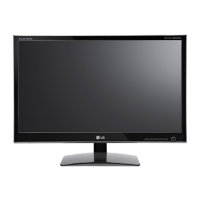
LG D2542P-PN - User Manual

LG D2542P-PN
26 pages
Print Icon
To Next Page IconTo Next Page
Loading...
www.lg.com
OWNER’S MANUAL
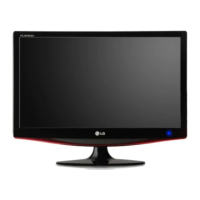
CINEMA 3D MONITOR
D2242P
D2342P
D2542P
Please read this manual carefully before operating
your set and retain it for future reference.
CINEMA 3D MONITOR MODEL
ENGLISH

Questions and Answers

  • A
    Angela KingAug 11, 2025
    What to do if my LG Monitor shows 'CHECK SIGNAL CABLE' message?
    • D
      delacruzginaAug 11, 2025
      If your LG Monitor displays a 'CHECK SIGNAL CABLE' message, it means the cable connecting your PC and the monitor isn't properly connected. Ensure the signal cable is securely plugged in on both ends and try again.
  • V
    vmillerAug 16, 2025
    What to do if no image appears on my LG D2542P-PN Monitor?
    • L
      Logan SmithAug 16, 2025
      If no image appears on your LG Monitor, start by checking if the power cord is properly connected to the power outlet. Then, verify that the power indicator light is on; if not, press the Power button. If the power is on and the indicator is blue or green, adjust the brightness and contrast settings.
  • J
    Jonathan CruzAug 23, 2025
    How to fix incorrect display position on LG D2542P-PN?
    • J
      Jason FullerAug 23, 2025
      If the display position on your LG Monitor is incorrect, press the AUTO button. This will automatically adjust the display image to the ideal setting.
  • A
    Amy BlackAug 29, 2025
    How to remove vertical bars or stripes on LG Monitor?
    • R
      Rachel RayAug 29, 2025
      If you see vertical bars or stripes on the screen background of your LG Monitor, press the AUTO button to automatically adjust your display image to the ideal setting.
  • D
    Danielle SmithSep 3, 2025
    How to resolve horizontal noise or unclear characters on LG D2542P-PN Monitor?
    • W
      William SimpsonSep 4, 2025
      To address horizontal noise or unclear characters on your LG Monitor, first, try pressing the AUTO button to automatically adjust the display image. If the issue persists, go to Control Panel ? Display ? Settings and adjust the display to the recommended resolution or adjust the display image to the ideal setting. Also, ensure that the color setting is higher than 24 bits (true color).

LG D2542P-PN Specifications

General IconGeneral
Resolution1920 x 1080 (Full HD)
Panel TypeIPS
Response Time5ms (GTG)
Brightness250 cd/m²
Aspect Ratio16:9
Contrast Ratio1000:1 (typical)
Viewing Angles178°/178°
ConnectivityD-Sub
VESA MountYes

Related product manuals