Your Standby Screen
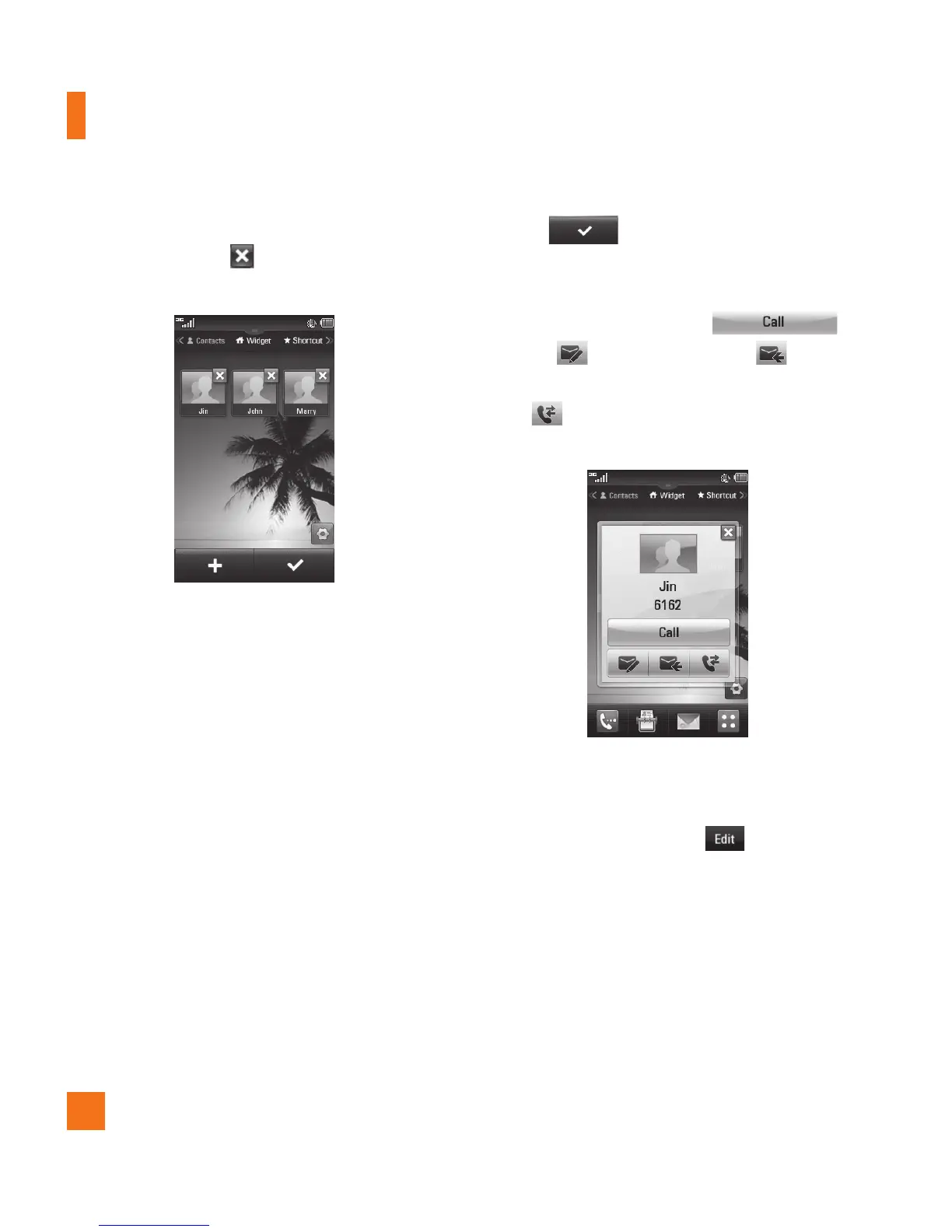
] If you want to delete a contact from this
screen, touch the at the top right corner
of the contact icon.
AT&T
] Touch to finish editing the
contacts on this screen. Then to access
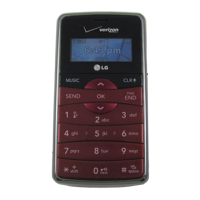
your contacts, simply touch on their
corresponding icon. Touch
to call, to send a message, to
check message received from that person,
and to check the call history from that
person.
AT&T
] If you want to edit one of the contacts,
touch the picture icon and the View screen
will come up. Then press to edit the
contact.



 To Next Page