EasyManua.ls Logo

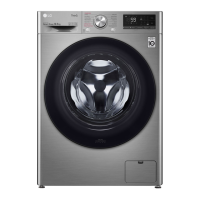
LG F4V5RYP2T - User Manual

LG F4V5RYP2T
48 pages
Print Icon
To Next Page IconTo Next Page
Loading...
OWNER'S MANUAL
WASHING MACHINE
Before beginning installation, read these instructions
carefully. This will simplify installation and ensure that the
product is installed correctly and safely. Leave these
instructions near the product after installation for future
reference.
ENGLISH
F4V5*YP2T
MFL72081823
Rev.00_092723
www.lg.com
Copyright © 2023 LG Electronics Inc. All Rights Reserved.

Questions and Answers

  • C
    Crystal HallJul 29, 2025
    Why does my LG F4V5RYP2T show UE UNBALANCE ERROR?
    • J
      Jessica JamesJul 29, 2025
      The UE UNBALANCE ERROR on your LG washer typically means the load is unbalanced. This can happen because the clothes are too wet at the end of the cycle or because the load is too small. To fix this, rearrange the load to allow proper spinning, close the door, and press the Start/Pause button. If the load is too small, add 1 or 2 similar items or smaller articles of clothing to help balance the load. Close the door and press the Start/Pause button again. Remember, the door must be locked before the spin cycle can begin.
  • S
    steven18Aug 4, 2025
    Why does my LG F4V5RYP2T Washer show a UE UNBALANCE ERROR?
    • K
      Kimberly NelsonAug 4, 2025
      If you encounter a UE UNBALANCE ERROR on your LG Washer, it could be due to the laundry being too wet at the end of the cycle. Try rearranging the load to allow for proper spinning. Then, close the door and press the Start/Pause button. It might take a moment for the appliance to begin spinning, as the door must be locked first. Alternatively, if the load is too small, adding one or two similar or smaller items can help balance it. Again, close the door and press Start/Pause.
  • A
    Alicia HensleyAug 10, 2025
    What to do if my LG Washer shows a 1E INLET ERROR?
    • K
      Kristen JenningsAug 10, 2025
      If your LG Washer displays a 1E INLET ERROR, it indicates a problem with the water supply. First, check another tap in your house to ensure the water supply is adequate. Make sure the water supply tap is fully open. Inspect the water supply hoses for any kinks and straighten them, or reinstall the hose if necessary. Also, check and clean the filter of the inlet hose. Finally, if you have an aqua stop supply hose and notice water leakage with a red indicator, replace the hose.
  • B
    blakemossAug 16, 2025
    What to do if my LG Washer shows 1E INLET ERROR?
    • M
      Michael WalkerAug 16, 2025
      If your LG washer displays a 1E INLET ERROR, it indicates a water supply issue. Here's what you can do: * Check if the water supply is adequate by testing another tap in the house. * Ensure the water supply tap is fully open. * Make sure the water supply hoses are not kinked; straighten them or reinstall the water inlet hose. * Inspect and clean the inlet valve filter after turning off the taps and disconnecting the hoses from the washing machine.
  • Y
    ysmithAug 21, 2025
    How to fix OE WATER OUTLET ERROR on LG Washer?
    • J
      Jeffrey BlakeAug 21, 2025
      If you're getting an OE WATER OUTLET ERROR on your LG Washer, the drain hose may be kinked or clogged. Clean and straighten the drain hose. Also, the drain filter might be clogged, so check and clean that as well.

Summary

SAFETY INSTRUCTIONS

Safety Messages and Warnings

Defines warning symbols and terms for safe appliance operation.

INSTALLATION

Installation Place Requirements

Criteria for selecting a suitable installation location.

Connecting the Water Supply Hose

Detailed steps for attaching the water intake hose.

Installing the Drain Hose

Instructions for properly setting up the water drainage hose.

OPERATION

Control Panel Features Explained

Detailed description of buttons, knobs, and display.

Adding Detergents and Softeners

Proper use of the detergent dispenser compartments.

Washing Programme Guide

Details of available wash cycles, temperatures, and loads.

SMART FUNCTIONS

ThinQ App Installation and Connection

Step-by-step guide to set up the app and connect the appliance.

Smart Diagnosis Features

Using the app or audible tones for troubleshooting.

MAINTENANCE

Cleaning Water Inlet and Drain Filters

Maintenance procedures for essential filters.

TROUBLESHOOTING

Pre-Service Checks

Initial steps before contacting customer support.

Error Code Solutions

Explanation and resolution for appliance error messages.

LG F4V5RYP2T Specifications

General IconGeneral
Door hingeLeft
Drum volume68 L
Control typeButtons, Rotary, Touch
Display typeLED
Loading typeFront-load
Tub materialStainless steel
Product colorMetallic
Built-in displayYes
Custom panel-ready-
Illumination colorWhite
Appliance placementFreestanding
Drum capacity10.5 kg
Cycle time (max)240 min
Residual moisture44 %
Spin-drying classB
Maximum spin speed1400 RPM
Minimum spin speed400 RPM
Noise level (spin)72 dB
Noise level (wash)53 dB
Number of washing programs14
Add garment (pause) functionNo
Energy efficiency scaleA to G
Water consumption per cycle53 L
Energy consumption washing per cycle0.67 kWh
Weight and Dimensions IconWeight and Dimensions
Depth560 mm
Width600 mm
Height850 mm
Weight70000 g

Related product manuals