EasyManua.ls Logo

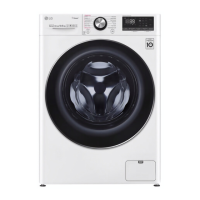
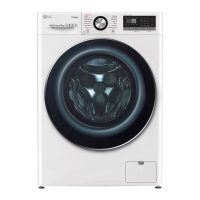
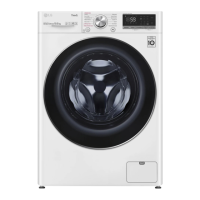
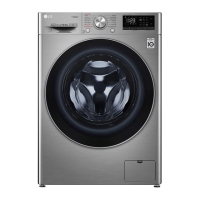
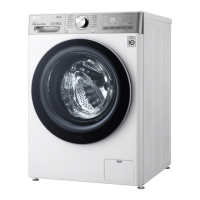
LG F4V710 TS Series - User Manual

LG F4V710 TS Series
48 pages
Print Icon
To Next Page IconTo Next Page
Loading...
www.lge.com
Copyright © 2019 LG Electronics Inc. All Rights Reserved
OWNER'S MANUAL
WASHING
MACHINE
Before beginning installation, read these instructions carefully.
This will simplify installation and ensure that the product is installed correctly
and safely. Leave these instructions near the product after installation for future
reference.
EN ENGLISH
F4WV710P* F4V710*TS
F4WV709P* F4V709*TS F4WV709P2T
F4WV708P*
MFL69478491
Rev.00_020119

Questions and Answers

  • L
    luis70Jul 29, 2025
    Why does my LG F4V710 TS show a UE UNBALANCE ERROR?
    • P
      Perry DiazJul 29, 2025
      The UE UNBALANCE ERROR in your LG Washer can occur if the laundry load is too wet at the end of the cycle. To resolve this, rearrange the load to allow proper spinning, then close the door and press the Start/Pause button. It may take a moment for the appliance to begin spinning, as the door must be locked first. Another cause is a load that is too small. Try adding one or two similar items or smaller articles of laundry to help balance the load. Close the door and press Start/Pause button again.
  • D
    David TurnerAug 7, 2025
    How to fix 1E INLET ERROR on LG F4V710 TS Washer?
    • D
      daviszacharyAug 7, 2025
      The 1E INLET ERROR on your LG Washer indicates that the water supply is not adequate. First, check another tap in the house to ensure the water supply is sufficient. Make sure that the water supply tap is fully open. Inspect the water supply hoses for any kinks and straighten them or reinstall the hose. Also, the filter of the supply hoses might be clogged, so check and clean the filter. If water leakage occurs in the aqua stop supply hose, replace it.
  • J
    Jennifer LucasAug 17, 2025
    What to do if my LG F4V710 TS Washer shows OE WATER OUTLET ERROR?
    • S
      Sarah GoodAug 17, 2025
      The OE WATER OUTLET ERROR on your LG Washer means there's an issue with the water draining. This can happen if the drain hose is kinked or clogged, so clean and straighten the drain hose. Also, the drain filter might be clogged. Check and clean the drain filter to resolve this issue.

Summary

Important Safety Instructions

General Safety Warnings and Precautions

Covers essential safety guidelines, warnings, and cautions for appliance use.

Environmental Care and Disposal

Provides information on responsible disposal and caring for the environment.

Installation Guide

Appliance Parts and Specifications

Details the components of the washing machine and its technical specifications.

Installation Location and Requirements

Specifies ideal placement, clearances, and environmental conditions for installation.

Unpacking and Initial Setup

Guides on removing transit bolts, lifting the appliance, and basic setup.

Appliance Leveling and Stability

Instructions for ensuring the appliance is stable and properly leveled.

Connecting Water Inlet Hose

Step-by-step guide for connecting the water supply hose.

Installing the Drain Hose

Instructions for correctly positioning and securing the appliance's drain hose.

Washing Operation

Operation Overview and First Wash

First-time use instructions, sorting laundry, and basic operation steps.

Preparing Laundry Loads

Guidance on sorting clothes by fabric type, color, and soil level.

Understanding Laundry Care Labels

Explains fabric care symbols and how they relate to washing instructions.

Detergent and Softener Usage

Guidance on selecting and adding detergents, softeners, and water softeners.

Control Panel and Display Functions

Details the control panel layout, display indicators, and button functions.

Programme Table and Options

Overview of available wash programmes, temperatures, spin speeds, and load capacities.

Extra Options and Consumption Data

Overview of additional washing options and detailed energy/water consumption data.

Smart Functions Guide

LG SmartThinQ Application Setup

Steps for connecting the appliance to the LG SmartThinQ app via Wi-Fi.

Remote Appliance Control

Using the appliance remotely via smartphone, including Wi-Fi features.

Smart Diagnosis Procedure

How to use the Smart Diagnosis feature for troubleshooting with customer support.

Maintenance and Cleaning

Routine Cleaning After Each Wash

Instructions for cleaning the appliance interior, exterior, and door after each wash cycle.

Periodic Appliance Cleaning

Guidance on performing the Tub Clean cycle for internal hygiene and residue removal.

Cleaning Filters and Dispenser Drawer

Steps for cleaning water inlet filters, drain pump filter, and dispenser drawer.

Troubleshooting Guide

Understanding Error Messages

List of common error codes, their causes, and recommended solutions.

Addressing Noises and Operational Problems

Troubleshooting common noises, operational failures, and appliance non-operation.

Wi-Fi Connectivity Troubleshooting

Solutions for common problems encountered when connecting to the Wi-Fi network.

Technical Specifications

Product Fiche and Energy Efficiency

Detailed technical specifications and energy efficiency ratings as per EU regulations.

LG F4V710 TS Series Specifications

General IconGeneral
ModelF4V710 TS
TypeFront Load Washer
Capacity10.5 kg
Energy RatingA+++
Spin Speed1400 RPM
Display TypeLED
Wi-Fi ConnectivityYes
Steam FunctionYes
AI DD™Yes
Inverter Direct Drive MotorYes
Noise Level (Spinning)74 dB
Inverter MotorYes
Programs14

Related product manuals