9
Compatible USB Devices
• MP3 Player : Flash type MP3 player.
• USB Flash Drive : Devices that support USB2.0 or USB1.1.
• The USB function of this unit does not support all USB devices.
• Devices which require additional program installation when you have
connected it to a computer, are not supported.
Look out for the follows
• Do not extract the USB device while in operation.
• For a large capacity USB, it may take longer than a few minute to be searched
• To prevent data loss, back up all data.
• If you use a USB extension cable or USB hub, the USB device is not
recognized.
• Using NTFS file system is not supported. (Only FAT(16/32) file system is
supported.)
• This unit is not supported when the total number of files is 1000 or more.
• External HDD, Card readers, Locked devices, or hard type USB devices are
not supported.
• USB port of the unit cannot be connected to PC.
• The unit can not be used as a storage device.
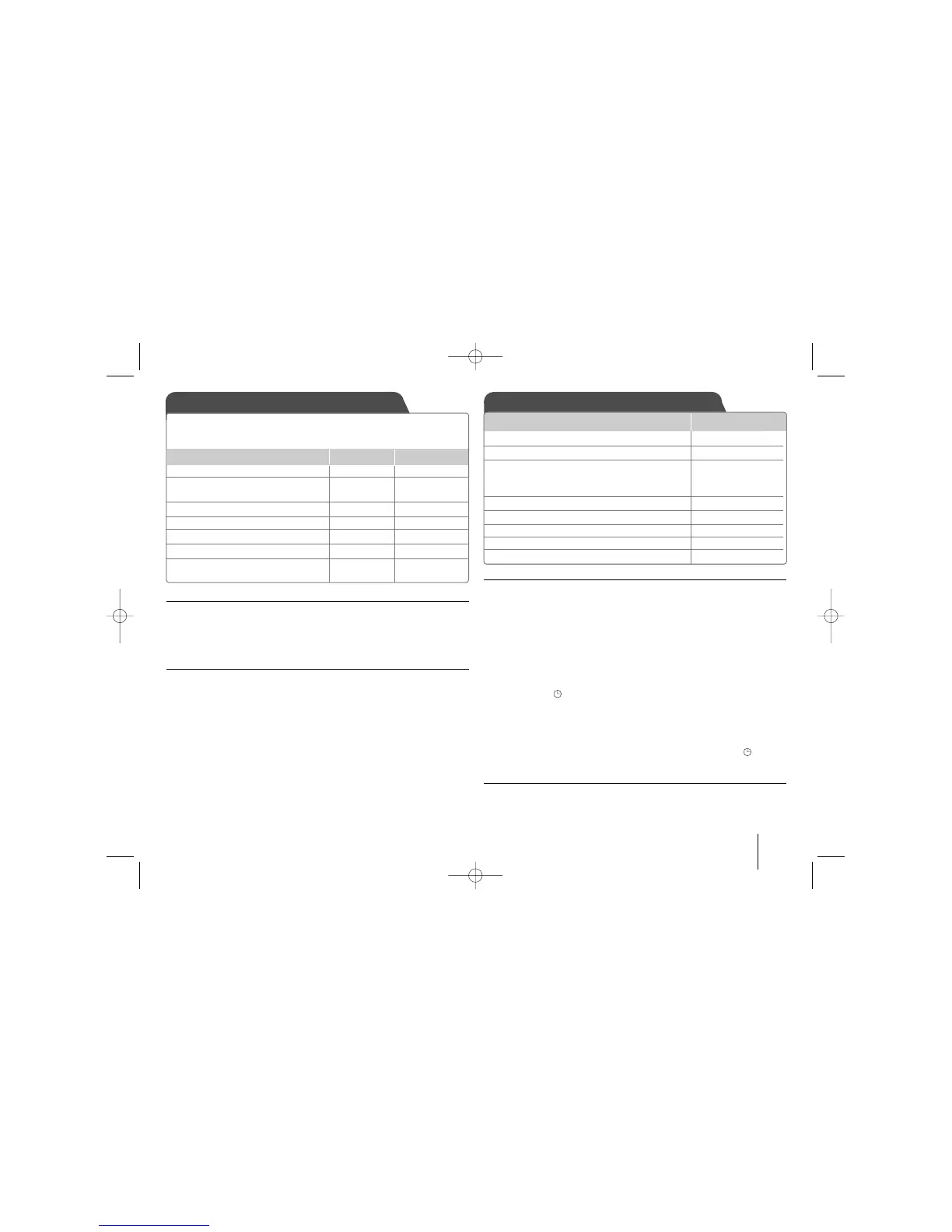
Using an USB device Setting the Clock
ON UNIT
ON REMOTE
You can enjoy media files saved on a USB device by connecting the
USB device to the USB port of the unit. If you want to operate other
function, see the “Listening to CDs” section.
1 Open the USB port cover. - -
2 Connect the USB device to - -
the USB port of the unit.
3 Select the USB function. FUNC. FUNCTION
4 Select a file you want to play.
]] II II
/
iiii ]]
./>
5 Start your media playing.
BB // XX BB // XX
6 To stop, press
xx xx
ENTER
7 Before disconnecting, you have FUNC. FUNCTION
to change to any other function.
1 Turn the power on
11
/
]]
2 Press for at least 2 seconds CLOCK
3 Choose from either
]] II II
/
iiii ]]
AM 12:00 (for an AM and PM display) or
0:00 (for a 24 hour display)
4 Confirm your selection SET
5 Select the hours
]] II II
/
iiii ]]
6 Press SET
7 Select the minutes
]] II II
/
iiii ]]
8 Press SET
ON UNIT
Using your player as an alarm clock
1 Turn the power on.
2 Press and hold TIMER Each function, EX) TUNER, CD.... flashes.
3 Press SET when the function you want to be woken by is showing.
4 Choose one of them by pressing SET.
5 “ON TIME” will be displayed. Then you can set the time you want the alarm to
go on. Press
]] II II
/
iiii ]]
to change the hours and minutes and SET to save.
6 “OFF TIME” will be displayed. Then, you can set the time you want the function to
stop. Press
]]IIII
/
iiii]]
to change the hours and minutes and press SET to save.
7 You will be shown the volume (VOL) you want to be woken by.
Use
]] II II
/
iiii ]]
to change the volume and SET to save.
The clock icon “ ”shows that the alarm is set.
8 Press TIMER button 2times. You can check the setting status.
Notes:
• If you set the clock time, you can check the time by pressing CLOCK even
when the player is turned off.
• If you set the clock time and alarm, you can check the alarm icon “ ” by
pressing CLOCK even when the player is turned off.
Setting the asleep time
1 Press SLEEP repeatedly to select delay time between 10 and 180 minutes,
after the unit will be turned off.
2 To check the remaining time, press SLEEP.
3 Press SLEEP once while “SLEEP 10” is displayed, to deactivate sleep function.



 To Next Page