EasyManua.ls Logo

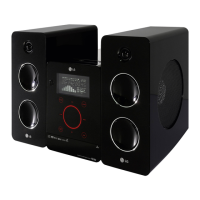
LG FB162I - User Manual

LG FB162I
73 pages
Print Icon
To Next Page IconTo Next Page
Loading...
MODEL : FB162I , FBS162V
SERVICE MANUAL
MODEL : FB162I , FBS162V
CAUTION
BEFORE SERVICING THE UNIT, READ THE “SERVICING PRECAUTIONS”
IN THIS MANUAL.
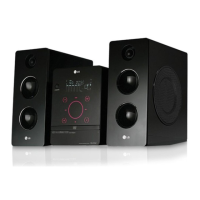
MINI HOME THEATER
SERVICE MANUAL
P/NO : AFN35036954
Website http://biz.lgservice.com
Internal Use Only
OCTOBER, 2007

Questions and Answers

  • R
    Rita GonzalezSep 10, 2025
    What to do if LG FB162I Home Theater System power is on, but the unit does not work?
    • Q
      qrussellSep 10, 2025
      If your LG Home Theater System is powered on but not working, a disc may not be inserted. Insert a disc and check that the DVD or audio CD indicator in the DVD display is lit.
  • M
    Mark JohnsonAug 22, 2025
    What to do if my LG FB162I Home Theater System remote control does not work properly?
    • M
      Miss Samantha Hayes MDAug 23, 2025
      If the remote control for your LG Home Theater System isn't working, try these steps: Aim the remote directly at the remote sensor on the unit. Ensure you're within 23 ft (7 m) of the unit. Remove any obstacles between the remote and the unit. Finally, replace the batteries in the remote with new ones.
  • C
    Cindy CookAug 25, 2025
    Why is there no picture on my LG FB162I Home Theater System?
    • J
      Judith ArnoldAug 25, 2025
      If you're not getting a picture on your LG Home Theater System, ensure that your TV is set to the correct video input mode to receive the DVD signal. Also, check that the video cable is securely connected to the jacks. Finally, verify that the TV is turned on.
  • M
    Mark WashingtonAug 26, 2025
    What to do if there is no sound from LG FB162I Home Theater System?
    • A
      Alexander MaldonadoAug 26, 2025
      If you're experiencing no sound or very low sound from your LG Home Theater System, ensure the equipment connected with the audio cable is set to receive the DVD audio signal output by selecting the correct input mode. Also, check that the audio cables are securely connected. Make sure the equipment connected with the audio cable is powered on. If the problem persists, the audio connecting cable might be damaged and needs replacement.
  • A
    Alec HartmanAug 27, 2025
    How to troubleshoot no power on LG FB162I Home Theater System?
    • J
      Jason WilsonAug 27, 2025
      If your LG Home Theater System has no power, the power cord may be disconnected. Ensure the power cord is securely plugged into the wall outlet.
  • E
    escottAug 29, 2025
    How to fix poor playback picture on LG FB162I Home Theater System?
    • B
      Brittany RuizAug 29, 2025
      If the playback picture quality is poor on your LG Home Theater System, the disc may be dirty. Try cleaning the disc.
  • A
    amandabryantSep 18, 2025
    Why is the front panel display too dim on my LG FB162I?
    • B
      Beverly ParksSep 18, 2025
      If the front panel display on your LG Home Theater System is too dim, press the DIMMER button.
  • L
    Lacey AguilarSep 12, 2025
    What to do if nothing is displayed on the front panel of LG FB162I Home Theater System?
    • K
      Kevin HarrisonSep 12, 2025
      If nothing is displayed on the front panel of your LG Home Theater System, try pressing the DIMMER button.
  • D
    Derek BrownSep 8, 2025
    Why is there a loud hum or noise from my LG FB162I?
    • J
      Justin PachecoSep 8, 2025
      If you hear a loud hum or noise from your LG Home Theater System, the disc may be dirty and needs cleaning. Check that the speakers and components are securely connected. Also, the unit might be too close to the TV; try moving the TV away from the audio components.
  • J
    jonesbrentSep 5, 2025
    Why my LG FB162I Home Theater System has no power?
    • H
      holmesstephenSep 5, 2025
      If your LG Home Theater System has no power, the power cord may be disconnected. Plug the power cord securely into the wall outlet.

LG FB162I Specifications

General IconGeneral
BrandLG
ModelFB162I
CategoryHome Theater System
LanguageEnglish

Related product manuals