EasyManua.ls Logo

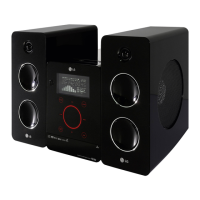
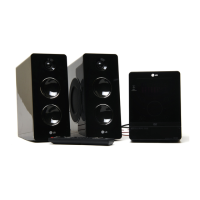
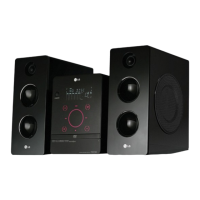
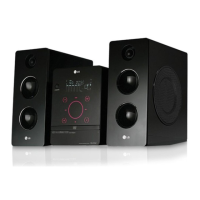
LG FB162I - User Manual

LG FB162I
73 pages
Print Icon
To Next Page IconTo Next Page
Loading...
MODEL : FB162I , FBS162V
SERVICE MANUAL
MODEL : FB162I , FBS162V
CAUTION
BEFORE SERVICING THE UNIT, READ THE “SERVICING PRECAUTIONS”
IN THIS MANUAL.
MINI HOME THEATER
SERVICE MANUAL
P/NO : AFN35036954
Website http://biz.lgservice.com
Internal Use Only
OCTOBER, 2007

Questions and Answers

  • J
    Jeremy CervantesSep 3, 2025
    How to fix loud hum or noise from LG FB162I?
    • B
      bgraySep 3, 2025
      To address loud humming or noise from your LG Home Theater System, first, try cleaning the disc. Second, ensure that the speakers and components are securely connected. Finally, move the TV away from the audio components, as the unit may be located too close to the TV.
  • P
    Patrick SimmonsSep 1, 2025
    What to do if my LG FB162I Home Theater System does not start playback?
    • R
      robinsonmichaelSep 1, 2025
      If your LG Home Theater System isn't starting playback, consider these possibilities: Ensure a disc is inserted, checking that the DVD or audio CD indicator is lit. Verify that the inserted disc is playable, considering the disc type, color system, and regional code. Make sure the disc is placed correctly with the playback side down and within the guide on the disc tray. Clean the disc if it's dirty. If a menu is on the TV screen, press the SETUP button to turn it off. Also, check if the Rating level is set and cancel the Rating function or change the rating level if needed.
  • D
    Derek SanchezAug 31, 2025
    Why is there no sound coming from my LG FB162I, or the sound is very low?
    • T
      Tyler StricklandAug 31, 2025
      If you're experiencing no sound or very low sound from your LG Home Theater System, check the following: First, ensure the equipment connected with the audio cable is set to receive the DVD audio signal output by selecting the correct input mode on the receiver. Second, verify that the audio cables are securely connected. Third, confirm that the equipment connected with the audio cable is turned on. Lastly, inspect the audio connecting cable for damage and replace it if necessary.
  • E
    escottAug 29, 2025
    How to fix poor playback picture on LG FB162I Home Theater System?
    • B
      Brittany RuizAug 29, 2025
      If the playback picture quality is poor on your LG Home Theater System, the disc may be dirty. Try cleaning the disc.
  • A
    Alec HartmanAug 27, 2025
    How to troubleshoot no power on LG FB162I Home Theater System?
    • J
      Jason WilsonAug 27, 2025
      If your LG Home Theater System has no power, the power cord may be disconnected. Ensure the power cord is securely plugged into the wall outlet.
  • M
    Mark WashingtonAug 26, 2025
    What to do if there is no sound from LG FB162I Home Theater System?
    • A
      Alexander MaldonadoAug 26, 2025
      If you're experiencing no sound or very low sound from your LG Home Theater System, ensure the equipment connected with the audio cable is set to receive the DVD audio signal output by selecting the correct input mode. Also, check that the audio cables are securely connected. Make sure the equipment connected with the audio cable is powered on. If the problem persists, the audio connecting cable might be damaged and needs replacement.
  • C
    Cindy CookAug 25, 2025
    Why is there no picture on my LG FB162I Home Theater System?
    • J
      Judith ArnoldAug 25, 2025
      If you're not getting a picture on your LG Home Theater System, ensure that your TV is set to the correct video input mode to receive the DVD signal. Also, check that the video cable is securely connected to the jacks. Finally, verify that the TV is turned on.
  • M
    Mark JohnsonAug 22, 2025
    What to do if my LG FB162I Home Theater System remote control does not work properly?
    • M
      Miss Samantha Hayes MDAug 23, 2025
      If the remote control for your LG Home Theater System isn't working, try these steps: Aim the remote directly at the remote sensor on the unit. Ensure you're within 23 ft (7 m) of the unit. Remove any obstacles between the remote and the unit. Finally, replace the batteries in the remote with new ones.

LG FB162I Specifications

General IconGeneral
BrandLG
ModelFB162I
CategoryHome Theater System
LanguageEnglish

Related product manuals