Operating24
Operating
4
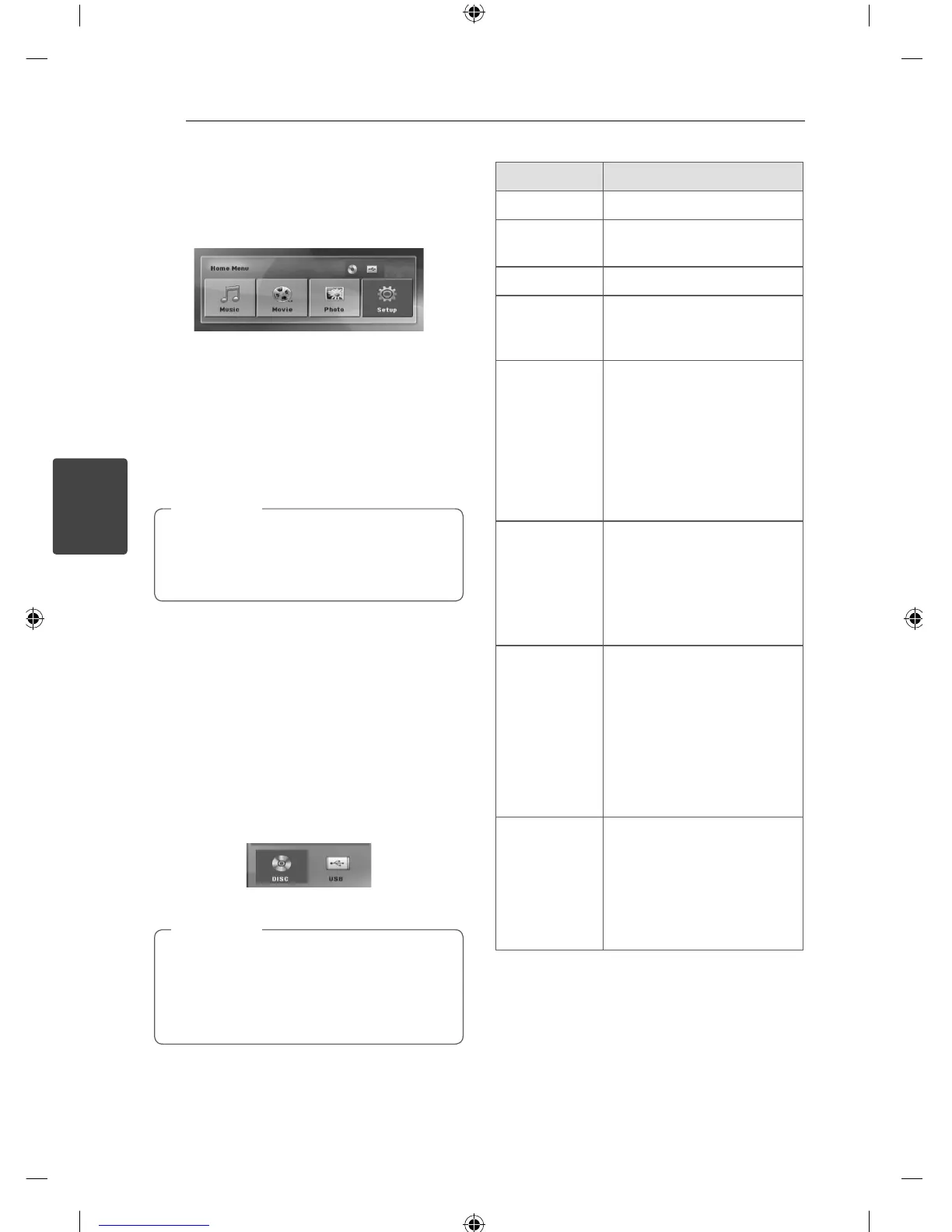
Using the Home Menu
1. Press
n
HOME.
Displays the [Home Menu].
2. Select an option by using
AD
.
3. Press
b
ENTER then selected option menu.
[Music] – Displays [MUSIC] menu.
[Movie] – Start video media’s playback or displays
the [MOVIE] menu.
[Photo] – Displays [PHOTO] menu.
[Setup] – Displays the [Setup] menu.
You can not select the [Music], [Movie] or
[Photo] option when the USB device is not
connected or a disc is not inserted.
,
Note
Basic Operations
1. Insert the disc by using the
B
OPEN/CLOSE or
Connect the USB device to the USB port.
2. Press
n
HOME.
Displays the [Home Menu].
3. Select an option by using
AD
.
If you select the [Movie], [Photo] or [Music]
option when you connect up to two devices, it
appears as below. Select a media then press
b
ENTER.
4. Press
b
ENTER then selected option menu.
For the most Audio CD and DVD-ROM discs,
playback starts automatically.
The unit plays only music le contained in
the USB storage device or disc automatically.
,
Note
To Do this
Stop Press
Z
STOP.
Playback
Press
d
PLAY, MONO/
STEREO.
Pause Press
M
PAUSE/STEP.
Frame-by-
Frame playback
Press
M
PAUSE/STEP
repeatedly to play title Frame-
by-Frame. (DVD, DivX only)
Skipping to the
next/ previous
chapter/ track/
l e
During playback, press
C/
V
SKIP to go to the next
chapter/ track/ le or to
return to the beginning of the
current chapter/ track/ le.
Press
C
SKIP twice brie y
to step back to the previous
chapter/ track/ le.
Locating a
point quickly by
playing a le in
fast forward or
fast reverse
During playback, press
c
/
v
SCAN repeatedly to
select the required scan speed.
To return to normal speed,
press
d
PLAY, MONO/
STEREO.
Playing
repeatedly or
randomly
Press REPEAT repeatedly,
and the current title, chapter
or track will be played back
repeatedly or randomly.
- DVD : Chapter/ Title/ O
- DivX : Title/ All/ O
- Audio CD/ MP3/ WMA : Track/
All/ Random/ O
Slowing down
the playing
speed
In the pause mode, press
SLOW (
c
or
v
) to select
the required speed. (DVD, DivX
only) The DivX le cannot be
slow down reverse playback.



 To Next Page