EasyManua.ls Logo

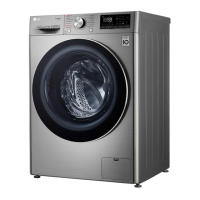
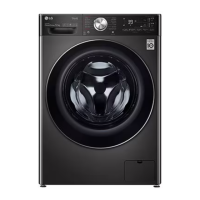
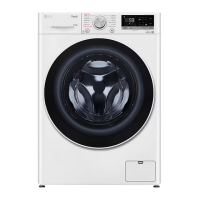
LG FV1209D4W - User Manual

LG FV1209D4W
44 pages
Print Icon
To Next Page IconTo Next Page
Loading...
www.lg.com
Copyright © 2020-2022 LG Electronics Inc. All Rights Reserved
OWNER'S MANUAL
WASHER-
DRYER
Before beginning installation, read these instructions carefully. This will simplify
installation and ensure that the product is installed correctly and safely. Leave
these instructions near the product after installation for future reference.
EN ENGLISH
F2V5PGP** FV1208D4W
FV1285D4W FV1285H4W
FV1209D4W
MFL71485490
Rev.06_120922

Questions and Answers

  • A
    Anita JonesSep 7, 2025
    Why is my LG FV1209D4W Washer/Dryer making rattling and clanking noise?
    • J
      jordan12Sep 7, 2025
      Rattling and clanking noises in your LG Washer/Dryer could be caused by foreign objects such as keys, coins, or safety pins in the drum. Stop the appliance and check the drum for these items. If the noise continues after restarting, it may require a service call.
  • S
    steven24Aug 22, 2025
    How to fix 1E INLET ERROR on my LG FV1209D4W?
    • R
      rtaylorAug 22, 2025
      To fix the 1E INLET ERROR on your LG Washer/Dryer, check if the water supply is adequate by testing another tap in the house. Ensure the water supply tap is completely open and that the water supply hoses are not kinked. Also, inspect and clean the filter of the inlet hose.
  • S
    Sara ZunigaSep 4, 2025
    What to do if my LG FV1209D4W is leaking water?
    • K
      kholdenSep 5, 2025
      If your LG Washer/Dryer is leaking water, unclog the house drain pipes, contacting a plumber if necessary. Also, clean and straighten the drain hose, and check and clean the drain filter regularly to ensure there are no blockages.
  • C
    Cindy SmithSep 3, 2025
    What to do if my LG Washer/Dryer is vibrating?
    • A
      angelajacksonSep 3, 2025
      If your LG Washer/Dryer is making vibrating noises, first, remove any packaging materials. Then, pause the cycle to redistribute the load evenly inside the drum after the door unlocks. Ensure all leveling feet are resting firmly and evenly on the floor. Finally, check if the floor is solid and doesn't flex.
  • D
    Dylan HayesSep 2, 2025
    What to do if my LG FV1209D4W Washer/Dryer displays an OE WATER OUTLET ERROR?
    • C
      Christopher GilbertSep 2, 2025
      The OE WATER OUTLET ERROR on your LG Washer/Dryer typically means there's a problem with the drain. This could be because the drain hose is kinked or clogged, so you should clean and straighten the drain hose. Alternatively, the drain filter might be clogged. Check and clean the drain filter to resolve this issue.
  • C
    Charlotte MonroeAug 31, 2025
    How to fix a 1E INLET ERROR on my LG Washer/Dryer?
    • K
      Kim BarrettAug 31, 2025
      The 1E INLET ERROR on your LG Washer/Dryer indicates an issue with the water supply. First, check another tap in the house to ensure the water supply is adequate. Make sure the water supply tap is completely open. Also, inspect the water supply hoses for any kinks and straighten them or reinstall the water inlet hose. Finally, the filter of the supply hoses might be clogged, so check and clean the filter of the inlet hose.
  • N
    Nathan JohnsonAug 30, 2025
    What to do if my LG Washer/Dryer shows a UE UNBALANCE ERROR?
    • M
      Malik Simpson Jr.Aug 30, 2025
      If you see the UE UNBALANCE ERROR on your LG Washer/Dryer, it could be due to several reasons. The laundry may be too wet at the end of the cycle. To fix this, rearrange the laundry to allow proper spinning. Close the door and press the Start/Pause button. It may take a few moments before the appliance begins to spin, and the door must be locked before spin can be achieved. Alternatively, the load might be too small. In this case, add 1 or 2 similar items or smaller articles of laundry to help balance the load. Close the door and press the Start/Pause button again.
  • J
    jacksonpatriciaAug 29, 2025
    What to do if my LG Washer/Dryer and smartphone are not connected to Wi-Fi?
    • S
      Steven GonzalezAug 29, 2025
      If your LG Washer/Dryer and smartphone are not connecting to Wi-Fi, find the Wi-Fi network connected to your smartphone and remove it, then register your appliance on LG ThinQ. Turn off the Mobile data of your smartphone and register the appliance using the Wi-Fi network. The wireless network name (SSID) should be a combination of English letters and numbers (do not use special characters). Only a 2.4 GHz router frequency is supported, so set the wireless router to 2.4 GHz. Move the location of the router so that it is closer to the appliance.
  • J
    Jason MillerAug 27, 2025
    What to do if my LG Washer/Dryer does not drain water?
    • C
      Cassandra RoweAug 28, 2025
      If your LG Washer/Dryer does not drain water, ensure that the drain hose is not kinked and that the drain hose is not higher than 1.2 m above the bottom of the appliance.
  • K
    Kathryn SolisAug 27, 2025
    Why won't my LG FV1209D4W Washer/Dryer door open?
    • J
      jcraigAug 27, 2025
      The door of your LG Washer/Dryer may not open for safety reasons once the appliance starts. Check if the H icon is illuminated. You can safely open the door after the H icon turns off.

LG FV1209D4W Specifications

General IconGeneral
Load TypeFront Load
Washing Capacity9 kg
Drying Capacity5 kg
Spin Speed1200 RPM
Energy Efficiency ClassA
ColorWhite
Width600 mm
Height850 mm
Weight63 kg
Energy Star CertifiedYes
Number of Wash Cycles14
Washer TypeFront Load
TypeWasher/Dryer Combo
Dryer TypeCondensing

Related product manuals