Operating 45
Operating
4
8. Use
W/S/A/D
to select [OK], and press
ENTER (
b
) to start Audio CD recording.
If you want to stop in progressing Audio CD
recording, press ENTER (
b
) while [Cancel] is
highlighted.
9. A message appears when Audio CD recording is
completed. Press ENTER (
b
) to check the music
le created in the destination folder.
y
The table below shows the average
recording time from an audio track with
4 minutes of playback time to a music le
with 192 kbps as an example.
stop mode while playback
1 min. 4 min.
y
Recording times in the table above are
approximate.
y
Actual recording time for USB storage
device varies depending on the USB storage
device’s ability.
y
Make sure that there is minimum of 50 MB
free space is needed when recording into
the USB storage device.
y
The length of the music should be longer
than 20 seconds for the proper recording.
y
Do not turn o this player or extract the
connected USB storage device during Audio
CD recording.
,
Not e
The recording or copying features on
this player are provided for your personel
and noncommercial use. The making of
unauthorized copies of copy-protected
material, including computer programs, les,
broadcasts and sound recordings, may be an
infringement of copyrights and constitute a
criminal oense. This equipment should not be
used for such purposes. LG expressly disclaims
any responsibility for illegal distribution or
use of unauthorized content in commercial
purpose.
Be Responsible
Respect Copyrights
>
Caution
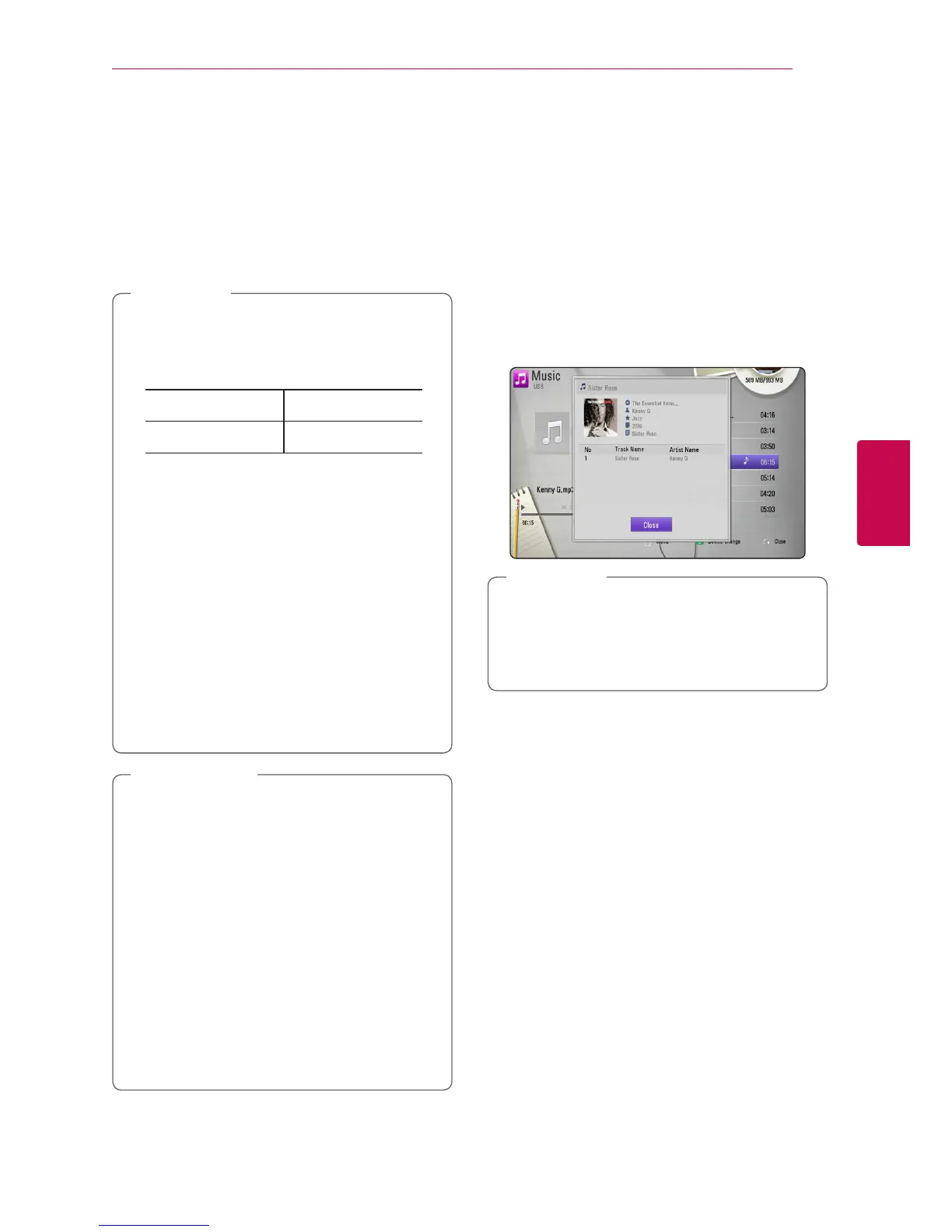
Displaying MP3 music
information (ID3 Tag)
1. Select a music le using
W
/
S
/
A
/
D
.
2. Press INFO/DISPLAY (
m
) to display the option
menu.
3. Select [Information] option using
W
/
S
, and
press ENTER (
b
).
4. The music information will be displayed on the
screen.
y
Depending on the MP3 les, information
may not be displayed on the screen.
y
MP3 les in USB or external HDD are not
worked for this function.
,
Note



 To Next Page