EasyManua.ls Logo

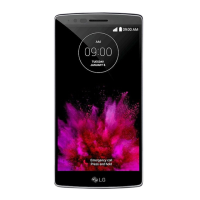
LG G Flex 2 LG-H950 - User Manual

LG G Flex 2 LG-H950
132 pages
Print Icon
To Next Page IconTo Next Page
Loading...
www.lg.com
MFL68930601 (1.0)
ENGLISH
LG-H950
USER GUIDE

Table of Contents

Questions and Answers

  • C
    Christopher MendozaAug 17, 2025
    How to fix an LG G Flex 2 LG-H950 Cell Phone that cannot be turned on?
    • R
      Rita MartinAug 17, 2025
      If your LG Cell Phone won't turn on, press the On/Off key for at least two seconds. If that doesn't work, the battery may not be charged. Charge the battery and check the charging indicator on the display.
  • B
    bpetersonAug 19, 2025
    What to do if my LG G Flex 2 LG-H950 Cell Phone has a charging error?
    • J
      Jeanette GarzaAug 19, 2025
      If your LG Cell Phone is not charging, ensure the battery isn't fully discharged and charge it. Check that the phone is charging at a normal temperature. Inspect the charger and its connection to the phone. Try plugging the charger into a different outlet. If the issue persists, replace the charger or use only original LG accessories.
  • M
    Michael RomeroAug 22, 2025
    Why does my LG G Flex 2 LG-H950 Cell Phone have no network connection or dropped network?
    • B
      Barbara VillanuevaAug 22, 2025
      If your LG Cell Phone displays 'No network connection' or 'Dropped network', move to an open area or near a window to improve signal strength. Also, check the network operator coverage map. If your SIM card is older than 6-12 months, consider changing it at your network provider's branch. You may also need to contact your service provider.
  • S
    Shannon HickmanAug 25, 2025
    Why does my LG Cell Phone hang up or freeze?
    • L
      Logan RayAug 26, 2025
      If your LG Cell Phone is freezing or hanging up, try performing a software update through the website. This may resolve intermittent software problems.
  • T
    Thomas HernandezAug 28, 2025
    How to fix SIM or USIM card error on LG Cell Phone?
    • B
      Brooke ArnoldAug 28, 2025
      If your LG Cell Phone shows 'SIM or USIM card error', ensure that the SIM card is correctly inserted into the phone.
  • C
    Caroline WatsonAug 30, 2025
    What to do if the screen does not turn on when I receive a call on my LG G Flex 2 LG-H950 Cell Phone?
    • A
      Angela FosterAug 30, 2025
      If the screen of your LG Cell Phone does not turn on when you receive a call, there might be a proximity sensor problem. If you're using a screen protector or case, ensure it's not covering the proximity sensor area. Also, make sure the area around the sensor is clean.
  • L
    lynn08Sep 2, 2025
    How to restore sound on my LG G Flex 2 LG-H950?
    • C
      Christopher JonesSep 2, 2025
      If your LG Cell Phone has no sound, check the sound settings to ensure you are not in vibration or silent mode.
  • J
    Julie GriffinSep 5, 2025
    What to do if codes do not match on my LG G Flex 2 LG-H950 Cell Phone?
    • S
      susan72Sep 5, 2025
      If you're entering codes that don't match on your LG Cell Phone, and you've forgotten the code, contact your service provider.
  • J
    justin60Sep 7, 2025
    How to fix 'number not allowed' error on LG G Flex 2 LG-H950?
    • L
      Lisa MooneySep 7, 2025
      If your LG Cell Phone displays 'Number not allowed', check the Settings menu and turn off the Fixed dialing number function.
  • A
    Alyssa SmithSep 10, 2025
    Why no applications can be set on LG Cell Phone?
    • V
      Victoria EwingSep 12, 2025
      If you are unable to set applications on your LG Cell Phone, contact your service provider. The issue may be due to service provider restrictions or require registration.

Summary

Limited Warranty Statement

Warranty Coverage Details

Details on what the limited warranty covers, including material and workmanship defects.

Warranty Exclusions

Specifies items and conditions not covered by the limited warranty.

LGs Warranty Obligations

Outlines what LG will do, such as repair, replace, or refund, under warranty terms.

State Law Rights and Service Access

Information on consumer rights under state laws and how to obtain warranty service.

Warranty Laws Overview

Overview of governing laws for product warranties.

Important Notice

Phone Memory Management

Guidelines for managing phone memory, including uninstalling applications.

Optimizing Battery Life

Tips and techniques for extending the phone's battery performance.

Software Installation Warnings

Precautions before installing open source applications and operating systems.

Using the Hard Reset (Factory Reset)

Step-by-step instructions for performing a factory data reset on the phone.

Application Management and Screen Freezing

Managing open applications and troubleshooting a frozen phone screen.

Your Phones Hardware

Front View Components and Sensors

Identification of front-facing components and the proximity sensor.

Rear View Components and Controls

Identification of rear-facing components, including buttons and NFC.

Laser Detection Autofocus Sensor

Explanation of the LDAF sensor's function for camera focusing.

Getting Started

Installing the SIM or USIM Card

Instructions for inserting the SIM card into the device.

Charging the Phone

Procedure for charging the phone's battery using the provided charger.

Inserting a Memory Card

Guide on how to insert a microSD card into the device.

Unlocking the Screen

Methods for unlocking the phone's screen after inactivity.

Setting up Smart Lock

Configuration of Smart Lock for easier phone unlocking.

Your Home Screen Interface

Touch Screen Navigation Tips

Basic gestures and tips for navigating the touch screen.

Understanding Home Screen Layout

Explanation of the status bar, widgets, icons, and navigation buttons.

Customizing Your Home Screen

Adding apps, widgets, and changing wallpapers on the Home screen.

Notifications Panel Overview

Information on how notifications appear and are managed.

Status Bar Indicator Icons

Explanation of common icons displayed in the status bar.

On-Screen Keyboard Usage

Instructions for using the on-screen keyboard and entering text.

Special Features

Gesture Shot for Photos

Using hand gestures with the front camera to take photos.

Gesture View for Photo Preview

Automatically previewing photos with a gesture after taking them.

Glance View and KnockON Screen Control

Viewing quick info with Glance View and waking/sleeping screen with KnockON.

Knock Code Security

Setting up a Knock Code pattern to wake and unlock the device.

Dual Window Multitasking

Splitting the screen to use two compatible applications simultaneously.

QuickMemo+ and QSlide Features

Creating memos with QuickMemo+ and using QSlide for floating windows.

QuickRemote for Device Control

Using the phone as a universal remote for home entertainment devices.

Google Account Setup

Creating and Signing Into Your Google Account

Steps for creating a new or signing into an existing Google account.

Syncing with Google Services

How the phone syncs data with various Google services.

Connecting to Networks and Devices

Wi-Fi Network Connection

Instructions for connecting to Wi-Fi networks and obtaining MAC address.

Bluetooth Device Pairing and Data Transfer

Pairing the phone with Bluetooth devices and sending/receiving data.

Wi-Fi Direct and SmartShare

Connecting directly with Wi-Fi Direct and sharing content via SmartShare.

Transferring Data Between PC and Device

Methods for copying or moving data between your phone and a PC.

Calls

Making, Answering, and Ending Calls

Procedures for initiating, receiving, and terminating phone calls.

Managing Call Logs and Settings

Viewing call history and configuring various call settings.

Contacts Management

Searching, Adding, and Favoriting Contacts

How to find, add new contacts, and manage favorite contacts.

Grouping and Separating Contacts

Organizing contacts into groups and managing joined/separated entries.

AT&T Address Book (AAB) Sync

Information on syncing contacts with the AT&T Address Book service.

Messaging

Sending Messages and Conversation View

Composing text/multimedia messages and viewing conversations.

Changing Messaging Settings

Customizing preferences for sending and receiving messages.

Email

Managing Email Accounts and Folders

Setting up, changing, and deleting email accounts and managing folders.

Composing and Sending Emails

Steps for writing, addressing, and sending email messages.

Camera and Video

Camera Viewfinder Options and Settings

Overview of camera controls, flash, shot modes, and settings.

Taking and Managing Photos

Instructions for taking photos, editing, sharing, and adding to favorites.

Recording and Managing Videos

Steps for recording videos, pausing, and managing recorded clips.

Panorama and Dual Camera Modes

Using panorama mode for wide shots and dual mode for front/rear cameras.

Zooming and Video Playback Controls

Using zoom features and controlling video playback.

Gallery and Video Options

Viewing and managing pictures and videos in the Gallery app.

Multimedia

Music Playback and Controls

Instructions for playing music and using playback controls.

Music File Format and Copyright Notes

Information on supported music file formats and copyright considerations.

Utilities

Clock Functions (Alarms, Timer, World Clock)

Using the Clock app for alarms, timers, and world time.

Stopwatch and Calculator

Using the stopwatch and calculator applications.

Calendar, Voice Search, and Downloads

Managing calendar events, using voice search, and accessing downloads.

LG SmartWorld Content Access

Accessing and downloading content from LG SmartWorld.

Browsing the Web

Using the Browser and Toolbar

Navigating websites using the browser and its toolbar functions.

Opening Pages, Bookmarks, and History

Managing web pages, bookmarks, and browsing history.

Using the Chrome Browser

Instructions for searching and browsing web pages using Chrome.

Device Settings and Configuration

Network & Connectivity Settings

Configuring Wi-Fi, Bluetooth, Airplane Mode, and Data Manager.

Call, Messaging, and Email Settings

Customizing call, message, and email account settings.

Sound, Display, and Screen Controls

Adjusting sound profiles, volume, vibration, and display settings.

Home Screen, Lock Screen, and Security

Customizing Home screen, setting screen locks, and security features.

Input, Location, and Accessibility Settings

Configuring keyboard, voice input, location services, and accessibility.

Battery, Storage, and System Management

Managing battery, storage, apps, and performing system maintenance.

Software Updates and PC Suite

Updating phone software and using LG PC Suite for management.

Software Update

Phone and OTA Software Updates

Procedures for updating phone firmware via internet or Over-the-Air (OTA).

Trademarks

Q&A

Accessories

Troubleshooting

SIM;USIM Card and Network Issues

Resolving issues related to SIM card errors and network connectivity.

Call Availability and Power Issues

Troubleshooting problems with call availability and phone power on.

Charging, Messaging, and File Errors

Solutions for charging errors, message sending, and file opening problems.

Screen, Sound, and Freezing Problems

Addressing issues with screen not turning on, no sound, and phone freezing.

Device Safety and Precautions

General Safety Warnings and Handling

Important safety information, warnings, and general handling precautions.

RF Exposure, SAR, and Minimization

Understanding RF exposure, SAR values, and how to minimize exposure.

Health and Medical Device Interactions

Information on hearing aid compatibility and interaction with medical devices.

Safe Operation in Hazardous Environments

Guidelines for using the phone safely in blasting areas and explosive atmospheres.

Driving and Emergency Use Guidelines

Recommendations for safe phone use while driving and emergency calls.

Laser Safety and Product Compliance

Laser safety statement, CDRH compliance, and operational precautions.

LG G Flex 2 LG-H950 Specifications

General IconGeneral
CPUOcta-core (4x1.5 GHz Cortex-A53 & 4x2.0 GHz Cortex-A57)
RAM2GB / 3GB
Storage16GB / 32GB
Front Camera2.1 MP
Weight152 g
SIM CardNano-SIM
ColorsPlatinum Silver, Flamenco Red
Display5.5 inches, P-OLED, 1080 x 1920 pixels
ProcessorQualcomm Snapdragon 810
Rear Camera13 MP
Battery3000 mAh
Operating SystemAndroid 5.0 (Lollipop), upgradable to 6.0 (Marshmallow)
Dimensions149.1 x 75.3 x 7.1-9.4 mm

Related product manuals