EasyManua.ls Logo

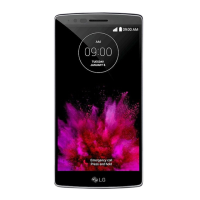
LG G Flex 2 - User Manual

LG G Flex 2
159 pages
Print Icon
To Next Page IconTo Next Page
Loading...
User Guide

Table of Contents

Other manuals for LG G Flex 2

Questions and Answers

  • J
    James YoungAug 14, 2025
    Why is my LG G Flex 2 Cell Phone not charging?
    • M
      Megan WarrenAug 14, 2025
      If your LG Cell Phone is not charging, there could be several reasons: * The battery might not be charged. Try charging the battery. * The surrounding temperature might be too hot or too cold. Ensure the phone is charging at a normal temperature. * There might be a contact issue. Check the charger and its connection to the phone. * There might be no voltage. Plug the charger into a different outlet. * The charger could be defective. Replace the charger. * You might be using the wrong charger. Use only original LG accessories.
  • K
    Kimberly SimpsonAug 17, 2025
    What to do if my LG G Flex 2 has no network connection?
    • J
      james59Aug 18, 2025
      If your LG Cell Phone displays 'No network connection' or 'Dropped network', it could be due to a weak signal or being outside the carrier network. Try moving toward a window or into an open area. You can also check the network operator coverage map. Alternatively, your operator might have applied new services. Check if your SIM card is more than 6~12 months old, and if so, consider changing it at your network provider’s nearest branch, or contact your service provider.
  • W
    William JohnsonAug 21, 2025
    How to fix LG G Flex 2 that cannot be turned on?
    • A
      Angela VangAug 21, 2025
      If your LG Cell Phone cannot be turned on, make sure you press the On/Off key for at least two seconds. Also, ensure the battery is charged. Check the charging indicator on the display.
  • K
    kbradfordAug 25, 2025
    Why doesn't the screen turn on when I receive a call on my LG G Flex 2?
    • S
      Sean DeckerAug 26, 2025
      If the screen of your LG Cell Phone does not turn on when you receive a call, there may be a proximity sensor problem. If you are using a protection tape or case, make sure it is not covering the area around the proximity sensor. Also, ensure that the area around the proximity sensor is clean.
  • J
    jacqueline00Aug 27, 2025
    How to fix LG Cell Phone that hangs up or freezes?
    • M
      michele32Aug 27, 2025
      If your LG Cell Phone is hanging up or freezing, it could be due to an intermittent software problem. Try to perform a software update through the website.
  • N
    Nicole MccoyAug 31, 2025
    How to fix SIM or USIM card error on LG G Flex 2 Cell Phone?
    • R
      Richard LewisAug 31, 2025
      If your LG Cell Phone shows a SIM or USIM card error, it might be because there is no SIM or USIM card in the phone, or it is inserted incorrectly. Make sure that the SIM card is correctly inserted.
  • J
    Jordan SmithSep 4, 2025
    How to restore sound on my LG Cell Phone?
    • R
      Robert FrazierSep 4, 2025
      If you are experiencing no sound on your LG Cell Phone, check the settings status in the sound menu to ensure you are not in vibration or silent mode.
  • T
    trevor21Sep 7, 2025
    What to do if files do not open on my LG G Flex 2?
    • C
      Charles Henry PhDSep 7, 2025
      If files do not open on your LG Cell Phone, it might be due to an unsupported file format. Check the supported file formats.
  • B
    Bryan WrightSep 10, 2025
    Why no applications can be set on my LG G Flex 2 Cell Phone?
    • K
      Karen FrostSep 12, 2025
      If no applications can be set on your LG Cell Phone, it is possible that it is not supported by your service provider or registration is required. Contact your service provider.

Summary

Get Started

Phone Layout and Features

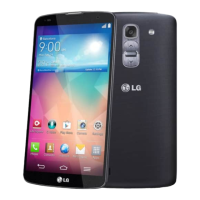
Identifies and describes the phone's physical buttons, ports, and key external features.

SIM and SD Card Installation

Provides step-by-step instructions for inserting microSIM and microSD cards.

Phone Activation and Initial Setup

Guides users through activating the phone and completing setup screens.

Basic Phone Operations

Google Account and Play Store

Guides on managing Google accounts and using the Play Store for apps.

Screen Security and Updates

Covers locking/unlocking the screen and updating phone software.

Phone App Functions

Call Management and Voicemail

Covers placing, answering, managing calls, HD Voice, and voicemail services.

Contacts Management

Details adding, editing, deleting, and importing/exporting contacts.

Messaging Operations

Covers text, multimedia messaging, and managing conversations.

System Settings and Personalization

Screen Security and Lock Options

Details screen lock options, passwords, and smart lock features.

For Assistance

LG G Flex 2 Specifications

General IconGeneral
ProcessorQualcomm Snapdragon 810
CPUOcta-core (4x1.5 GHz Cortex-A53 & 4x2.0 GHz Cortex-A57)
GPUAdreno 430
Front Camera2.1 MP
Dimensions149.1 x 75.3 x 7.1-9.4 mm
Weight152 g
ColorsPlatinum Silver, Flamenco Red
Display5.5 inches, 1080 x 1920 pixels, P-OLED
RAM2 GB
Internal Storage16GB / 32GB
Rear Camera13 MP, laser autofocus, OIS
Battery3000 mAh (non-removable)
Operating SystemAndroid 5.0 Lollipop, upgradable to 6.0 Marshmallow

Related product manuals