EasyManua.ls Logo

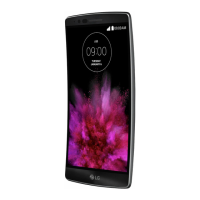
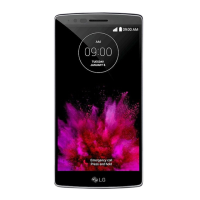
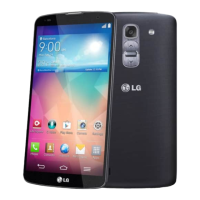
LG G Flex - User Manual

LG G Flex
217 pages
Print Icon
To Next Page IconTo Next Page
Loading...
User Guide

Table of Contents

Other manuals for LG G Flex

Questions and Answers

  • M
    Melvin CurtisAug 17, 2025
    What to do if my LG Cell Phone won't switch on?
    • M
      Meghan JordanAug 17, 2025
      If your LG Cell Phone won't switch on, ensure you press the Power/Lock Key for at least two seconds. Also, check if the battery is charged by observing the charging indicator on the display and charge it if necessary.
  • V
    vperezAug 19, 2025
    Why does my LG G Flex Cell Phone say charging error?
    • B
      Brittney HarveyAug 20, 2025
      A charging error on your LG Cell Phone could be due to several reasons. Ensure the battery is charging. The outside temperature might be too hot or cold, so ensure the phone is charging at a normal temperature. Check the charger and its connection to the phone. Try plugging the charger into a different socket to rule out voltage issues. The charger might also be defective, so consider replacing it. Finally, ensure you are using only original LG accessories.
  • I
    igomezAug 22, 2025
    What to do if my LG G Flex has no network connection?
    • G
      gailjimenezAug 22, 2025
      If your LG Cell Phone has no network connection or the network drops, the signal might be weak, or you may be outside the carrier network. Try moving toward a window or into an open area. You can also check the network operator coverage map. Additionally, the operator might have applied new services, so check if the Micro SIM card is more than 6~12 months old; if so, change your Micro SIM at your network provider's nearest branch or contact your service provider.
  • C
    Clayton JonesAug 25, 2025
    What to do if my LG G Flex Cell Phone hangs up or freezes?
    • R
      Richard FoxAug 26, 2025
      If your LG Cell Phone hangs up or freezes, it may be due to an intermittent software problem. Try to perform a software update via the website.
  • R
    Ronald GravesAug 27, 2025
    Why does my LG G Flex display Micro SIM error?
    • H
      hammonddouglasAug 27, 2025
      If your LG Cell Phone displays a Micro SIM error, it could be because there is no Micro SIM card in the phone or it is inserted incorrectly. Make sure that the Micro SIM card is correctly inserted.
  • F
    fsimmonsAug 30, 2025
    How to fix LG G Flex Cell Phone no sound?
    • M
      Michelle JohnsonAug 30, 2025
      If your LG Cell Phone has no sound, check the settings status in the sound menu to ensure you are not in vibration or silent mode.
  • M
    margaret55Sep 2, 2025
    Why does my LG Cell Phone say number not allowed?
    • K
      Kristen NixonSep 2, 2025
      If your LG Cell Phone displays 'number not allowed', it could be because the Fixed dialling number function is on. Check the Settings menu and turn the function off.
  • W
    williamsandrewSep 4, 2025
    What to do if my LG G Flex impossible to receive or send text and picture messages?
    • D
      Derek WilsonSep 4, 2025
      If your LG Cell Phone cannot receive or send text and picture messages, it might be due to a full memory. Delete some messages from your phone.
  • A
    April QuinnSep 7, 2025
    What to do if my LG G Flex files do not open?
    • A
      Alexis PalmerSep 7, 2025
      If files do not open on your LG Cell Phone, the file format might be unsupported. Check the supported file formats.
  • T
    traci55Sep 10, 2025
    Why the screen does not turn on when I receive a call on my LG G Flex Cell Phone?
    • B
      Bailey JuarezSep 10, 2025
      If the screen of your LG Cell Phone does not turn on when you receive a call, it might be a proximity sensor problem. If you use a protection tape or case, make sure it has not covered the area around the proximity sensor. Ensure that the area around the proximity sensor is clean.

Summary

Get Started

Set Up Your Phone

Covers initial phone charging and powering on steps.

Activate Your Phone

Guides through the phone activation process with Sprint.

Phone Basics

Phone Calls

Making and Receiving Calls

Guides on dialing, answering, rejecting calls, and voicemail setup.

Accounts and Messaging

Text and Multimedia Messaging

Guides on composing, sending, and replying to text/MMS messages.

Web and Data

Connecting to Networks

Steps to connect to Wi-Fi, 4G, and manage data.

Camera and Video

Settings

Security and Lock Screen

Configures screen lock options and security features.

LG G Flex Specifications

General IconGeneral
Display diagonal6 \
Touch technologyMulti-touch
Touchscreen typeCapacitive
Display resolution1280 x 720 pixels
Processor cores4
Processor familyQualcomm Snapdragon
Processor frequency2.3 GHz
RAM capacity2 GB
Compatible memory cards-
Internal storage capacity32 GB
Flash typeLED
Front camera typeSingle camera
Video recording modes1080p
Rear camera resolution (numeric)13 MP
Front camera resolution (numeric)2.1 MP
4G standardLTE
2G standardsEDGE, GPRS, GSM
3G standardsHSDPA, UMTS
Wi-Fi standards802.11a, Wi-Fi 5 (802.11ac), 802.11b, 802.11g, Wi-Fi 4 (802.11n)
Bluetooth version4.0
SIM card capabilitySingle SIM
Mobile network generation4G
USB connector typeMicro-USB B
Headphone connectivity3.5 mm
Form factorBar
Product colorTitanium
PlatformAndroid
Google applicationsGoogle Maps, Google Play, Google Voice Search
App distribution platformGoogle Play
Operating system installedAndroid 4.2.2
Subscription typeNo subscription
ThemesWallpapers
Personal info management (PIM)Alarm clock, Calculator, Calendar, Events reminder, Notes, To-do list
Voice codecsAMR-NB, AMR-WB
Audio formats supported3GPP, 3GPP2, AAC, AMR-NB, AMR-WB, FLAC, MIDI, MKA, MP3, MP4, WAV, WMA
Image formats supportedGIF, JPG
Video formats supportedDIVX, H.263, H.264, MKV, MPEG4, WMV, XVID
Video compression formatsH.263, H.264, MPEG4
Multimedia Messaging Service (MMS)Multimedia Messaging Service (MMS) is a standard way to send messages that include multimedia content to and from a mobile phone over a cellular network
Talk time (3G)- h
Battery capacity3500 mAh
Cables includedUSB
Weight and Dimensions IconWeight and Dimensions
Depth- mm
Width81.6 mm
Height160.5 mm
Weight177 g

Videos

How To Reset LG G Flex - Hard Reset and Soft Reset

Related product manuals