Useful Apps 92
Snap movie
You can record short videos clips and assemble them into a 60-second
short film.
1
Tap , then tap MODE .
2
Tap .
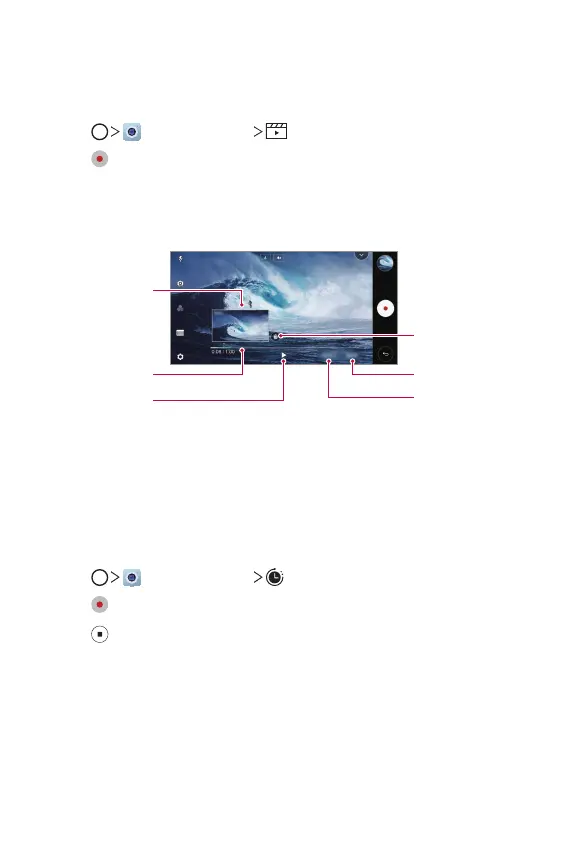
• Tap the icon once to record a three-second video clip. Touch and
hold the icon to create a longer video clip (maximum length: one
minute).
Delete all the clips.
Save the video.
Timeline.
Preview the
selected clip.
Play all the clips.
Delete the
selected clip.
3
Tap SAVE.
Time-lapse
You can take a sequence of frames at set intervals to record changes that
take place slowly over time, such as cloud movements, celestial motions,
traffic, and more.
1
Tap , then tap MODE .
2
Tap and record a video.
3
Tap to end the video recording.



 To Next Page