Useful Apps 98
Noise reduction Reduce noise at high ISO settings.
Add signature Display a personalised signature on the photos.
Storage
Select if you want to store the pictures and videos in the
Internal storage or SD card.
(Available when the memory card is inserted.)
Help Provide Help for each camera menu.
Manual video mode
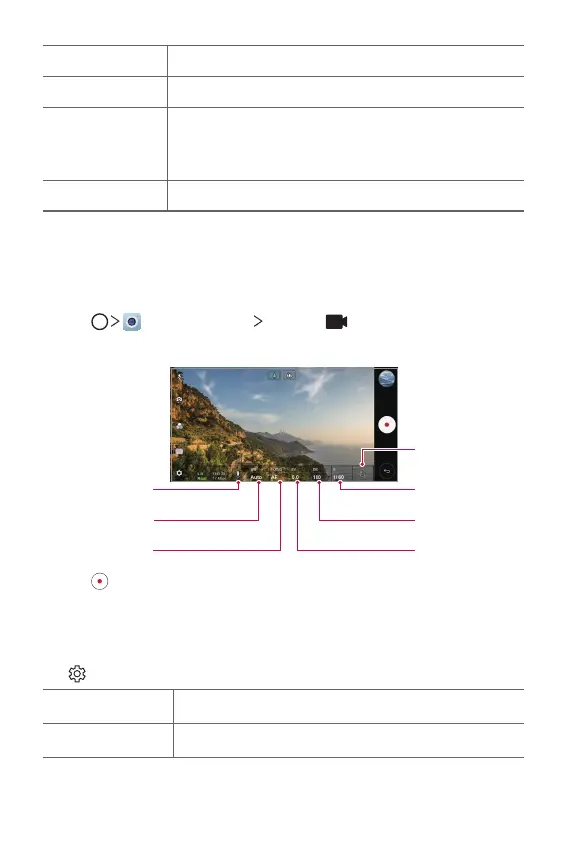
You can record a video by using various features such as controls for white
balance, focus, brightness, ISO, shutter speed and more.
1
Tap , then tap MODE Manual ( ).
2
Customise the camera settings.
Adjust audio
balance.
Adjust white
balance.
Adjust shutter
speed.
Adjust ISO speed.
Adjust brightness.
Reset the settings.
3
Tap to record a video.
Customising the camera options
You can customise a variety of camera options to suit your preferences.
Tap
on the screen.
Video resolution Select values for aspect ratio and size for videos.
Frame rate Select the frames per second value.


 To Next Page