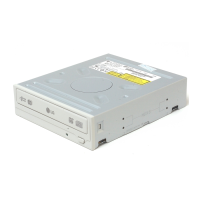
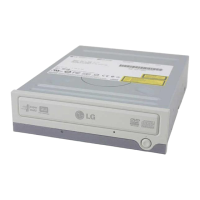
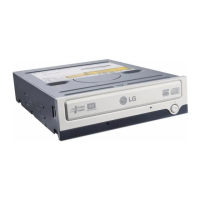
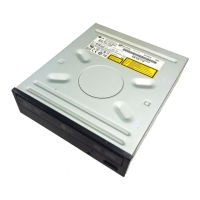
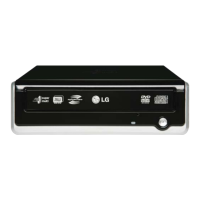
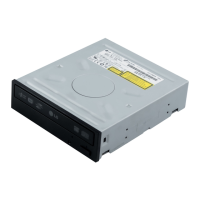
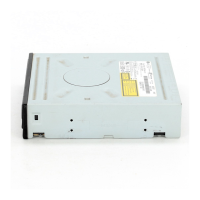
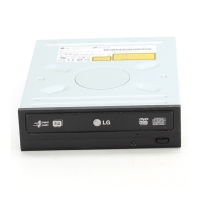
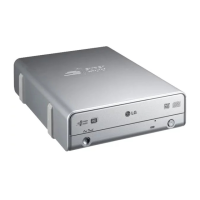
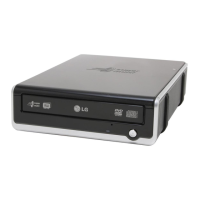
This document is the owner's manual for the LG Super Multi DVD Drive, model GSA-4163B. It provides comprehensive information on the drive's features, installation, usage, and troubleshooting. The manual emphasizes the importance of reading it carefully and completely to fully utilize all the product's functions.
Function Description
The LG Super Multi DVD Drive is a versatile optical drive designed for personal computers. It features an Enhanced-IDE (ATAPI) interface, allowing for easy integration into most PC systems. This drive combines the functionalities of multiple optical drive types into one unit, supporting a wide range of disc formats for both reading and writing.
Its primary function is to read and write data to various CD and DVD media. For CDs, it supports CD-R and CD-RW discs, enabling users to record and rewrite data. For DVDs, it handles DVD-R, DVD-RW, DVD+R, DVD+RW, DVD+R Double Layer, and DVD-RAM discs, offering extensive compatibility for DVD burning and playback. This "Super Multi" capability means it can perform tasks that would typically require separate drives, such as burning data CDs, creating video DVDs, and backing up large files on DVD-RAM.
The drive supports UDF (Universal Disc Format) for easy writing to CD-RW, DVD-RW, DVD+RW, and DVD-RAM discs, simplifying the process of drag-and-drop file management on these rewritable formats. It also incorporates automatic buffer underrun error prevention technology, which helps to ensure successful disc writing by preventing data flow interruptions during the burning process.
For playback, the drive can read CD-ROM, CD-R, CD-RW, DVD-ROM (single and dual layer), DVD+R, DVD-R, DVD+RW, DVD-RW, DVD-VIDEO, and DVD-RAM discs. This broad reading capability makes it suitable for playing audio CDs, installing software from CD-ROMs, watching DVD movies, and accessing data stored on various DVD formats.
The drive is designed for power tray loading and ejection of discs, providing a convenient and automated mechanism for disc handling. In case of power failure or drive malfunction, an emergency eject hole is provided, allowing for manual disc removal.
Usage Features
The LG Super Multi DVD Drive is compatible with several Windows operating systems, including Windows 2000 Professional, Windows ME, XP Home Edition, and XP Professional. This ensures broad software compatibility for most PC users. The manual highlights that no special device driver is required for these operating systems, as the system will automatically recognize and load native software drivers upon installation and boot-up.
Installation involves physically mounting the drive into a 5.25-inch half-height bay within the computer case and connecting it to the motherboard via an IDE interface cable and to the power supply via a +5V/+12V power socket. The drive can be configured as either a Master or Slave device using a jumper connector on the rear panel, or it can be set to Cable Select (CSEL) mode, which allows the hardware configuration to automatically determine the Master/Slave setting. This flexibility ensures compatibility with various PC setups.
For audio playback, the drive can be connected to a sound card using an analog audio cable, allowing the computer to output audio from CDs.
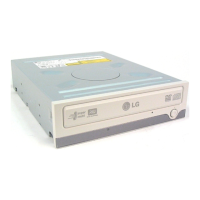
The drive features a front panel with a disc tray, an emergency eject hole, a stop/eject button, and a drive activity indicator LED. This LED provides visual feedback on the drive's status: green for disc reading and flashing green for disc writing (CD-R/RW, DVD-R/RW) or solid green for disc writing (DVD-RAM, DVD+R/RW).
The manual provides important advice on disc usage:
- Disc Compatibility: It supports 12cm and 8cm discs, with 8cm discs only usable when the drive is placed horizontally.
- Disc Handling: Users are cautioned against attaching stickers or labels to discs, as this can cause read/write errors and data loss. It also strongly advises against using damaged, cracked, or warped discs due to the high rotation speeds, which could damage the drive's optical unit if a disc breaks. Non-standard discs are also not recommended.
- Software: The manual instructs users to install the supplied CD/DVD Recording Authoring Software before using the unit and recommends uninstalling any previous CD burning software to prevent compatibility issues.
- Region Playback Control: The drive supports Region Playback Control Phase II, allowing users to change the regional code up to 5 times. This is relevant for DVD-ROM disc playback, especially when using certain MPEG decoder cards or software.
Maintenance Features
The manual emphasizes several precautions to ensure the longevity and proper functioning of the drive and to prevent data loss:
- Environmental Conditions: Users are advised to avoid placing the drive in locations subject to high humidity, high temperature, excessive dust, mechanical vibration, or direct sunlight.
- Temperature Changes: Sudden changes in temperature (e.g., moving the drive from a cold to a warm place) should be avoided, as condensation can occur and cause abnormal operation.
- Disc Removal: Always remove discs before moving the drive to prevent damage to the disc and potential data loss.
- Foreign Objects: Care should be taken to prevent liquids or metal objects from entering the drive. If a foreign object does enter, users are instructed to consult the dealer.
- Power Interruption: Do not interrupt the electric power while the drive is operating, as this can lead to data corruption or drive damage.
- IDE Cable Management: When connecting two IDE devices, ensure they are not both configured as Master or Slave to avoid Windows failing to run or recognize the drives. The total length of the IDE cable should not exceed 18 inches (about 45 cm).
- Emergency Eject: The emergency eject feature should only be used in emergencies (e.g., power outage, drive failure) and not excessively, as it can cause malfunction.
- Troubleshooting: A comprehensive troubleshooting guide is provided to help users diagnose common issues before seeking service. This includes checking power connections, IDE cable connections, Master/Slave settings, disc condition (dirt, scratches), available disc space for writing, disc orientation, and environmental factors like temperature changes causing condensation. It also advises checking device manager settings in Windows to ensure the drive is recognized and operating correctly.
The manual also includes a warning about visible and invisible laser radiation when the drive is open, advising users to avoid exposure to the beam. This highlights the internal laser components and the importance of not opening the drive cover.


 To Next Page


 General