Need help?
Do you have a question about the LG GSA-H10A and is the answer not in the manual?
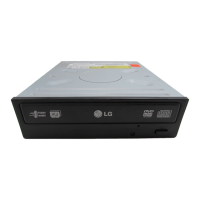
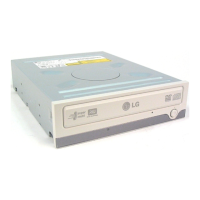
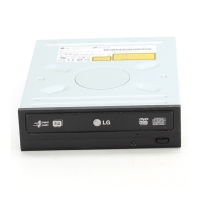
Details of controls and indicators on the front of the DVD drive unit.
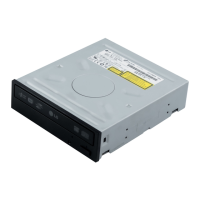
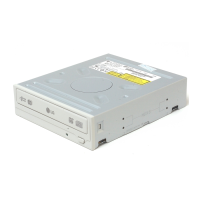
Description of connectors located on the back of the DVD drive unit.
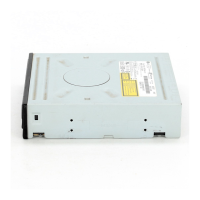
Configure Master/Slave settings via jumpers on the drive's rear panel.
Manual procedure to eject a disc from the drive in case of failure or power outage.
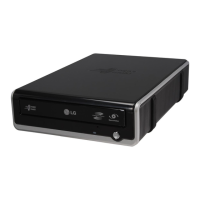
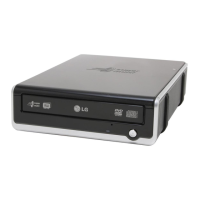
This document is an owner's manual for the LG Super Multi DVD Drive, model GSA-H10A. It provides comprehensive information on the drive's features, installation, usage, and troubleshooting.
The LG Super Multi DVD Drive is an enhanced-IDE (ATAPI) interface device designed to read and write various optical disc formats. Its primary function is to provide comprehensive optical disc capabilities, combining CD-R/RW, DVD-R/RW, DVD-R DL, DVD+R/RW, DVD+R DL, and DVD-RAM Drive functions into a single unit. This versatility allows users to perform a wide range of tasks, including data storage, backup, and multimedia playback.
Key usage features of the drive include its power tray loading and ejection mechanism, which allows for convenient disc handling. In cases of power failure or drive malfunction, a manual ejection feature is provided through an emergency eject hole, ensuring that discs can always be retrieved. The drive supports Region playback control Phase II, which is important for DVD video playback, although users should be aware that certain MPEG decoder cards or software without regional code settings might prevent the drive from reading DVD-ROM discs. The drive allows for up to five changes of the regional code.
The drive is compatible with Windows 2000 Professional, ME, XP Home Edition, and XP Professional operating systems, and it automatically loads native software drivers upon installation and boot-up. For optimal performance, the manual recommends a system environment with a Pentium III 700MHz CPU (or Pentium IV 2.4GHz or faster), 512MB or greater memory, 128MB or greater VGA card memory, and 20GB or more free hard disk space. It also requires a 5.25-inch half-height drive bay and +5V/+12V power.
Installation of the drive involves connecting it to the computer's motherboard via a 40-pin flat IDE cable. The drive can be configured as either a Master or Slave device using a jumper connector on the rear panel. Proper jumper setting is crucial to avoid system malfunction. The manual provides detailed instructions and diagrams for connecting the power cable and the IDE interface cable, emphasizing the importance of correct orientation and ensuring the computer's power is off during installation to prevent damage. An analog audio output connector is available for connecting to a sound card, though a digital audio output connector is mentioned as not supported.
For optimal writing performance and data integrity, the manual recommends specific brands of media for different disc types, such as LG, Mitsubishi Kagaku Media, Verbatim, Taiyo Yuden, TDK, Ricoh, JVC, Maxell, and Panasonic. It also highlights the importance of using Ultra Speed CD-RW media only with drives bearing the "Compact Disc ReWritable Ultra Speed" logo to prevent data loss.
Maintenance and precautionary features are also detailed. Users are advised to avoid placing the drive in locations with high humidity, high temperature, excessive dust, mechanical vibration, or direct sunlight. The drive should be used in a horizontal or vertical position, not tilted. Sudden temperature changes should be avoided to prevent condensation, which can lead to abnormal operation. It is crucial to remove discs before moving the drive to prevent damage and data loss. Users are warned against interrupting the electric power during operation and against using damaged, cracked, warped, or non-standard discs, as these can cause read/write errors, data loss, or even damage to the drive's optical unit due to high-speed rotation. The manual also stresses the importance of not attaching stickers or labels to discs.
In case of troubleshooting, the manual provides a checklist of common issues, such as power problems, system startup failures, and inability to read or write discs. It advises checking power and IDE cable connections, jumper settings, disc condition (dirt, scratches, correct loading direction), and environmental factors like temperature. If problems persist, users are encouraged to provide detailed information about their system and the issue when seeking service. The drive also features automatic buffer underrun error prevention technology to enhance writing reliability.
The manual emphasizes that the manufacturer offers no warranty against data loss due to inappropriate installation, handling, or direct/indirect damages, and bears no responsibility for data damage caused by product use or malfunction. Users are advised to back up all important data as a protective measure. For software, it recommends installing appropriate CD Recording Authoring Software and uninstalling any previous CD burning software to prevent compatibility issues. Updating the software is also suggested to resolve potential problems. The manual also directs users to the LG service website for driver updates and firmware information.
 General
| Buffer Size | 2 MB |
|---|---|
| Read Speed | 16x DVD-ROM |
| Rewrite Speed | 6x DVD-RW, 8x DVD+RW |
| Supported Formats | DVD±R, DVD±RW, DVD-RAM, CD-R, CD-RW |
| Drive Type | DVD±RW (±R DL) / DVD-RAM |
| Write Speed | 16x DVD±R, 8x DVD±R DL, 6x DVD-RW, 8x DVD+RW, 5x DVD-RAM, 48x CD-R, 32x CD-RW |

 To Next Page