EasyManua.ls Logo

LG GSA-5169D - User Manual

LG GSA-5169D
16 pages
Print Icon
To Next Page IconTo Next Page
Loading...
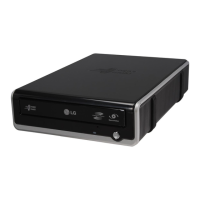
External
External
Super Multi DVD Rewriter
GSA-5169D
English

Other manuals for LG GSA-5169D

Questions and Answers

  • T
    Timothy FrancoJul 31, 2025
    What to do if my LG GSA-5169D cannot read a disc?
    • T
      Tammy BrownJul 31, 2025
      If your LG DVD Drive is unable to read a disc, there might be several reasons: * The disc might not be inserted correctly; reinsert it properly. * The disc surface could be dirty; clean it gently. * The pick-up lens of the drive might be dusty; clean the pick-up lens. * The disc may be scratched or warped; try a different disc. * The disc might use a region code incompatible with your drive; consult your system manual for further assistance.
  • P
    Paul SextonAug 10, 2025
    Why is my LG GSA-5169D DVD Drive not being detected?
    • S
      suecombsAug 10, 2025
      If your LG DVD Drive is not being detected by the system, it could be due to: 1. The USB 2.0 converter cable not being properly connected; ensure it is securely connected and reinstall the device driver. 2. Loose cables; tighten the connections or replace the cable if necessary.
  • C
    Carlos KingAug 20, 2025
    How to fix LG GSA-5169D DVD Drive that won't play media?
    • M
      Michael JonesAug 20, 2025
      If your LG DVD Drive won't play media, consider these potential causes: 1. The disc format may be incompatible with your system. For PCs, ensure the disc is in ISO 9660 IBM compatible PC format, as opposed to Apple/Mac HFS or UNIX disc formats. 2. A virus might have corrupted the Windows DVD-ROM software driver program. Run a virus scan and repair if possible.

Summary

Introduction

Features

Lists key capabilities of the LG External Super Multi DVD Rewriter.

Package contents

Details items included in the product package.

System requirements

Specifies the necessary computer hardware and software for operation.

Important precautions

Provides essential guidelines for safe handling and operation of the drive.

Location and function of controls

Identifies and explains the physical buttons and connectors on the drive.

Installation

Hardware Installation

Step-by-step guide for connecting the drive to a computer or video device.

Removing the USB converter cable

Explains the safe procedure for disconnecting the USB cable.

Operation

Loading and ejecting a disc

Instructions for inserting and removing discs from the drive.

Emergency Eject

Procedure for manually ejecting a disc in case of drive failure or power outage.

Recording

Guides on how to record data or video onto discs using different modes.

Playing a music CD

Instructions for playing audio CDs through the computer's audio system.

Playing DVD video and MPEG2 movie video

How to play DVD movies and MPEG2 videos using the drive.

Appendix

Troubleshooting

Lists common problems and their solutions for the DVD Rewriter.

Specifications

Technical details and performance metrics of the DVD Rewriter.

LG GSA-5169D Specifications

General IconGeneral
InternalYes
CD write speed48 x
CD rewrite speed32 x
DVD+R speed16 x
DVD+RW speed8 x
DVD-RW speed6 x
Dimensions (WxDxH)160 x 230 x 50 mm
Minimum system requirementsPentium III 800MHz, 256MB, HDD: 10GB, Video memory: 32MB, Direct X 9.0 Interface: USB 2.0
Compatible operating systemsWindows XP Home & Prof. (SP1. SP2)
Drive device, buffer size2 MB
Bundled software- PowerDVD - PowerProducer Gold - InCD - Acrobat Reader
Weight and Dimensions IconWeight and Dimensions
Weight1370 g

Related product manuals