53
Camera and Video
Video options
1 Tap > > .
2 Selectthevideoyouwanttowatch.
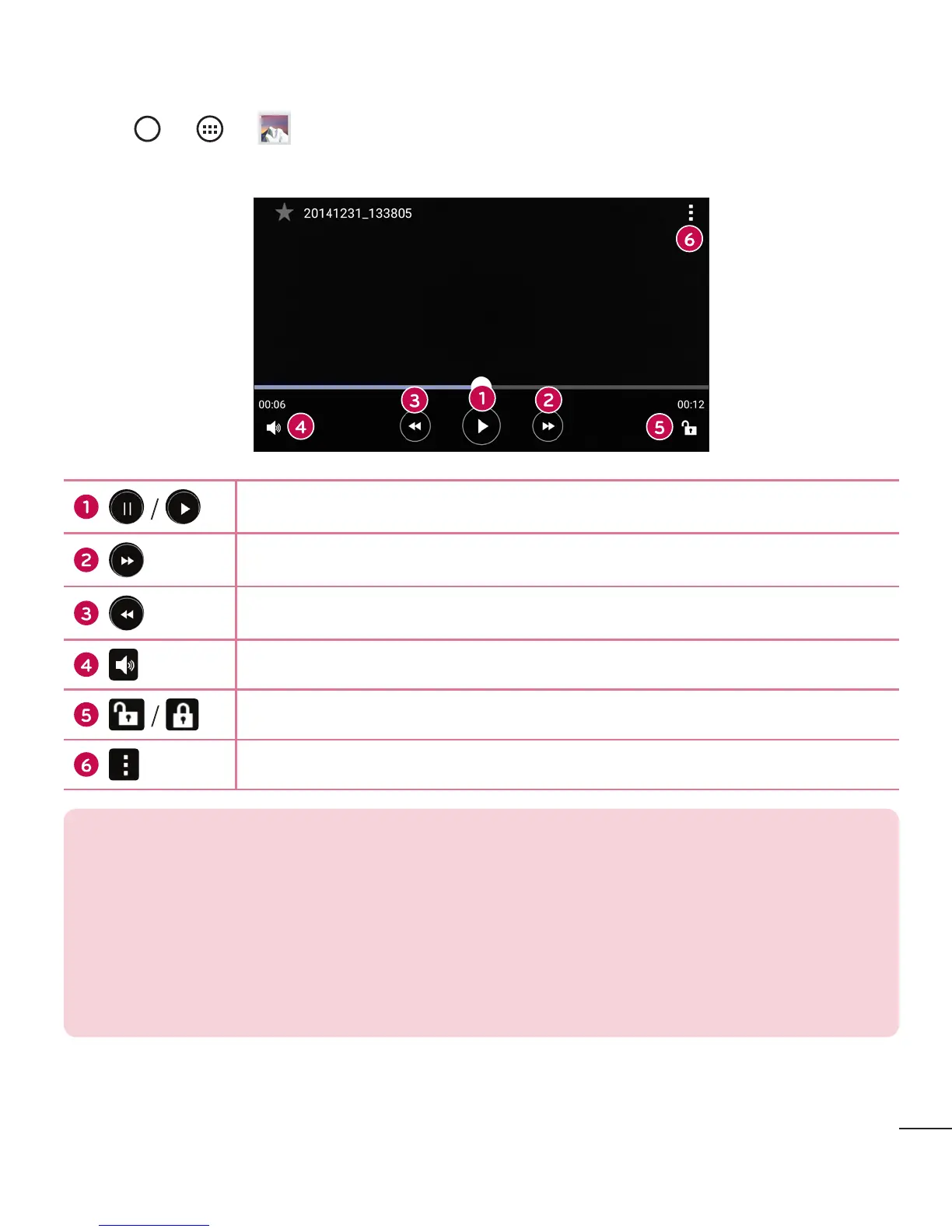
Taptopause/resumevideoplayback.
Taptofast-forward10seconds.
Taptorewind10seconds.
Taptoadjustvideovolume.
Taptolock/unlockthescreen.
Taptoaccessadditionaloptions.
NOTE:
• While a video is playing, slide the right side of the screen up or down to
adjust the sound.
• While a video is playing, slide the left side of the screen up or down to adjust
the brightness.
• While playing a video, slide your finger from left to right (or vice versa) to
fast-forward and rewind.



 To Next Page