17
Getting to know your phone
Installing the SIM or USIM card and battery
InserttheSIMorUSIMcardprovidedbythemobiletelephoneserviceprovider,andthe
includedbattery.
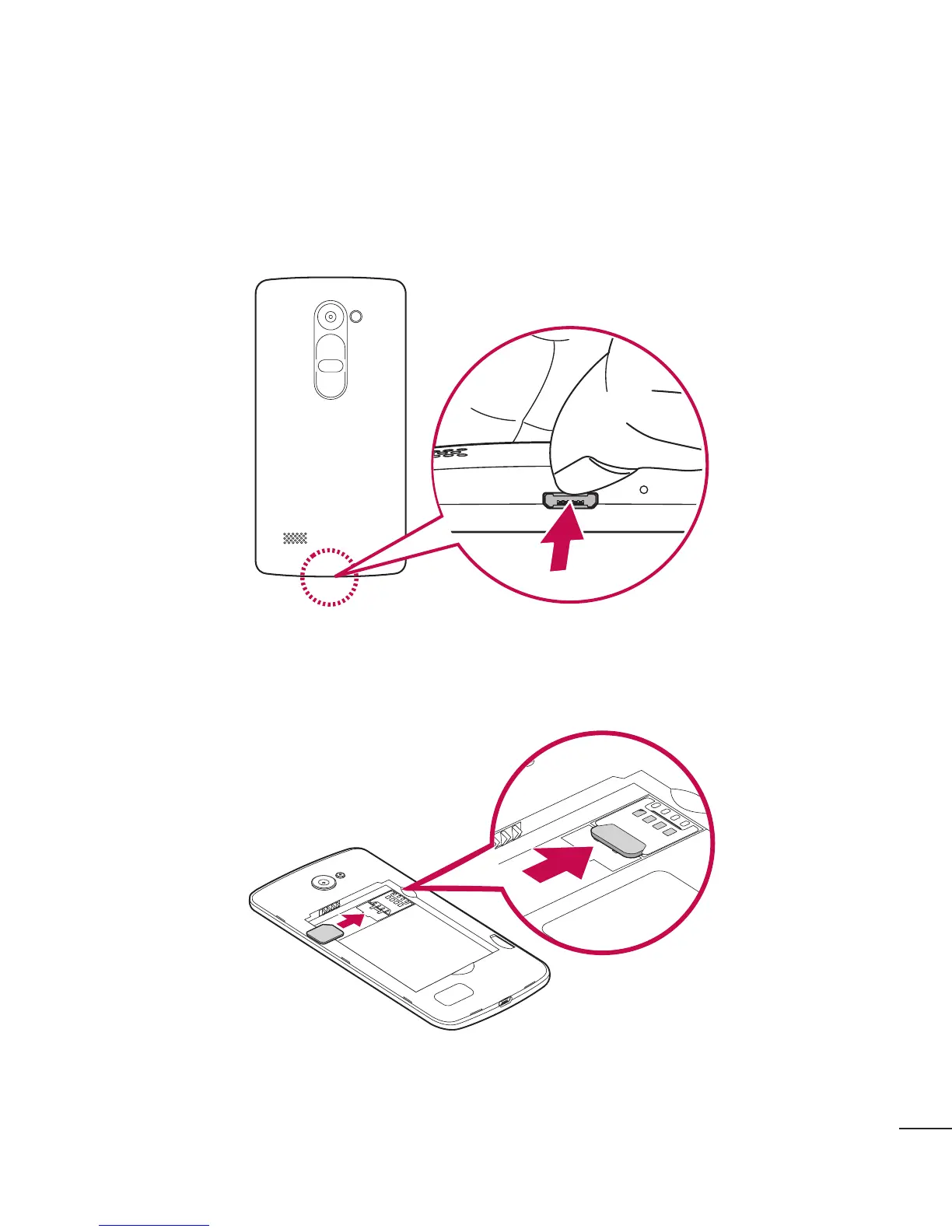
1 Toremovethebackcover,holdthephonefirmlyinonehand.Withyourotherhand,
liftoffthebackcoverwithyourthumbnailasshowninthefigurebelow.
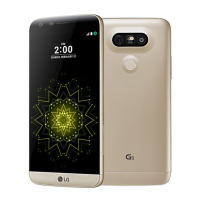
2 SlidetheSIMcardintotheSIMcardslotasshowninthefigure.Makesurethegold
contactareaonthecardisfacingdownward.



 To Next Page