EasyManua.ls Logo

LG HB954PA - User Manual

LG HB954PA
52 pages
Print Icon
To Next Page IconTo Next Page
Loading...
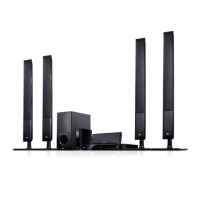
HB954PA (HB954PA / SB94PA-C/F/S/W)
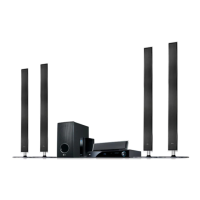
HB954SA (HB954SA / SB94SA-C/S/W)
As an ENERGY STAR
®
Partner, LG
has determined that this product
or product models meet the
ENERGY STAR
®
guidelines for
energy efficiency.
ENERGY STAR
®
is a U.S. registered mark.
ENGLISH
P/NO : MFL56962839
http://www.lg.ca
For questions
about
this product,
please call.
11--888888--554422--22662233
HB954PA-AD_HB954SA-AD.BCANLL_39 3/11/09 2:12 PM Page 1

Questions and Answers

  • J
    Jeremy ArcherAug 6, 2025
    What to do if there is no picture on my LG HB954PA?
    • B
      Briana JacksonAug 6, 2025
      If your LG Home Theater System isn't displaying a picture, make sure your TV is set to the correct video input mode. Also, check that the video cable is securely connected. If the issue persists, try selecting a different resolution using the RESOLUTION button, as the current resolution may not be compatible with your TV.
  • A
    aedwardsAug 11, 2025
    Why is there no sound coming from my LG HB954PA Home Theater System?
    • M
      Melissa FloresAug 11, 2025
      If your LG Home Theater System has no sound, first ensure that the equipment connected with the audio cable is set to receive the disc signal output by selecting the correct input mode. Also, verify that the connected equipment is powered on. If these steps don't resolve the issue, the [AUDIO] options might be incorrectly configured (refer to pages 24-25 for correct settings). Finally, check if the player is in reverse play, fast forward, slow motion, or pause mode; if so, return to normal playback.
  • P
    phillipspatrickAug 14, 2025
    What to do if my LG Home Theater System player does not start playback?
    • C
      Cheryl CameronAug 14, 2025
      If your LG Home Theater System player isn't starting playback, ensure the disc is inserted correctly with the playback side down. Also, make sure you're using a playable disc that matches the correct type and regional code. Check if the rating level is set, and if so, change it. If the disc was recorded on another unit, finalize it on that unit. Ensure the remote control is pointed at the remote sensor on the player.
  • A
    Anthony FordAug 19, 2025
    Why is there no picture on my LG Home Theater System?
    • S
      Sarah AlvarezAug 19, 2025
      If your LG Home Theater System shows no picture, first ensure your TV is set to the correct video input mode for the DVD signal. Also, check that the video cable is securely connected. If the issue persists, the selected resolution may not be compatible with your TV, so try selecting another resolution using the RESOLUTION button.
  • H
    Hannah ButlerAug 23, 2025
    What to do if my LG HB954PA does not start playback?
    • W
      William JacksonAug 25, 2025
      If your LG Home Theater System player won't start playback, first ensure the disc is inserted correctly with the playback side down. Check that the disc is a playable format and the correct regional code. If a rating level is set, try changing it. If the disc was recorded on another unit, finalize it on that unit. Make sure the remote control is pointed at the remote sensor on the player.
  • R
    Richard HallAug 27, 2025
    How to fix the BD-Live feature on my LG Home Theater System?
    • I
      Isaac LynnAug 27, 2025
      The BD-Live feature on your LG Home Theater System might not work because a USB device isn't connected. Connect a FAT16 or FAT32 formatted USB device to the USB port (see page 21). Also, the connected USB device might not have enough space. Ensure at least 1GB of free space is available on the USB device. Another reason might be that the Internet connection is not established. Ensure that the unit is correctly connected to the local area network and can access the internet (see page 18-19). Finally, the [BD-LIVE connection] option in the [Setup] menu might be set to [Prohibited]. Set the [BD-LIVE connection] option to [Permitted].
  • S
    Stacey LoganSep 1, 2025
    How to fix BD-Live feature if it is not working on LG Home Theater System?
    • K
      Kristin NewtonSep 1, 2025
      If the BD-Live feature is not working on your LG Home Theater System, ensure that the [BD-LIVE connection] option in the [Setup] menu is set to [Permitted]. Make sure that the unit is correctly connected to the local area network and can access the internet. Also, ensure your connected USB device has at least 1GB of free space. If the ID list is full, delete one of the stored IDs and SignIn with the ID again. Contact your Internet Service Provider (ISP) and increase the broadband speed is recommended.

Summary

Safety Instructions

Electrical, Fire, and Laser Hazards

Warnings about electrical shock, fire, moisture, ventilation, and laser.

General Usage and Maintenance Safety

Numbered safety guidelines for operation, installation, and maintenance.

Software Update and Features

Software Update

Instructions for updating the player's software for enhanced features.

Remote Control Operation

Remote Control Buttons and Battery

Explanation of remote buttons and battery installation.

Front Panel Interface

Front Panel Controls and Precautions

Explanation of front panel buttons and touch button precautions.

Rear Panel Connections

Audio, Video, and Network Ports

Details on connecting audio, video, and network ports.

Connecting to Your TV

HDMI Connection Guide

How to connect via HDMI for digital audio and video.

Video Connection Options

Resolution Setting

Changing and Available Resolutions

Methods to change resolution and supported resolutions.

Video Output Connection Details

Internet Connection Setup

Network Connection and Cautions

Steps for network connection and important cautions.

Using USB Devices

USB Device Connection and Requirements

Steps for connecting USB devices and their requirements.

Menu Navigation

Setup Menu Operations

How to navigate and adjust various setup options.

Display Settings

Aspect Ratio and Resolution

Adjusting TV aspect ratio and video resolution.

Language and Audio Setup

Audio and Speaker Configuration

Configuring audio effects, AV sync, and speaker levels.

Audio, Lock, and Password Settings

Parental Control and Password Management

Setting up parental controls and managing passwords.

Parental Control Details

Network Setup for BD-Live

Disc Playback Operations

Enjoying BD-LIVE

Playing Movies and Secondary Video

Movie List and DivX Requirements

Listening to Music

MP3;WMA and Photo File Requirements

Radio and iPod Operation

Connecting External Devices

Software Update Procedure

Checking and Performing Software Updates

How to check for, download, and install software updates.

Remote Control for TV

Troubleshooting Common Issues

Power, Picture, Sound, and Playback Issues

Solutions for common operational problems.

Product Specifications

General and Amplifier Specifications

Details on power, dimensions, inputs, outputs, and amplifier.

Speaker Specifications and Accessories

HB954 SA Speaker Specs

Technical details for the HB954SA speaker system.

LG HB954PA Specifications

General IconGeneral
TypeHome Theater System
Total Power Output1000W
Number of Channels5.1
DVD PlaybackYes
HDMI Inputs2
USB PlaybackYes
BluetoothNo
FM TunerYes
Built-in PlayerYes
Blu-ray PlayerYes
USB Port1
HDMI Output1
Optical Digital Input1
Wireless Rear SpeakersNo
3D Pass-throughYes
DLNA CertifiedYes
Playable File FormatsMP3, WMA, JPEG
ConnectivityUSB

Related product manuals