EasyManua.ls Logo

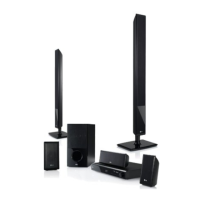
LG HB954WA - User Manual

LG HB954WA
52 pages
Print Icon
To Next Page IconTo Next Page
Loading...
HB954WA (HB954WA / SB94WA-C/F/L/R/W)
As an ENERGY STAR
®
Partner, LG
has determined that this product
or product models meet the
ENERGY STAR
®
guidelines for
energy efficiency.
ENERGY STAR
®
is a U.S. registered mark.
P/NO : MFL62426407
HB954WA_BAUSLL_ENG_6407 4/21/09 7:00 PM Page 1

Other manuals for LG HB954WA

Questions and Answers

  • M
    Mrs. Linda ClarkeAug 9, 2025
    Why won't my LG DVD Player start playback?
    • H
      Heather SantiagoAug 10, 2025
      If your LG DVD player isn't starting playback, ensure the disc is inserted correctly with the playback side down. Also, confirm that the disc is a playable format and region for your player. If the rating level is set, you may need to change it. Discs recorded on other units might need to be finalized on that original unit. Finally, make sure the remote control is pointed at the player's remote sensor.
  • H
    hparkAug 22, 2025
    What to do if BD-Live feature does not work on LG DVD player?
    • W
      william66Aug 22, 2025
      If the BD-Live feature on your LG DVD player isn't working, ensure that an external USB device with at least 1GB of free space is connected. Verify that your internet connection is established. Check the [BD-LIVE connection] option in the [Setup] menu and set it to [Permitted]. If you are still experiencing issues, your broadband speed may not be sufficient, consider contacting your Internet Service Provider (ISP) to increase it. If the ID list is full, delete one of the stored IDs and SignIn with the ID again.

LG HB954WA Specifications

General IconGeneral
BrandLG
ModelHB954WA
CategoryHome Theater System
LanguageEnglish

Related product manuals