EasyManua.ls Logo

LG HR929M - User Manual

LG HR929M
95 pages
Print Icon
To Next Page IconTo Next Page
Loading...
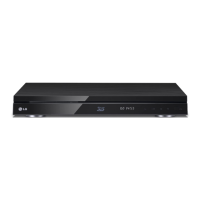
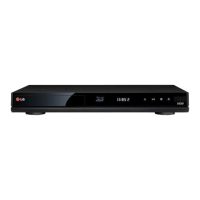
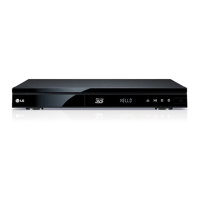
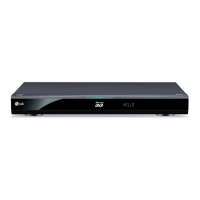
OWNER’S MANUAL
Blu-ray Disc
/DVD Player
with built-in HDD & HD
Tuner
HR922M/HR923M/HR925M/HR929M
www.lg.com
Please read this manual carefully before operating
your set and retain it for future reference.
FOR THE GUARANTEE TERMS & CONDITIONS,
PLEASE REFER TO INNER PAGE OF BACK COVER.

Table of Contents

Questions and Answers

  • J
    Jeffery Weaver MDAug 20, 2025
    What to do if the LG Blu-ray Player remote control does not work properly?
    • P
      Peter AlvaradoAug 20, 2025
      If the LG Blu-ray Player's remote control isn't working, try these steps: * Make sure the remote is pointed at the unit's remote sensor. * Ensure the remote is not too far from the unit. * Remove any obstacles between the remote and the unit. * Replace the batteries in the remote control.
  • M
    Monica BallAug 21, 2025
    What to do if my LG HR929M does not start playback?
    • M
      Monica GarciaAug 22, 2025
      If your LG Blu-ray Player does not start playback, try these solutions: * Insert a playable disc, ensuring you check the disc type, color system, and regional code. * Insert the disc with the playback side down. * Clean the disc. * Cancel the Rating function or change the rating level.
  • M
    mathewsjeffreyAug 25, 2025
    Why can't my LG HR929M play movie, photo, or audio files?
    • S
      Shannon Phillips DVMAug 25, 2025
      If your LG Blu-ray Player cannot play movie, photo, or audio files, it could be: * The files are not recorded in a format that the unit can play. * The unit does not support the codec of the movie file.
  • D
    Daniel PachecoAug 26, 2025
    Why is there no sound or distorted sound from my LG Blu-ray Player?
    • D
      Debra SmithAug 26, 2025
      If there is no sound or the sound is distorted on your LG Blu-ray Player, consider the following: * Ensure the audio connection is securely connected. * Verify the input source setting on the amplifier or the connection to the amplifier is correct. * Check the unit is not in scan, slow motion, or pause mode. * Make sure the sound volume is not too low. * Confirm that the connected amplifier is compatible with the audio format output from the player. * If the player’s HDMI OUT jack is connected to a DVI device, note that the DVI jack does not accept audio signal. * Verify the device connected to the player’s HDMI OUT jack is compatible with the audio format output from the unit.
  • A
    Anthony MarquezAug 27, 2025
    Why is there no picture on my LG Blu-ray Player?
    • D
      Dr. Brian LawrenceAug 28, 2025
      If there is no picture on your LG Blu-ray Player, try the following: * Select the appropriate video input mode on the TV so the picture from the unit appears on the TV screen. * Ensure the video connection is secure. * Check the [HDMI Color Setting] in the [Setup] menu is set to the appropriate item that conforms to your video connection. * Change the resolution to one that your TV accepts; your TV may not support the current resolution. * Note that the player’s HDMI OUT jack connected to a DVI device may not support copyright protection.
  • M
    Matthew HubbardAug 30, 2025
    Why my LG HR929M cannot record or does not record successfully?
    • A
      amanda24Aug 30, 2025
      If your LG Blu-ray Player cannot record or does not record successfully, check the following: * Verify the remaining space on the HDD. * Note that if your source is copy-protected, you cannot record it using this recorder. * If you set a DTV rating for the recorder and higher rated digital programs are received, the programme cannot be recorded. Change the DTV rating level in order to record it.
  • N
    nelsonandrewSep 1, 2025
    How to fix BD-LIVE feature that does not work on LG Blu-ray Player?
    • L
      leahhawkinsSep 1, 2025
      If the BD-LIVE feature is not working on your LG Blu-ray Player, consider the following: * Ensure the connected USB storage has at least 1GB free space. * Verify the unit is correctly connected to the local area network and can access the internet. * Your broadband speed may not be fast enough; contact your Internet Service Provider (ISP) to increase it. * Check that the [BD-LIVE connection] option in the [Setup] menu is set to [Permitted].
  • D
    Donna ChangSep 2, 2025
    Why timer record does not record successfully on my LG Blu-ray Player?
    • M
      Michael GlennSep 3, 2025
      If the timer record function does not record successfully on your LG Blu-ray Player, check these: * The clock is not set to the correct time. * The start time of the timer recording is in the past. * When setting the recording programme, make sure you set the recorder’s built-in tuner, not the TV’s built-in tuner. * If the HDD is damaged, the recording may not complete successfully. * If you set two timer recordings at the same time, one of that proceeds after another does. Second Timer recording may proceed in a minute.
  • A
    Amanda RothSep 5, 2025
    Why does picture noise appear on my LG HR929M?
    • A
      Alan KochSep 5, 2025
      If picture noise appears on your LG Blu-ray Player, it may be because: * You are playing a disc recorded in a colour system that is different from your TV. * You should set the resolution to one that your TV accepts.
  • E
    Edward PaceSep 7, 2025
    Why do streaming video services often stop or buffer during playback on my LG Blu-ray Player?
    • G
      George MaldonadoSep 7, 2025
      If streaming video services often stop or buffer during playback on your LG Blu-ray Player, your broadband service speed may not be fast enough. Contact your Internet Service Provider (ISP) and increase the broadband speed.

LG HR929M Specifications

General IconGeneral
Blu-ray Region CodeB
DVD Region Code2
3DYes
BrandLG
ModelHR929M
Output Resolution1080p
ConnectivityHDMI, USB, Ethernet
Supported MediaBlu-ray, DVD, CD
Audio OutputDolby Digital, DTS
Dimensions430 x 54 x 280 mm
Device TypeBlu-ray Player

Related product manuals