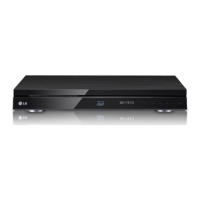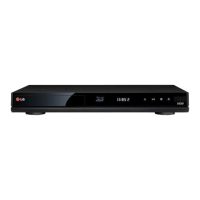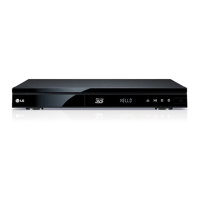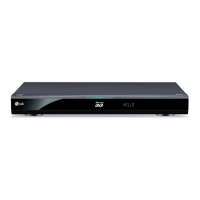
EasyManua.ls Logo

LG HR925M - User Manual

LG HR925M
95 pages
Print Icon
To Next Page IconTo Next Page
Loading...
OWNER’S MANUAL
Blu-ray Disc
/DVD Player
with built-in HDD & HD
Tuner
HR925M/HR929M
www.lg.com
Please read this manual carefully before operating
your set and retain it for future reference.
FOR THE GUARANTEE TERMS & CONDITIONS,
PLEASE REFER TO INNER PAGE OF BACK COVER.

Table of Contents

Questions and Answers

  • M
    Matthew KnightAug 18, 2025
    What to do if my LG Blu-ray Player does not start playback?
    • D
      Diane Williams DVMAug 18, 2025
      If your LG Blu-ray Player is not starting playback, try the following: * Insert a playable disc, ensuring compatibility with the disc type, color system, and regional code. * Place the disc with the playback side facing down. * Clean the disc. * Cancel the Rating function or adjust the rating level.
  • J
    Joshua HudsonAug 20, 2025
    Why is the remote control not working for my LG HR925M Blu-ray Player?
    • S
      sthomasAug 20, 2025
      If the remote control for your LG Blu-ray Player isn't working correctly, the cause may be: * The remote control is not pointed at the remote sensor of the unit. * The remote control is too far from the unit. * There is an obstacle in the path between the remote control and the unit. * The batteries in the remote control are exhausted.
  • E
    Erika FrancoAug 23, 2025
    What to do if there is no picture on my LG HR925M Blu-ray Player?
    • J
      Jennifer FitzgeraldAug 23, 2025
      If your LG Blu-ray Player has no picture, try the following: * Select the appropriate video input mode on your TV. * Ensure the video connections are secure. * Verify the [HDMI Color Setting] in the [Setup] menu matches your video connection. * Adjust the resolution to one supported by your TV. The issue might also be that the player’s HDMI OUT jack is connected to a DVI device that does not support copyright protection.
  • M
    Mr. Patrick WestAug 26, 2025
    Why is BD-LIVE not working on my LG HR925M?
    • D
      Debra PorterAug 26, 2025
      If the BD-LIVE feature on your LG Blu-ray Player isn't working, consider these solutions: 1. Ensure the connected USB storage has at least 1GB of free space. 2. Verify the unit is properly connected to the local area network and can access the internet. 3. Contact your Internet Service Provider (ISP) to increase broadband speed. 4. In the [Setup] menu, make sure the [BD-LIVE connection] option is set to [Permitted].
  • N
    ncarrollAug 28, 2025
    Why does my LG Blu-ray Player keep buffering when streaming videos?
    • K
      Kenneth OnealAug 28, 2025
      If streaming video services on your LG Blu-ray Player often stop or buffer during playback, it's likely that your broadband service speed is insufficient. Contact your Internet Service Provider (ISP) and request a higher broadband speed.
  • M
    Mr. Matthew YoungAug 30, 2025
    How to resolve picture noise on LG Blu-ray Player?
    • J
      Jerry SmithAug 30, 2025
      If you're experiencing picture noise with your LG Blu-ray Player, it could be due to playing a disc recorded in a color system different from your TV. Also, try setting the resolution to one that your TV accepts.
  • D
    Danielle WashingtonSep 2, 2025
    Why is there no sound coming from my LG HR925M Blu-ray Player?
    • P
      parsonsemilySep 2, 2025
      If you're experiencing no sound or distorted sound on your LG Blu-ray Player, possible causes include: * The audio connection is not securely connected. * The input source setting on the amplifier or its connection is incorrect. * The unit is in scan, slow motion, or pause mode. * The sound volume is set too low. * The connected amplifier is incompatible with the audio format output from the player. * The player’s HDMI OUT jack is connected to a DVI device. * The device connected to the player’s HDMI OUT jack is incompatible with the audio format output from the unit.
  • R
    ryandodsonSep 5, 2025
    Why are media servers not showing up on my LG HR925M?
    • G
      Gilbert BerrySep 5, 2025
      If media servers are not displayed on the device list of your LG Blu-ray Player, it might be due to the firewall or anti-virus software running on your media server. Try turning off the firewall or anti-virus software on your PC or media server. Another reason might be that the unit is not connected to the local area network that your PC or the media server are connected.
  • U
    umercerSep 7, 2025
    What to do if my LG Blu-ray Player cannot record?
    • J
      Joshua MooneySep 7, 2025
      If your LG Blu-ray recorder is not recording or not recording successfully, check the remaining space on the HDD. If your source is copy-protected, you cannot record it. If you set a DTV rating for the recorder and higher rated digital programs are received, the programme cannot be recorded, change the DTV rating level in order to record it.
  • R
    Richard TownsendSep 9, 2025
    Why timer record does not record successfully on LG HR925M?
    • R
      Ronnie RuizSep 9, 2025
      If timer record does not record successfully on your LG Blu-ray Player, the cause may be that clock is not set to correct time, the start time of the timer recording is past, when setting the recording programme, make sure you set the recorder’s built-in tuner, not the TV’s built-in tuner, if the HDD is damaged, the recording may not complete successfully, if you set two timer recordings at the same time, one of that proceeds after another does. Second Timer recording may proceed in a minute.

Summary

Getting Started

Safety Information

Essential safety instructions for operation and handling the device, including electrical shock and fire prevention.

CAUTION concerning the Power Cord

Safety precautions for the power cord, including hazard warnings and proper handling advice.

File Compatibility Details

Specifies supported file formats and media for playback, including movie, music, and photo files.

Remote Control Operation

Details the functions and operation of the remote control, including button descriptions.

Main Unit Components

Description of the player's physical layout and connection ports.

Connecting the Player

Connections to Your TV

Various methods for connecting the player to a television for display purposes.

HDMI Connection Guide

Detailed steps for connecting via HDMI for optimal video and audio quality.

HDMI Connectivity Notes

Important considerations and troubleshooting tips for HDMI connections.

Connecting to an Amplifier

Methods for connecting the player to an audio amplifier for sound output.

HDMI Audio Connection

Connecting for audio via HDMI output to an amplifier for high-quality sound.

Connecting to your Home Network

Guide to connecting the player to a home network for online features and updates.

Wired Network Connection Setup

Steps for establishing a wired network connection for online features and updates.

Wireless Network Connection Overview

Introduction to wireless network setup using access points or wireless routers.

Wireless Network Setup Procedure

Configuration steps for a wireless network connection, including SSID and security settings.

USB Device Connection Guide

Guide for connecting and using USB storage devices for media playback and storage.

System Settings Configuration

Operating the Player

Timeshift Functionality

Pausing and resuming live TV broadcasts manually or automatically.

Recording TV Programs

General guide to recording digital TV programs, including normal and dual recording.

Manual Timer Recording

Setting up recordings for specific dates and times manually.

EPG Timer Recording

Setting up recordings using the Electronic Program Guide information.

Playing Blu-ray 3 D Discs

Guide for playing 3D Blu-ray discs and the required TV and connection preparation.

Enjoying BD-LIVE Features

Accessing online features and bonus content for BD-LIVE discs via internet connection.

Network Media Playback

Streaming media files from a PC or DLNA server over the home network.

Wi-Fi Direct Connectivity

Connecting devices directly via Wi-Fi without a network access point.

Audio CD Recording

Copying music tracks from Audio CDs to the player or USB storage.

Using LG Apps

Accessing and installing applications from the LG App store via the Internet.

Troubleshooting Common Issues

General Troubleshooting

Common problems and solutions related to player power, playback, and remote control.

Picture and Display Issues

Troubleshooting display and image quality issues, such as no picture or noise.

Sound and Audio Issues

Troubleshooting audio playback issues, including no sound or distorted audio.

Network Connectivity Problems

Troubleshooting network connectivity and service issues, including BD-LIVE and streaming.

Recording Function Issues

Troubleshooting recording failures, timer issues, and overlapping programs.

LG HR925M Specifications

General IconGeneral
BrandLG
ModelHR925M
CategoryBlu-ray Player
LanguageEnglish

Related product manuals