5
Hooking up the unit
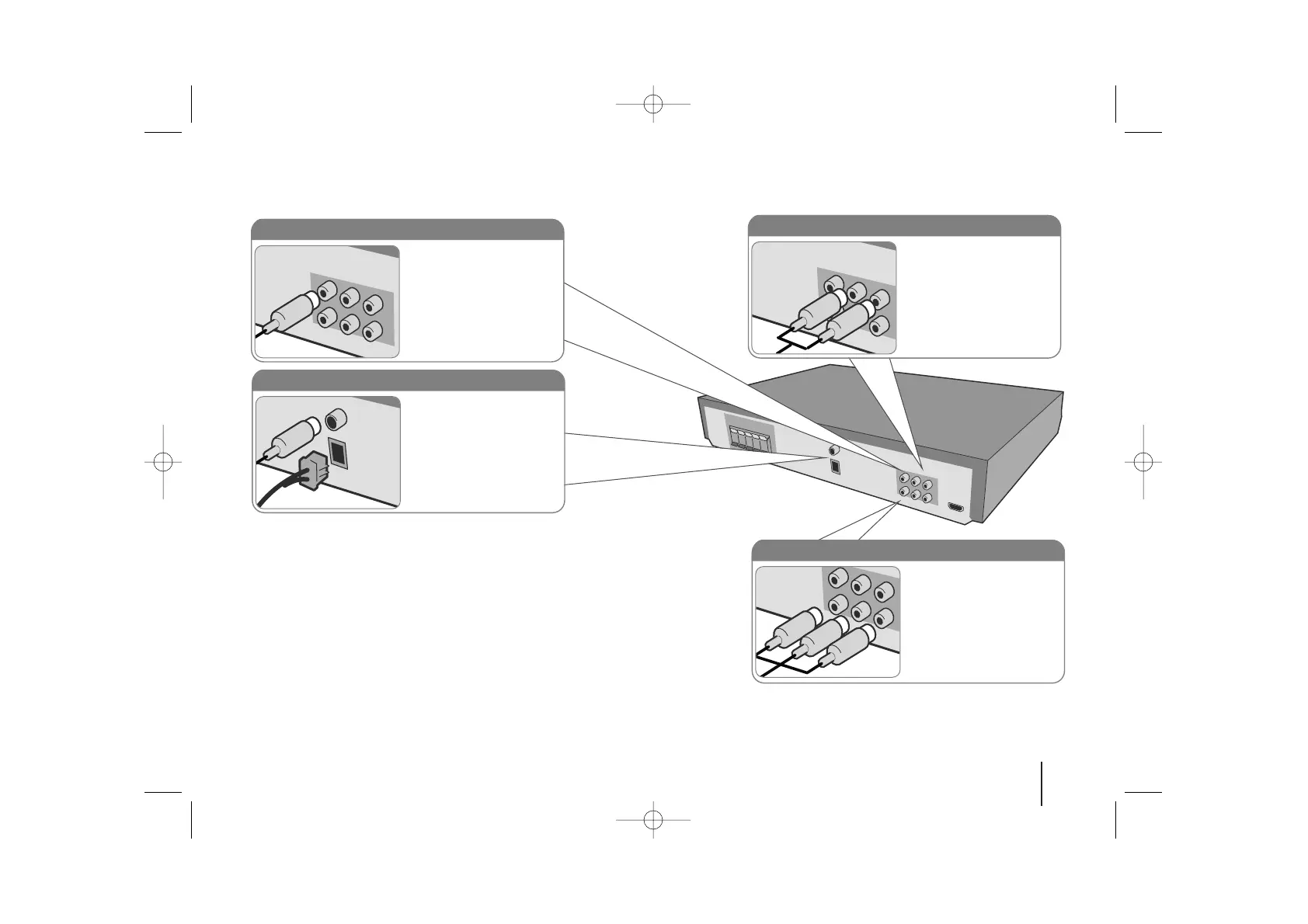
a Connect jacks on the unit and your TV (DVD player or Digital Device etc.) using the cables.
Check the jacks of your TV and choose the A, B or C connection. Picture quality improves in order from A to C.
Audio In connection
The unit’s Audio jacks are
colour coded (red for right
audio and white for left
audio). If your TV has only
one output for audio (mono),
connect it to the left (white)
audio jack on the unit.
FM/ AM connection
FM - Connect the FM aerial.
The reception will be its best
when the two loose ends of
the aerial are in a straight and
horizontal line.
AM - Connect the AM loop
aerial to the DVD receiver.
Video Out connection (A)
Connect the VIDEO
OUTPUT(MONITOR) jack on
the unit to the corresponding
input jack on your TV using a
Video cable.
Component Video connection (B)
Connect the COMPONENT
VIDEO (PROGRESSIVE
SCAN) OUTPUT jacks on
the unit to the corresponding
input jacks on your TV using
a Y PB PR cable.
b Plug the power cord into the power source.


 To Next Page