EasyManua.ls Logo

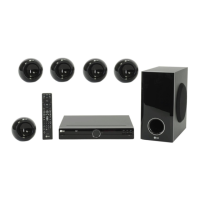
LG HT304SU - User Manual

LG HT304SU
22 pages
Print Icon
To Next Page IconTo Next Page
Loading...
Model : HT304SU (HT304SU-DH, SH34SL-S/W)
HT304SQ (HT304SQ-DH, SH34SQ-S/W)
P/NO : MFL61944503
As an ENERGY
STAR
®
Partner,
LG has determined that this
product or product models meet
the E
NERGY
STAR
®
guidelines for
energy efficiency.
ENERGY STAR
®
is a U.S. registered mark.
Full HD up-scaling (1080p)
(Go to page 6)
Portable In
(Go to page 15)
USB Direct Recording
(Go to page 16)
FOR THE WARRANTY TERMS & CONDITIONS, PLEASE REFER TO BACK COVER OF THIS MANUAL.
HT304SL-DH_BGBRLL_ENG_4503 8/14/09 9:58 AM Page 1

Other manuals for LG HT304SU

Questions and Answers

  • J
    joe05Aug 21, 2025
    What to do if my LG DVD/CD will not play?
    • B
      brian25Aug 21, 2025
      If your LG DVD/CD will not play, make sure that a disc is inserted correctly (label side facing upwards). Ensure that the disc is playable by checking the disc type, color system and regional code. If the menu is open on the screen, press SETUP to close it. Also, check if a parental lock is enabled, and if so, enter your password or change the rating level.
  • T
    Timothy CoxSep 3, 2025
    What to do if my LG Dvd receiver won't play a DVD/CD?
    • J
      johnvincentSep 3, 2025
      If your LG Dvd receiver won't play a DVD/CD, make sure a disc is inserted correctly with the label side facing up. Ensure that the disc is playable by checking the disc type, color system, and regional code. Also, close any open menus on the screen by pressing the SETUP button. If a parental lock is enabled, enter your password or change the rating level.
  • E
    Elizabeth RomeroSep 1, 2025
    How to fix no picture on my LG Dvd receiver?
    • S
      Shelby CooperSep 1, 2025
      If your LG Dvd receiver is not displaying a picture, ensure that your TV is set to the correct video input mode to receive the DVD signal. Also, verify that the video cables are securely connected to both the TV and the DVD receiver.
  • J
    Jose CrossAug 31, 2025
    Why is there little or no sound coming from my LG Home Theater System?
    • L
      laurathomasAug 31, 2025
      If you experience little or no sound with your LG Home Theater System, check that the equipment connected via the audio cable is set to receive DVD signal output. Select the correct input mode of the audio receiver. Also, ensure the audio cables are correctly connected to the speakers or receiver. If the problem persists, the audio cables may be damaged; consider replacing them.
  • K
    Kenneth OconnorAug 29, 2025
    Why is there no sound from my LG HT304SU Home Theater System?
    • R
      Ruben GarciaAug 29, 2025
      If you experience little or no sound from your LG Home Theater System, verify that the connected equipment is set to receive the DVD signal output. Ensure the audio cables are correctly and securely connected to both the speakers and the receiver. If the issue persists, try replacing the audio cables, as they might be damaged.
  • S
    Sherry FarmerAug 27, 2025
    Why does my LG DVD Player have little or no sound?
    • R
      Ricardo RodriguezAug 28, 2025
      If your LG DVD player has little or no sound, first, make sure that the connected equipment is set to receive the DVD signal output. Check that the audio cables are correctly connected to the connection terminals. If the problem persists, the audio cables may be damaged, and you should replace them.
  • K
    Kathleen HutchinsonAug 27, 2025
    What to do if my LG DVD Player has no picture?
    • J
      Jason EdwardsAug 27, 2025
      If your LG DVD player shows no picture, ensure that your TV is set to the correct video input mode to receive the DVD signal. Also, check that the video cables are securely connected to both the TV and the DVD receiver.
  • D
    Diamond BlackAug 25, 2025
    How to fix no picture on my LG HT304SU?
    • X
      xwilliamsAug 25, 2025
      If your LG Home Theater System shows no picture, it might be because the TV is not set to receive the DVD signal. Select the appropriate video input mode on the TV so the picture from the DVD Receiver appears on the TV screen. Also, ensure the video cables are securely connected to both the TV and DVD Receiver.
  • S
    Stephen LopezAug 23, 2025
    How to fix no picture on LG HT304SU Home Theater System?
    • D
      Dave FrenchAug 23, 2025
      If your LG Home Theater System shows no picture, ensure the TV is set to the correct video input mode to receive the DVD signal. Also, check that the video cables are securely connected to both the TV and the DVD receiver.

Summary

Safety Precautions

CAUTION: Risk of Electric Shock

Warning about opening the unit and electric shock hazards.

WARNING: Fire and Moisture Hazard

Precautions against fire/shock from rain or moisture.

Laser System Safety

Guidance on safe use of the product's laser system.

Water Exposure Warning

Caution against exposing the apparatus to water or liquids.

Power Cord Safety

Advice on safe handling and inspection of the power cord.

Power and Wiring Information

Power Supply Requirements

Details the unit's mains voltage and frequency requirements.

Mains Wiring Instructions

Guidance on connecting the power cord and plug safety.

Setting Up the DVD Receiver

Attaching Speakers to Receiver

Instructions for connecting the six speaker cables to the DVD receiver.

Connecting the Unit

Video Output Connections

How to connect video outputs like Video Out, SCART, and Component Video.

Audio and FM Connections

Guide for connecting audio inputs and the FM aerial.

Resolution and Audio Setup

Adjusting Video Resolution Settings

How to set output resolution for video and HDMI.

Remote Control Operations

Remote Control Button Functions

Explains the purpose of each button on the remote control.

Troubleshooting Common Issues

Technical Specifications

General Unit Specifications

Power, dimensions, operating conditions, and laser details.

Speaker System Specifications

Details on speaker types, impedance, power, and dimensions.

Warranty Information

Guarantee Service and Coverage

Details on free component replacement and labor coverage.

Maintaining Warranty Coverage

Requirements for retaining proof of purchase and product registration.

LG HT304SU Specifications

General IconGeneral
BrandLG
ModelHT304SU
CategoryHome Theater System
LanguageEnglish

Related product manuals