8
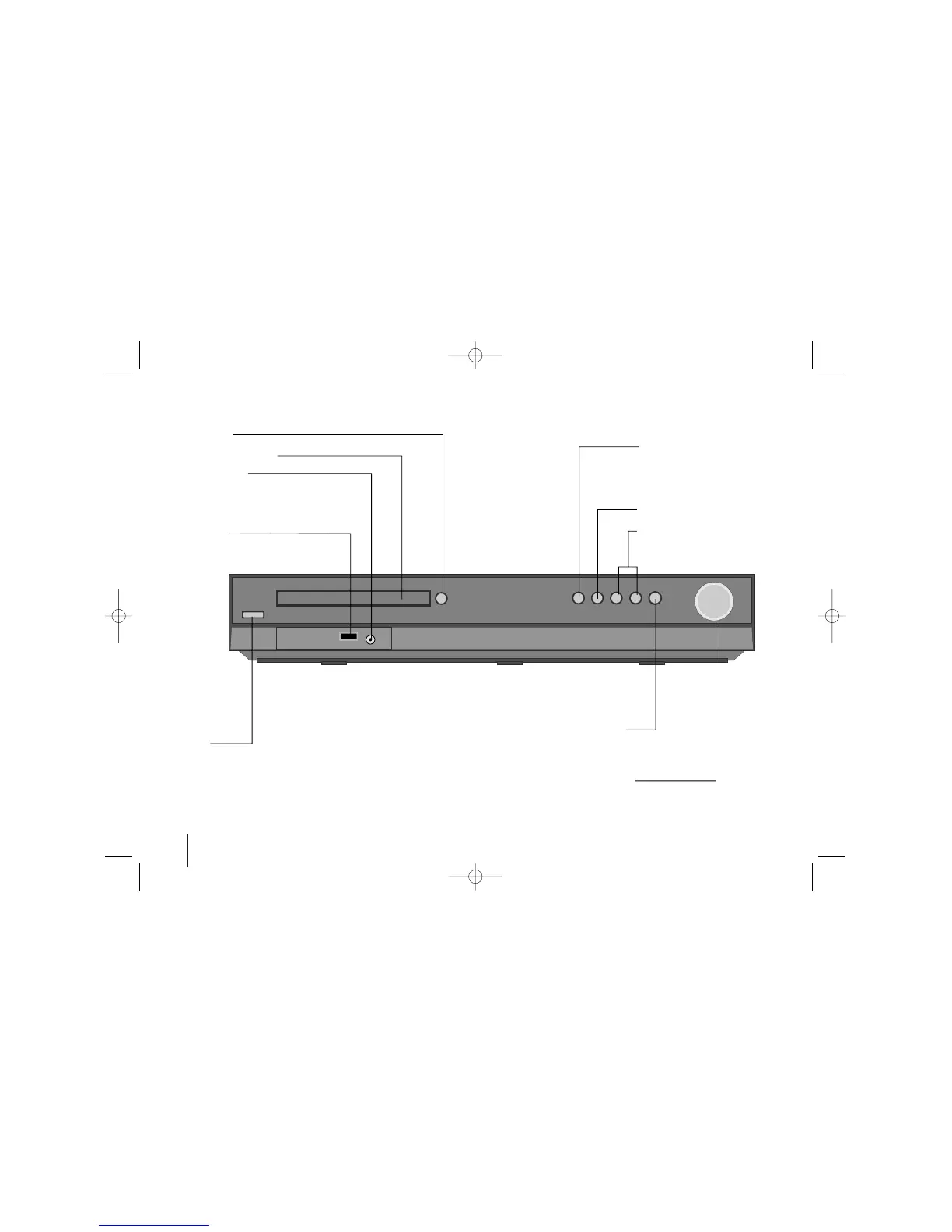
Play/Pause, Function
Press and hold down this button for
about 3 seconds then press
repeatedly to select other function.
Stop
Tuning (-/+)
Skip / Search
VSM
Selects the Dolby Pro Logic II
or Virtual sound.
Volume
Control the volume when using any function.
Open/Close
DVD/CD Disc Drawer
PORT. IN port
The PORT. In port means you can connect
an audio device to play trough the surround
sound speakers.
USB port
The USB port allows you can connect a
memory device to your DVD player.
Power
Turn the unit on and off.
Main Unit


 To Next Page