EasyManua.ls Logo

LG HT902TB-A2 - User Manual

LG HT902TB-A2
27 pages
Print Icon
To Next Page IconTo Next Page
Loading...
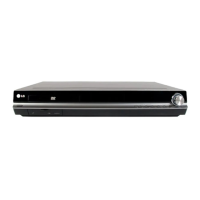
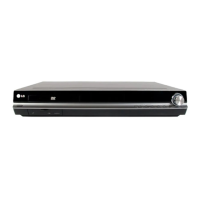
DVD RECEIVER
OWNER’S MANUAL
MODEL: HT902TB
Main Unit - HT902TB-A2
Speakers - SH92TB-S
SH92TB-C
SH92TB-W
Before connecting up, operating or repairing this product,
please read this instruction booklet carefully and
completely.
HT902TB-A2.JA8MLLA_ENG_MFL34656594
R
USB

Questions and Answers

LG HT902TB-A2 Specifications

General IconGeneral
TypeHome Theater System
Channels5.1
HDMI Outputs1
USB PlaybackYes
BluetoothNo
DVD PlayerYes
HDMIYes
USBYes
FM TunerYes
Power Output1000W
Audio Formats SupportedDolby Digital, DTS
Coaxial Input1
USB Port1
Dimensions (W x H x D)430 x 310 mm

Summary

Safety Precautions

Electrical Safety Warnings

Alerts users to risks of electric shock, covering cover removal, servicing, and voltage warnings.

Fire and Moisture Hazards

Warns against exposing the unit to rain or moisture and advises on ventilation.

Power Cord Safety

Details precautions for using power cords, including avoiding damage and ensuring accessibility.

Laser Product Safety

Informs about the Class 1 Laser Product and safe operating procedures to avoid radiation exposure.

Introduction

Maintenance and Service

Covers essential maintenance, unit handling, cleaning, and servicing information.

Types of Playable Discs

Lists and describes the various disc formats compatible with the unit.

Regional Code

Explains the regional code system for DVD playback and compatibility, including notes on disc labeling.

Front Panel and Rear Panel Overview

Component Identification

Identifies and locates all controls and connectors on the front and rear panels.

Remote Control Functions

Button Identification and Operation

Details the function of each button on the remote control for various operations.

Installation and Setup

TV Connection

Guides on connecting the DVD/CD Receiver to a television using various video outputs.

Optional Equipment Connections

Instructions for connecting external devices like USB, AUX, Optical, and antennas.

Speaker Assembly and Connection

Steps for assembling speaker stands and connecting speaker wires to the unit.

HDMI Connection and Resolution Settings

Details on connecting via HDMI and adjusting video resolution for optimal display.

Operation

Disc Information, Initial Setup, and Basic Settings

Guides on displaying disc info, initial setup, language, display, audio, speaker, parental control, and other settings.

Media Playback Features

Covers general playback controls, additional features, and playing various media types like CD, MP3, WMA, JPEG, DivX, and DVD Audio.

Radio and System Management

Instructions for tuning radio stations, setting sleep timers, adjusting display, mute, input sources, and sound modes.

Reference Information

Language Codes

A list of codes for selecting desired languages for disc audio, subtitle, and menu settings.

Area Codes

A list of area codes used for rating DVD video discs based on regional standards.

Troubleshooting Guide

Common Problems and Solutions

Provides solutions for issues like no power, no picture, no sound, poor playback, and loud hum.

Product Specifications

Technical Details

Outlines the unit's specifications including power, dimensions, video, tuner, amplifier, and speaker details.

Related product manuals