EasyManua.ls Logo

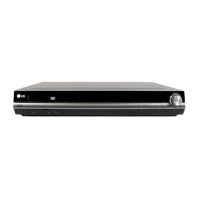
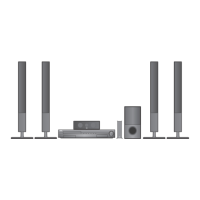
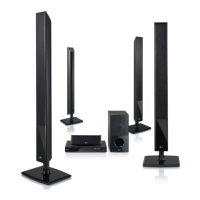
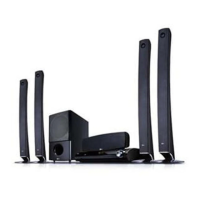
LG HT904WA - User Manual

LG HT904WA
26 pages
Print Icon
To Next Page IconTo Next Page
Loading...
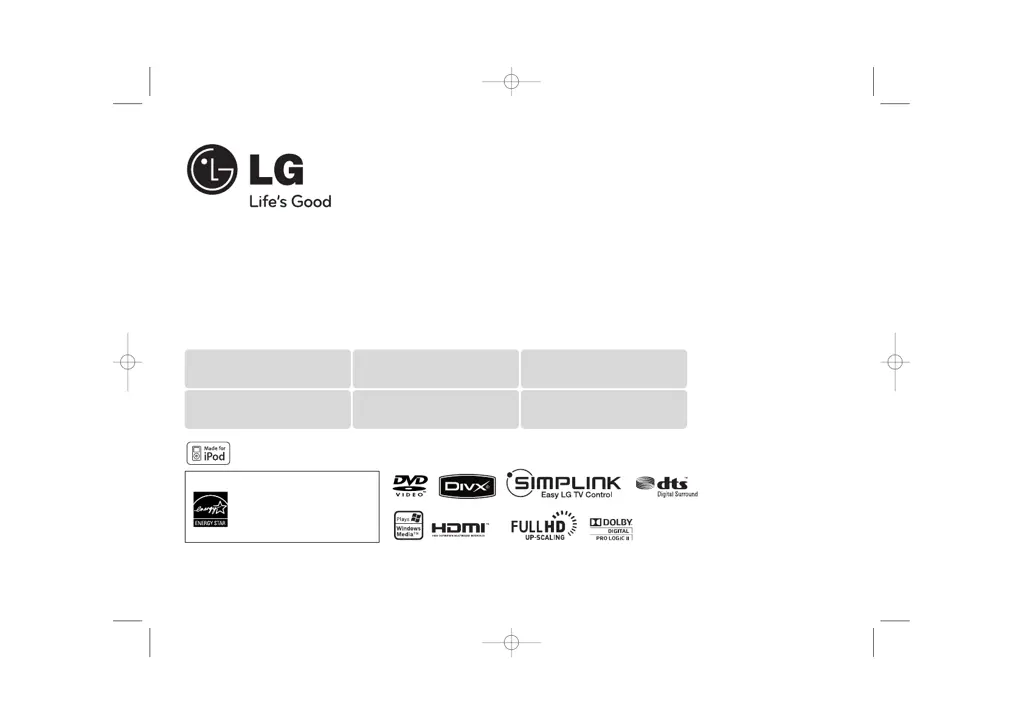
Model : HT934WA (HT934WA-AMP, SH94WA-F/L/R/C/W)
iPod is a trademark of Apple Inc., registered in the U.S. and other countries.
As an ENERGY STAR
®
Partner,
LG has determined that this
product or product models meet
the ENERGY STAR
®
guidelines for
energy efficiency.
ENERGY
STAR
®
is a U.S. registered mark.
Full HD up-scaling (1080p)
(Go to page 7)
HDMI In
(Go to page 8)
Made for iPod
(Go to page 20)
USB Direct Recording
(Go to page 19)
Home theater Speaker ez Set-up
(Go to page 17)
Portable In
(Go to page 21)
P/NO : MFL60020783
HT904WA-AMP_DKENHL_ENG_0783 3/20/09 6:24 PM Page 1

Other manuals for LG HT904WA

Questions and Answers

  • S
    shawnsuttonAug 17, 2025
    How to fix no picture on LG Home Theater System?
    • D
      Dakota ValdezAug 17, 2025
      If your LG Home Theater System shows no picture, ensure that your TV is set to the correct video input mode to receive the signal from the DVD receiver. Also, check that the video cables are securely connected to both the TV and the DVD receiver.
  • S
    sharonmurrayAug 19, 2025
    Why is there no sound coming from my LG HT904WA Receiver?
    • J
      James MontesAug 20, 2025
      If you're experiencing little or no sound with your LG Receiver, first, ensure that the equipment connected via the audio cable is set to receive the DVD signal output. Select the correct input mode on the audio receiver. Next, check that the audio cables are securely connected to both the speakers and the receiver. Finally, if the problem persists, replace the audio cables, as they may be damaged.
  • D
    David MahoneyAug 22, 2025
    Why is there little or no sound from my LG Home Theater System?
    • M
      megancollierAug 22, 2025
      If your LG Home Theater System has little to no sound, make sure the equipment connected via the audio cable is set to receive the DVD signal output. Verify that the audio cables are securely connected to both the speakers and the receiver. If the problem persists, the audio cables may be damaged and need replacement.
  • L
    Louis KingAug 25, 2025
    Why is there little or no sound coming from my LG HT904WA Receiver?
    • J
      Joann AlvarezAug 26, 2025
      If you're experiencing little or no sound from your LG Receiver, several factors could be the cause. First, the equipment connected via the audio cable might not be set to receive the DVD signal output. Ensure you select the correct input mode on the audio receiver, so you can hear the sound from the DVD receiver. Another possibility is that the audio cables are not securely connected to the speakers or receiver. Check the audio cables and connect them correctly into the connection terminals. Finally, the audio cables could be damaged, and you may need to replace them with new ones.
  • A
    Amber HeathAug 28, 2025
    What to do if a DVD/CD will not play on LG Home Theater System?
    • K
      Kevin EvansAug 28, 2025
      If your LG Home Theater System DVD or CD won't play, first insert a disc if none is currently inserted. Ensure that the disc is playable by checking the disc type, color system, and regional code. Make sure the disc is inserted correctly with the label side facing upwards. If a menu is open on the screen, press SETUP to close it. Lastly, check if a parental lock is enabled, and if so, enter the password or adjust the rating level.
  • B
    Bruce LamAug 30, 2025
    Why is my LG Home Theater System making a humming noise?
    • J
      Jeremiah MackAug 31, 2025
      If you're experiencing humming noises from your LG Home Theater System while playing a DVD or CD, try cleaning the disc with a soft cloth using outward strokes. Additionally, ensure that the DVD receiver is not too close to the TV, as this can cause feedback. Move the DVD receiver and other audio components further away from the TV.
  • P
    Patricia ArnoldSep 2, 2025
    Why is there no picture on my LG HT904WA Receiver?
    • C
      cynthiagrahamSep 2, 2025
      If there is no picture on your LG Receiver, it could be due to a couple of reasons. First, the TV might not be set to receive the DVD signal. To fix this, select the appropriate video input mode on your TV, so the picture from the DVD Receiver appears on the screen. Alternatively, the video cables might not be connected securely. Ensure that the video cables are securely connected to both the TV and the DVD Receiver.
  • R
    robertkingSep 5, 2025
    What to do if a DVD/CD will not play on my LG HT904WA Receiver?
    • C
      cabrerakyleSep 5, 2025
      If a DVD/CD won't play on your LG Receiver, consider these potential causes. Ensure that a disc is actually inserted. If a disc is inserted, make sure it is a playable disc, checking the disc type, colour system, and regional code. Also, verify that the disc is placed correctly, with the label or printed side facing upwards. If the menu is open on the screen, press SETUP to close it. Lastly, a parental lock may be preventing the playback of DVDs with a certain rating; in this case, enter your password or change the rating level.
  • K
    Kari ArmstrongSep 8, 2025
    How to stop humming noise heard while playing DVD or CD on LG HT904WA Receiver?
    • B
      Brenda GrahamSep 8, 2025
      If you hear a humming noise while playing a DVD or CD on your LG Receiver, the disc may be dirty. Clean the disc using a soft cloth with outward strokes. Another cause could be that the DVD receiver is too close to the TV, causing feedback. Try moving the DVD receiver and audio components further away from your TV.
  • D
    david52Sep 12, 2025
    How to fix no picture on my LG Receiver?
    • K
      karenhollandSep 12, 2025
      If there's no picture on your TV when using your LG Receiver, ensure the TV is set to the correct video input mode to receive the signal from the DVD Receiver. Also, check that the video cables are securely connected to both the TV and the DVD Receiver.

LG HT904WA Specifications

General IconGeneral
BrandLG
ModelHT904WA
CategoryReceiver
LanguageEnglish

Related product manuals