11
ENG
ENGLISH
CUSTOMIZING SETTINGS
1
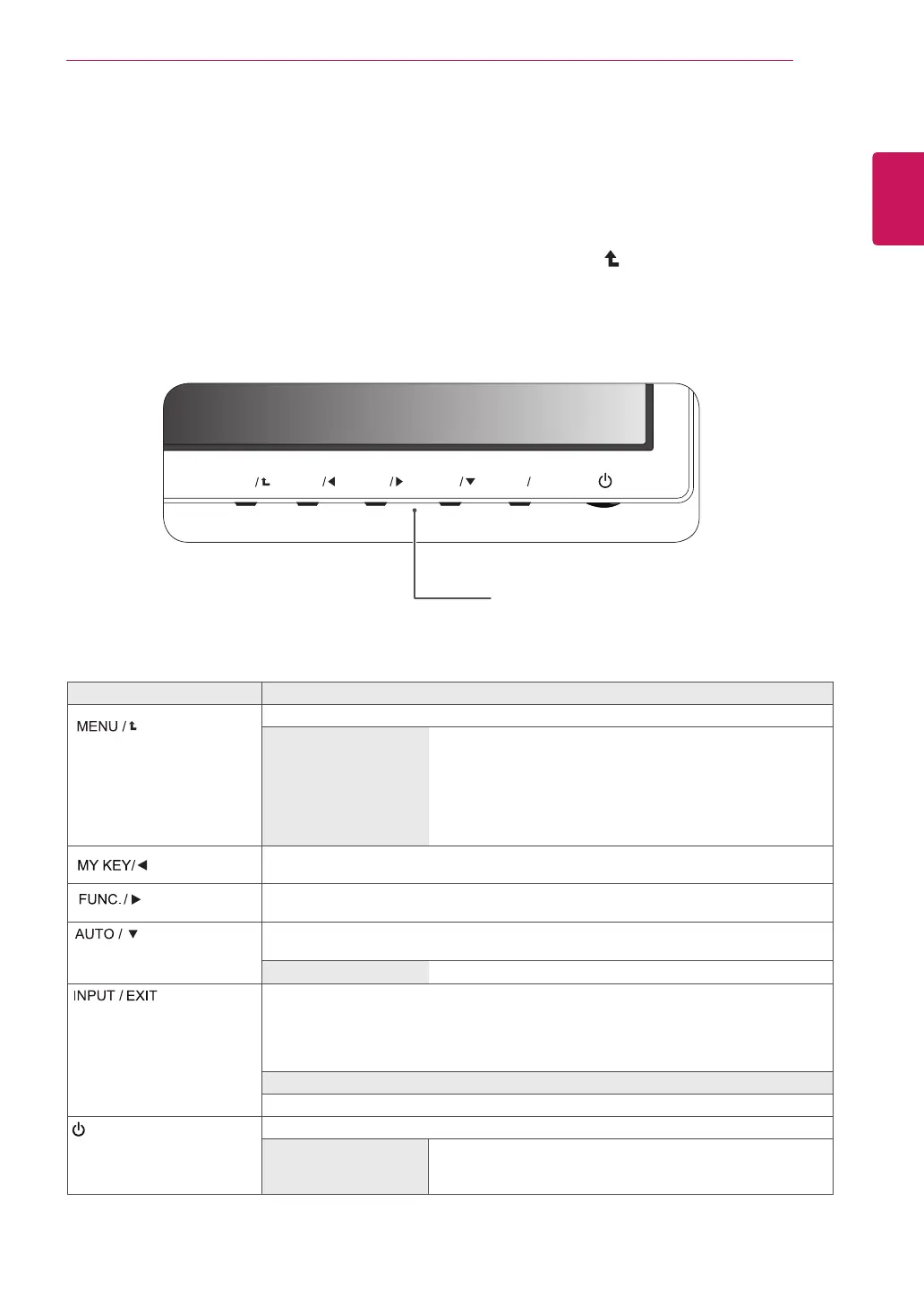
PressthedesiredbuttononthebottomoftheMonitorset.
2
ChangethevalueofthemenuitembypressingthebuttonsonthebottomoftheMonitorset.
Toreturntotheuppermenuorsetothermenuitems,usetheuparrow(
)button.
3
SelecttoleavetheOSDmenu.
MENU
MY KEY
AUTO
INPUT
EXIT
FUNC.
Accessesthemainmenus.(Seep.12)
Thisfunctionallowsyoutolockthecurrentcontrolsettings,so
thattheycannotbeinadvertentlychanged.
PressandholdtheMENUbuttonforseveralseconds.
Themessage"OSDLOCKED"shouldappear.
YoucanunlocktheOSDcontrolsatanytimebypushing
theMENUbuttonforseveralseconds.Themessage"OSD
UNLOCKED"shouldappear.
UsethisbuttontoenterMYKEYmenu.Formoreinformation.(Seep.17)
UsethisbuttontoenterPICTUREMODE,SUPERENERGYSAVING,DUALDISPLAY,
DUALWEB,MYKEYSETTINGmenus.(Seep.18)
Whenadjustingyourdisplaysettings,alwayspresstheAUTObuttonontheMONITOR
SETUPOSD.(OnlysupportedinAnalogMode)
1920x1080
Youcanchoosetheinputsignal.
• Whentwoinputsignalsareconnected,youcanselecttheinputsignal(D-SUB/DVI/
HDMI)youwant.
• Whenonlyonesignalisconnected,itisautomaticallydetected.Thedefaultsettingis
D-SUB.
ExittheOSD(OnScreenDisplay).
(PowerButton)
Turnsthepoweronoroff.
Thepowerindicatorstaysredifthedisplayisrunningproperly
(OnMode).IfthedisplayisinSleepMode,thepowerindicator
blinksred.



 To Next Page