EasyManua.ls Logo

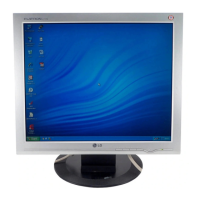
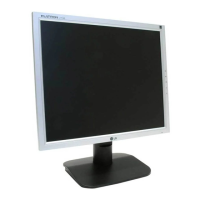
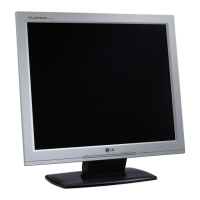
LG L1719S - User Manual

LG L1719S
26 pages
Print Icon
To Next Page IconTo Next Page
Loading...
Make sure to read the Important Precautions before using the product.
Keep the User's Guide(CD) in an accessible place for furture reference.
See the label attached on the product and give the information to your
dealer when you ask for service.
L1719S/L1719SP
L1919S/L1919SP
Users Guide

Other manuals for LG L1719S

Questions and Answers

  • U
    ugrantJul 31, 2025
    What to do if my LG Monitor display does not turn on?
    • J
      Julie HunterJul 31, 2025
      If your LG Monitor's display doesn't turn on, ensure the power cord is properly connected to the power outlet and that you've pressed the Power button. Also, adjust the brightness and contrast settings. If it's in power saving mode, try moving the mouse or pressing a key. Don't forget to turn on the PC.
  • E
    Edgar WigginsAug 9, 2025
    Why does my LG Monitor show no image?
    • B
      brettlynchAug 9, 2025
      If your LG Monitor shows no image, the signal cable between your PC and your display might not be connected properly. Check the signal cable and try again. Also, the signal from the PC (video card) could be out of the horizontal or vertical frequency range of the display; refer to the 'Specifications' section of this manual and configure your display again.
  • R
    Randy LongAug 20, 2025
    How to unlock OSD on LG Monitor?
    • A
      Amy SimmonsAug 21, 2025
      To unlock the OSD controls on your LG Monitor when the 'OSD LOCKED' message appears, push the MENU button for several seconds until the message 'OSD UNLOCKED' appears.

Summary

Important Precautions

On Safety

Guidelines for safe operation, including power, personal injury, and fire prevention.

Installation, Cleaning, and Disposal

Procedures for proper installation, cleaning, repacking, and environmentally sound disposal.

Display Connection and Setup

Connecting the Stand

Step-by-step guide to assembling the monitor stand.

Stand Removal Procedures

Instructions for detaching the monitor stand and its base (Types A & B).

Positioning Your Display

How to adjust the monitor panel for optimal viewing comfort.

Connecting to a Computer

Guide to connecting the monitor to a PC and powering it on.

Control Panel and OSD Operation

Control Panel Overview and Buttons

Description of front and side panel controls and their functions.

On Screen Display (OSD) Navigation

Guide to using the OSD system for screen adjustments and menu navigation.

OSD Settings and Modes

Details on OSD menus, picture, color, position, tracking, setup, and F-ENGINE settings.

Troubleshooting, Specifications, and Installation

Troubleshooting Common Issues

Solutions for problems like no image, incorrect display, or OSD locked messages.

Display Specifications and Modes

Technical details including display size, sync, resolution, and preset modes.

Wall Mount Plate Installation

Guide for installing the optional wall mount plate and Kensington security slot.

LG L1719S Specifications

General IconGeneral
Screen Size17 inches
Resolution1280 x 1024
Panel TypeTN
Brightness300 cd/m²
Contrast Ratio500:1
Response Time8 ms
ConnectivityVGA
Aspect Ratio5:4
Viewing Angle160° horizontal, 160° vertical
Weight4.2 kg

Related product manuals