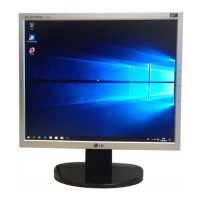
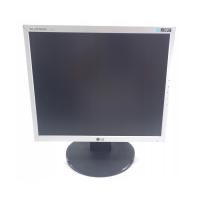
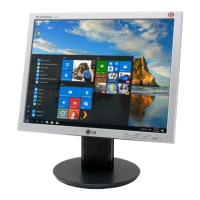
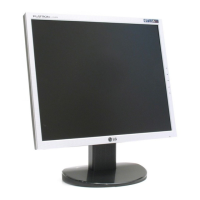
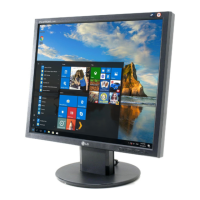
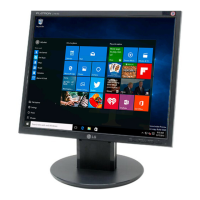
This document is a User's Guide for LG L1754SM, L1754SK, L1954SM, L1954SK, L1954SE, and L1954TE display models. It provides essential information regarding safety, installation, connection, control panel functions, OSD adjustments, troubleshooting, and technical specifications.
Function Description:
The devices are flat panel active matrix TFT LCD displays, available in 17-inch and 19-inch sizes. They are designed to be connected to a computer system for visual output. The displays feature an On Screen Display (OSD) control system for adjusting various image parameters and settings. They support both analog signal input (D-Sub) and include audio capabilities with a headphone/earphone input.
Important Technical Specifications:
17-inch Monitor:
- Display: 17 inches (43.2 cm) Flat Panel Active matrix-TFT LCD, Anti-Glare coating, 17 inches viewable, 0.264 mm pixel pitch.
- Sync Input: Horizontal Frequency: 30 - 83 kHz (Automatic), Vertical Frequency: 56 - 75 Hz (Automatic), Input Form: Separate TTL, SOG (Sync On Green).
- Video Input: Signal Input: 15 pin D-Sub Connector, Input Form: RGB Analog (0.7 Vp-p/ 75 ohm).
- Resolution: Max: VESA 1280 x 1024 @75 Hz, Recommend: VESA 1280 x 1024 @60 Hz.
- Plug&Play: DDC 2B.
- Power Consumption: On Mode: 35 W (Typ.), Sleep Mode: ≤ 1 W, Off Mode: ≤ 1 W.
- Dimensions & Weight (With Stand): Width: 37.13 cm / 14.62 inches, Height: 41.43 cm / 16.31 inches, Depth: 20.40 cm / 8.03 inches.
- Dimensions & Weight (Without Stand): Width: 37.13 cm / 14.62 inches, Height: 34.10 cm / 13.43 inches, Depth: 7.89 cm / 3.11 inches.
- Net Weight: 3.35 kg (7.39 lbs).
- Tilt Range: -5°~20°.
- Power Input: AC 100-240V~ 50/60Hz 0.8A.
- Environmental Conditions (Operating): Temperature: 10°C to 35°C, Humidity: 10% to 80% non-Condensing.
- Environmental Conditions (Storage): Temperature: -20°C to 60°C, Humidity: 5% to 90% non-Condensing.
- Stand Base: Attached or Detached.
- Power Cord: Wall-outlet type or PC-outlet type.
19-inch Monitor:
- Display: 19 inches (48.19 cm) Flat Panel Active matrix-TFT LCD, Anti-Glare coating, 19 inches viewable, 0.294 mm pixel pitch.
- Sync Input: Horizontal Frequency: 30 - 83 kHz (Automatic), Vertical Frequency: 56 - 75 Hz (Automatic), Input Form: Separate TTL, SOG (Sync On Green).
- Video Input: Signal Input: 15 pin D-Sub Connector, Input Form: RGB Analog (0.7 Vp-p/ 75 ohm).
- Resolution: Max: VESA 1280 x 1024 @75 Hz, Recommend: VESA 1280 x 1024 @60 Hz.
- Plug&Play: DDC 2B.
- Power Consumption: On Mode: 37 W (Typ.), Sleep Mode: ≤ 1 W, Off Mode: ≤ 1 W.
- Dimensions & Weight (With Stand): Width: 40.79 cm / 16.06 inches, Height: 42.57 cm / 16.76 inches, Depth: 23.00 cm / 9.06 inches.
- Dimensions & Weight (Without Stand): Width: 40.79 cm / 16.06 inches, Height: 37.22 cm / 14.65 inches, Depth: 7.59 cm / 2.99 inches.
- Net Weight: 3.85 kg (8.49 lbs).
- Tilt Range: -5°~20°.
- Power Input: AC 100-240V~ 50/60Hz 0.8A.
- Environmental Conditions (Operating): Temperature: 10°C to 35°C, Humidity: 10% to 80% non-Condensing.
- Environmental Conditions (Storage): Temperature: -20°C to 60°C, Humidity: 5% to 90% non-Condensing.
- Stand Base: Attached or Detached.
- Power Cord: Wall-outlet type or PC-outlet type.
Usage Features:
- Stand Assembly and Disassembly: The guide provides detailed instructions for assembling and disassembling the monitor stand, including connecting the stand body, base, and cable deco cover. It emphasizes careful handling to prevent damage or injury.
- Positioning: The display allows for tilt adjustment from -5° to 20° for ergonomic viewing. It is recommended that the forward tilt angle does not exceed 5 degrees.
- Computer Connection: Instructions are provided for connecting the audio cable, D-sub cable (for PC and Mac), and power cord. The headphone/earphone input automatically mutes speaker volume when in use.
- Control Panel Functions:
- MUTE Button: Mutes speaker volume and saves OSD settings.
- MENU Button: Enters or exits the OSD. Can lock/unlock OSD controls by holding for several seconds.
- - / + Buttons: Adjust speaker volume, select, or adjust functions in the OSD.
- AUTO/SET Button: Enters OSD selections and performs auto image adjustment. This function automatically adjusts the display to optimal settings for the current screen resolution.
- Power Button: Turns the display on or off.
- Power Indicator: Lights up blue in On Mode and changes to amber in Sleep Mode (Energy Saving).
- On Screen Display (OSD) Control Adjustment:
- Picture Menu: Adjusts Brightness, Contrast, and Gamma. Includes "f.ENGINE" settings (MOVIE/TEXT, USER, NORMAL) for optimizing image conditions based on content type.
- Color Menu: Customizes screen color with preset options (sRGB, 6500K, 9300K) and allows manual adjustment of Red, Green, and Blue color levels.
- Position Menu: Adjusts Horizontal and Vertical position of the screen image.
- Tracking Menu: Adjusts Clock (to minimize vertical bars/stripes and change horizontal screen size), Phase (to adjust focus, remove horizontal noise, and sharpen characters), and Sharpness.
- Setup Menu:
- Language: Selects the OSD menu language.
- OSD Position: Adjusts the position of the OSD window.
- White Balance: Adjusts signal level to fit standard video card output for optimal image, especially when white and black colors are present. Enabled only with analog input.
- Power Indicator: Sets the front power indicator to ON or OFF.
- Factory Reset: Restores all factory default settings except "LANGUAGE."
- Preset Modes (Resolution): A table lists various display modes, including VGA, VESA, and MAC resolutions, with their corresponding horizontal and vertical frequencies. The recommended mode is VESA 1280 x 1024 @60 Hz.
Maintenance Features:
- Safety Precautions: Emphasizes using the supplied power cord, ensuring easy access to the socket-outlet, operating from the specified power source, avoiding overloaded outlets, and not opening the display. It also includes warnings against placing the display on sloping surfaces, dropping objects, or blocking ventilation openings to prevent fire or hazards.
- Installation: Advises against placing anything on the power cord, using the display near water, or blocking ventilation openings. It also warns against rubbing or striking the LCD screen and pressing it for extended periods to avoid damage or afterimages.
- Cleaning: Instructs users to unplug the display before cleaning and to use a slightly damp cloth, avoiding aerosol sprays directly on the screen.
- Repacking: Recommends keeping the original carton and packing materials for safe transport.
- Disposal: Notes that the fluorescent lamp contains mercury and advises disposing of the product according to local regulations, not with general household waste.
- Troubleshooting: Provides solutions for common issues such as no image, "OUT OF RANGE" or "CHECK SIGNAL CABLE" messages, "OSD LOCKED" message, incorrect display position, vertical bars/stripes, horizontal noise, abnormal screen color, and screen blinking. It also addresses issues related to display driver installation.
- Kensington Security Slot: The monitor includes a Kensington Security Slot for connecting a locking cable, which can be purchased separately, to secure the device.


 To Next Page
 General