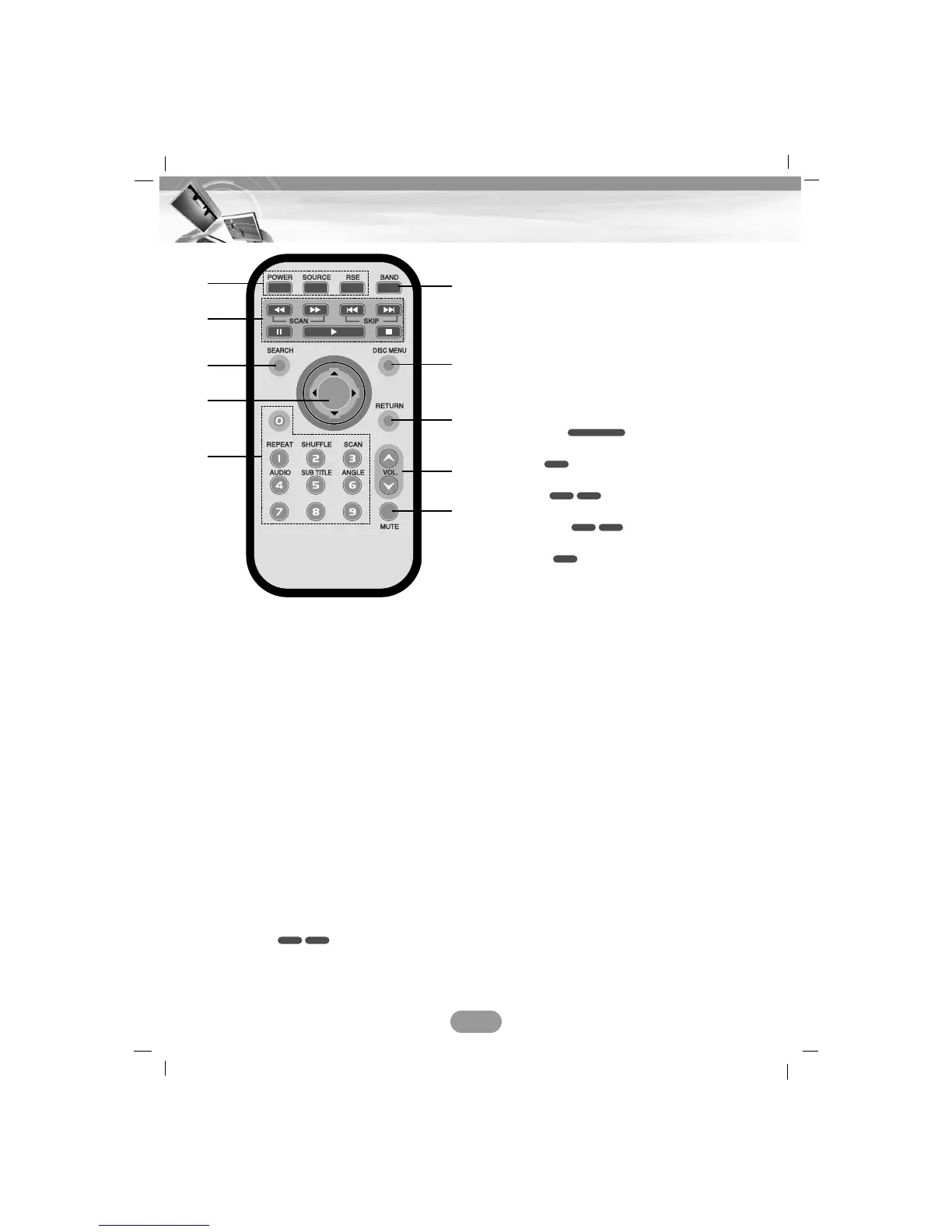
1. POWER
Switches the unit ON/OFF.
SOURCE
Selects a source.
RSE (Rear Seat Entertainment)
2. SCAN
mm
/
MM
• Backward (Forward) search playback.
• Tunes manually radio station.
SKIP ?m/M?
• Moves to next (previous) chapter, track
or file.
• Returns to the beginning of the current
chapter, track or file.
• Tunes automatically radio station.
PAUSE X
PLAY B
STOP x
3. SEARCH
Selects chapter or title.
4.
vv
/
VV
/
bb
/
BB
(up/down/left/right)
Selects an item in the menu.
ENTER
Confirms menu selection.
5. 0-9 number buttons
• Selects numbered items in the menu.
• Selects a stored radio station frequency
(1-6).
REPEAT
Repeats chapter, track, title or file.
SHUFFLE
Plays tracks or files in random order.
SCAN
Plays the first 10 seconds of all track.
AUDIO
Selects audio language.
SUBTITLE
Selects audio subtitle language.
ANGLE
Selects a DVD camera angle if available.
6. BAND
Selects FM and MW(AM) bands.
7. DISC MENU
Accesses the menu on a DVD disc.
8. RETURN
Displays the disc menu with PBC.
9. VOLUME
Adjusts the volume level.
10. MUTE
Mutes the volume.
DVD
DivXDVD
DivXDVD
CD
CD/MP3/WMA
VCDDVD
9
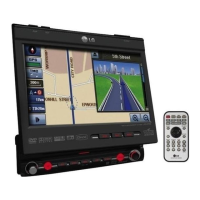
Remote Control
1
2
3
6
7
8
9
10
4
5


 To Next Page