EXTERNAL EQUIPMENT SETUP
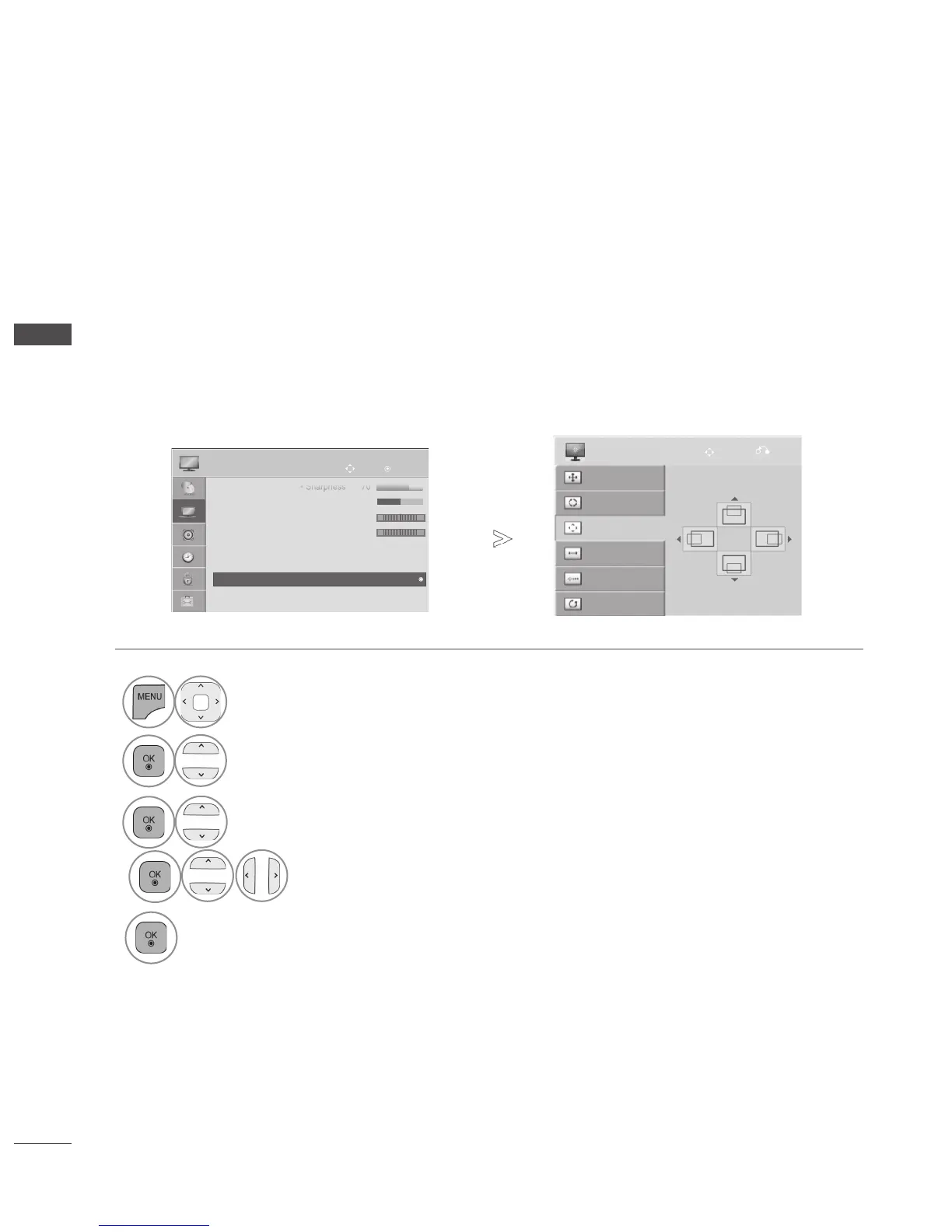
If the picture is not clear after auto adjustment and especially if characters are still trembling, adjust
the picture position manually.
This function works in the following mode : RGB[PC].
OK
Move
PICTURE
• Sharpness 70
• Colour 60
• Tint 0
• Colour Temp. 0
• Advanced Control
• Picture Reset
• Screen
R G
W
C
• Screen
►
Auto Config.
SCREEN
Resolution
Position
Size
Phase
Reset
Move
Prev.
• Press the button to return to normal TV viewing.
• Press the orbutton to move to the previous menu screen.
1
Select .
2
Select .
3
Select , or .
4
Make appropriate adjustments.
5





 To Next Page