34
How to register the No-IP Web site for
DDNS function
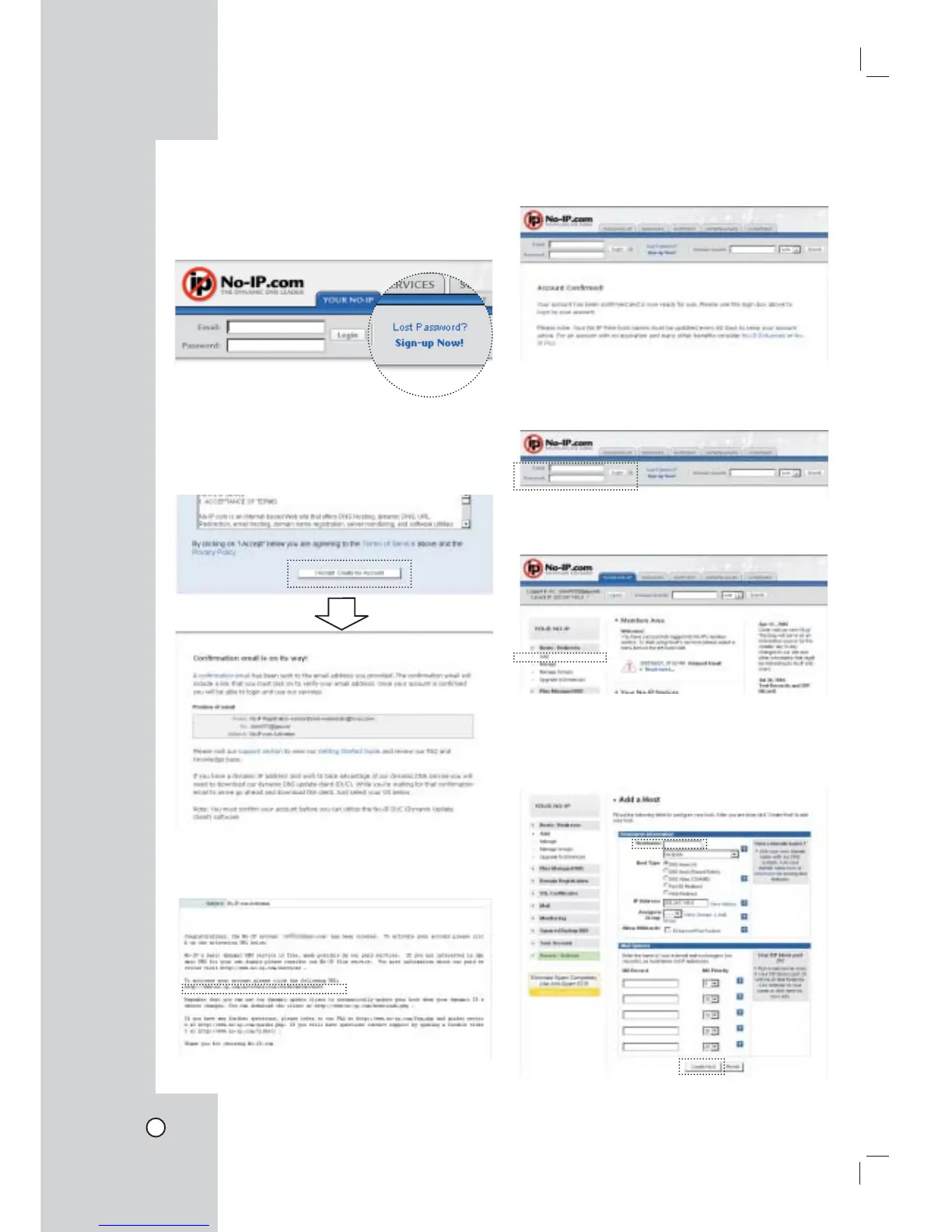
1. Open the No-IP web site.
2. Click the [Sin-up Now!] in the No-IP web site.
3. Enter the necessary information to register and
click the [I Accept. Created my Account] button.
The note is displayed about the confirmation
e-mail has been sent to your e-mail address.
4. Open the received confirmation e-mail and you
will find a link to activate your account.
5. Click the URL and the account confirmed mes-
sage is displayed.
6. Enter the E-mail ID and Password to login the No-
IP web site.
7. Click [Hosts/Redirects > Add] to make the host.
8. Enter the Hostname in the Hostname Information
and click the [Create Host] button. Remember
the entered hostname and word of the Hostname
option.



 To Next Page