49
Connecting to the DVR
Register the Site Name
You should register a site name to control DVR by
the Client Program.
1. Double-Click the [LE3100 Network Client] icon to
start the Client Program. The [LE3100 Network
Client] menu is displayed.
2. Select [Tools] > [Connection Infomation].
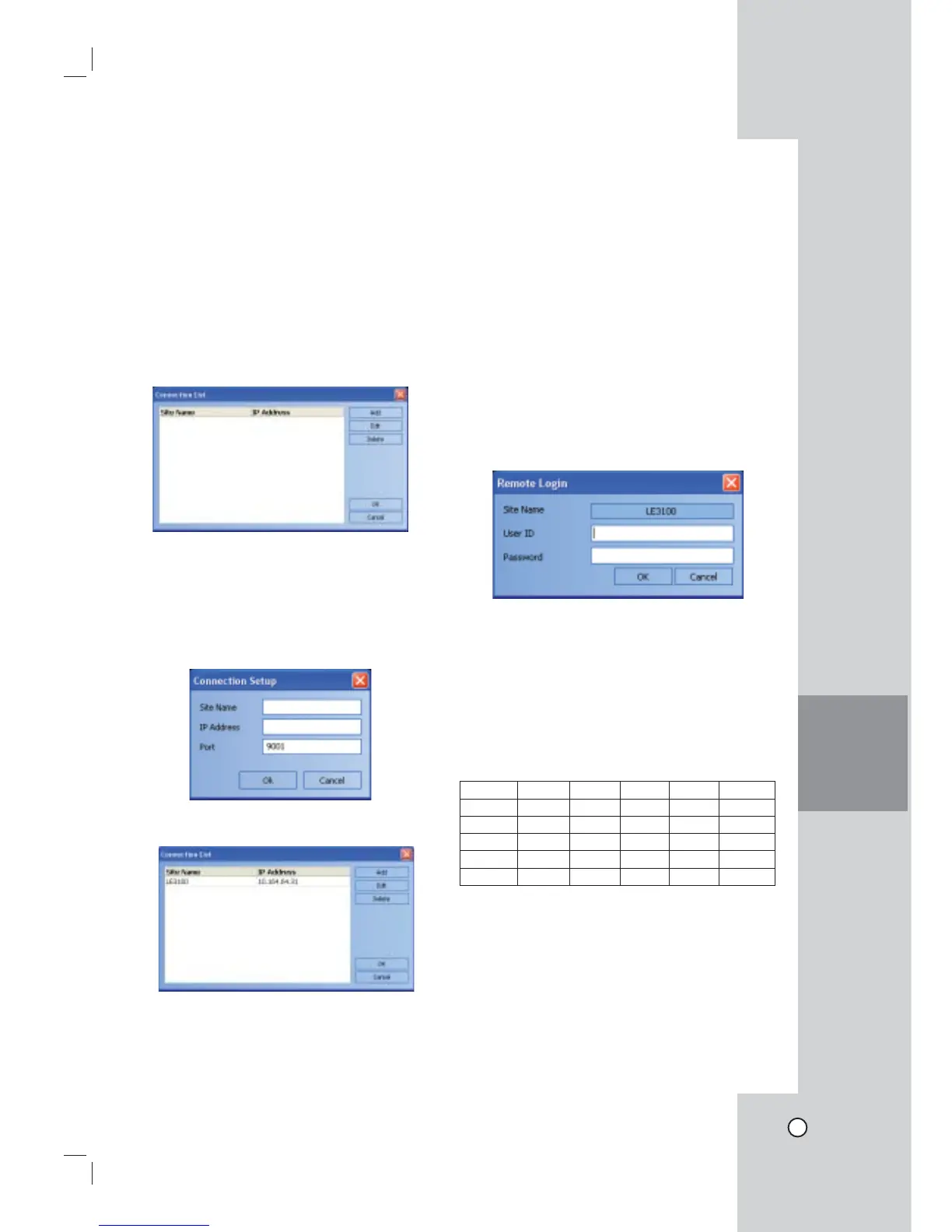
The connection list menu is displayed.
3. Select [Add] and the connection setup menu is
displayed.
4. Enter the site name, IP address and port.
- Site Name: Enter the description of the site.
- IP Address: Enter the IP Address or URL of
the DVR.
- Port: Enter the Port number of the DVR. If it
isn't entered, the port number is set by default.
5. Select [Ok].
6. Select [Ok] to confirm the settings.
The registered site name is displayed.
Note:
In case of entering the server name instead of the
IP Address. You should set up the DDNS configura-
tion properly in the server. Please refer to the server
manual to set up the DDNS function.
User Log-In
1. Select the registered site name and right click the
mouse.
2. Select [User Log-In].
3. Enter the user ID and enter the password.
- ADMINISTRATOR: To operate the unit without
limitations.
- Power User: To use the live and search mode
functions.
- Normal User: Show the live image only.
4. Select [Ok] and the [LE3100 Network Client] main
window is displayed.
Notes:
• If someone logged in the DVR using the Admin
ID, you can not log-in using the Admin ID.
• If you want to log-out, right click the mouse on the
site name and select [User Log-Out].
• Up to 5 users can connect to the DVR system
using the client program as shown below.
User User 1 User2 User3 User4 User5
Case 1 Admin Power Normal Normal Normal
Case 2 Power Power Normal Normal Normal
Case 3 Normal Normal Normal Normal Normal
Case 4 Admin Normal Normal Normal Normal
Case 5 Power Normal Normal Normal Normal
CLIENT
PROGRAM


 To Next Page