EasyManua.ls Logo

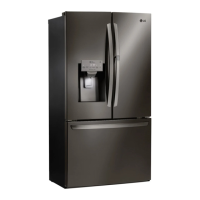
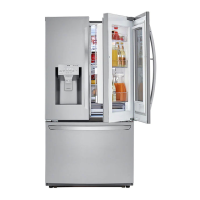
LG LFXS26596 series - User Manual

LG LFXS26596 series
76 pages
Print Icon
To Next Page IconTo Next Page
Loading...
OWNER'S MANUAL
FRENCH DOOR
REFRIGERATOR
Read this owner's manual thoroughly before operating the
appliance and keep it handy for reference at all times.
ENGLISH
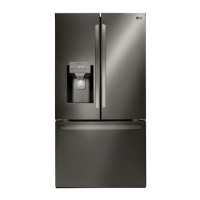
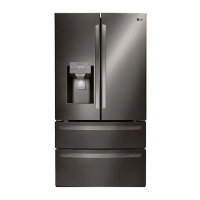
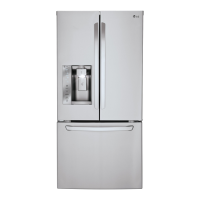
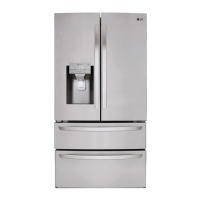
LFXS28596* / LMXS28596* / LMRS28596* / LFXS26596* / LFXC22596*
MFL70761702
Rev.06_072020
www.lg.com
Copyright © 2019-2020 LG Electronics Inc. All Rights Reserved.

Other manuals for LG LFXS26596 series

Questions and Answers

  • M
    Mary PachecoJul 28, 2025
    How to fix LG Refrigerator when it is not cooling and display shows OFF?
    • D
      Douglas CruzJul 28, 2025
      If your LG Refrigerator isn't cooling but the controls are working and the display shows “OFF”, it's likely in Display Mode. This mode disables cooling to save energy in retail settings. To deactivate it, open either refrigerator door and press and hold the Refrigerator and Ice Plus buttons simultaneously for 5 seconds. The control panel will beep, and the temperature settings will display, confirming that Display Mode is off. Repeat the same steps to activate Display Mode again, if needed.
  • L
    Lindsey HarrisNov 5, 2025
    What to do if water is not dispensing from my LG LFXS26596 Refrigerator?
    • C
      Cynthia LaneNov 6, 2025
      If your LG Refrigerator water dispenser isn't working, first, if it is a new installation or the water line was recently connected, dispense 2.5 gallons of water to clear any trapped air and contaminants; use 30-second ON, 60-second OFF cycles. Also, check if the dispenser panel is locked—press and hold the Lock button for three seconds to unlock it. Ensure the dispenser is set to water, not ice, by pressing the Water button. Confirm that all refrigerator doors are fully closed. If you've just replaced the water filter, flush the system by dispensing 2.5 gallons of water in cycles. Check for kinks in the tubing connecting the refrigerator to the water supply and straighten them out. Finally, ensure the house water supply is connected and the valve is fully open; if issues persist, contact ...
  • N
    Nancy RileyNov 15, 2025
    Why is my LG LFXS26596 icemaker not making enough ice?
    • D
      Dana TurnerNov 15, 2025
      If your LG Refrigerator icemaker isn't making enough ice, consider these factors: Check the ice production capacity in the Automatic Icemaker section to see if demand exceeds it. Verify that the house water supply is connected, the valve is fully open, and not clogged; contact a plumber if needed. Replace the water filter approximately every six months, when the indicator turns on, when water dispenser output decreases, or when ice cubes are smaller than normal. Ensure house water supply pressure is adequate (20-120 psi without a filter, 40-120 psi with a filter); consult a plumber if necessary. Note that reverse osmosis systems can lower water pressure, causing issues (refer to the Connecting the Water Line section). Check for kinks in the tubing and straighten them to ensure proper water...

Summary

Important Safety Instructions

Warning Precautions

Details critical safety precautions related to installation and operation.

Cautionary Guidelines

Outlines precautions to prevent minor injury, malfunction, or damage.

Installation Guide

Unpacking the Refrigerator

Instructions for safely removing packaging and preparing the refrigerator for installation.

Choosing the Proper Location

Guides on selecting an appropriate location considering water, electricity, flooring, and ambient temperature.

Door and Drawer Removal;Assembly

Details procedures for removing and reinstalling refrigerator doors and freezer drawers.

Connecting the Water Line

Details how to connect the refrigerator to a water supply line.

Water Line Installation Steps

Pre-installation checks, water pressure requirements, and supplies needed.

Water Line Installation Procedure

Step-by-step guide for installing the water shutoff valve and connecting the line.

Leveling and Door Alignment

Guides on leveling the refrigerator and aligning the doors for proper closure.

Smart Functions Guide

LG ThinQ Application

Introduction to using the LG ThinQ app with the refrigerator.

Installing and Connecting ThinQ App

Steps to install the app, connect to Wi-Fi, and register the appliance.

Smart Grid Functionality

Explains interaction with smart grids for energy management.

Smart Diagnosis Feature

How to use the Smart Diagnosis feature for troubleshooting.

Diagnosing Issues via ThinQ

Step-by-step guide for using the ThinQ app for audible diagnosis.

Maintenance Procedures

Water Filter Replacement Steps

Detailed instructions for replacing the water filter cartridge.

Troubleshooting Guide

Frequently Asked Questions

Lists common user queries and their solutions.

Cooling System Issues

Troubleshooting steps for cooling issues and lack of power.

Cooling Performance Problems

Addresses issues like excessive cooling time, interior moisture, and freezing food.

Wi-Fi Connectivity Issues

Troubleshooting problems connecting the appliance to the Wi-Fi network.

Limited Warranty Information

General Warranty Conditions

General terms and conditions of the limited warranty.

Dispute Resolution Procedure

Outlines the process for resolving disputes through arbitration.

Canadian Dispute Resolution

Outlines the process for resolving disputes in Canada.

LG LFXS26596 series Specifications

General IconGeneral
BrandLG
ModelLFXS26596 series
CategoryRefrigerator
LanguageEnglish

Related product manuals