EasyManua.ls Logo

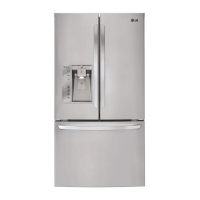
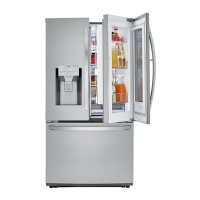
LG LFXS29626 series - User Manual

LG LFXS29626 series
64 pages
Print Icon
To Next Page IconTo Next Page
Loading...
OWNER’S MANUAL
FRENCH DOOR
REFRIGERATOR
Please read this owner's manual thoroughly before
operating and keep it handy for reference at all times.
LFXS29626*
www.lg.com
ENGLISH FRANÇAIS ESPAÑOL
Copyright © 2014 - 2017 LG Electronics Inc. All Rights Reserved.
MFL62184487_Rev.09

Table of Contents

Other manuals for LG LFXS29626 series

Questions and Answers

  • M
    Matthew VargasSep 18, 2025
    Why is my LG Refrigerator running so much?
    • T
      Taylor JohnsonSep 18, 2025
      Several factors can cause your LG Refrigerator to run more than expected. Modern refrigerators are more efficient but require more operating time. If the refrigerator was recently plugged in, it could take up to 24 hours to cool completely. Frequent door openings or adding a large amount of food can also increase running time. Ensure the doors are closed completely and clean the condenser if it's clogged. Also, make sure that the refrigerator is not installed in a hot location.
  • T
    Thomas FrazierAug 25, 2025
    Why is my LG LFXS29626 Refrigerator not cooling?
    • D
      Denise HoldenAug 25, 2025
      If your LG Refrigerator or Freezer isn't cooling, first, make sure the refrigerator control is turned ON. If it was recently installed, allow up to 24 hours for each compartment to reach the desired temperature. Also, if the refrigerator was recently relocated, it should stand upright for 24 hours before connecting it to power. The refrigerator may also be in the defrost cycle; wait 30 minutes after the cycle is completed.
  • J
    jessica43Aug 25, 2025
    Why is my LG LFXS29626 not dispensing water?
    • N
      Natalie WilkersonAug 26, 2025
      If your LG Refrigerator is not dispensing water, dispense 2.5 gallons of water (flush for approximately 5 minutes) to remove trapped air and contaminants from the system, especially after a new installation or recently connecting the water line. Make sure the dispenser panel is not locked by pressing and holding the Lock button for three seconds. Ensure the dispenser is set for water dispensing by pressing the Water button on the control panel. Check that the refrigerator or freezer doors are closed properly and that the tubing connecting the refrigerator to the house supply valve is not kinked. Finally, confirm that the house water supply is connected, the valve is turned on fully, and not clogged.
  • G
    George WilsonAug 27, 2025
    Why is my LG Refrigerator icemaker not working?
    • C
      cherylwelchAug 27, 2025
      If your LG Refrigerator's icemaker isn't making ice, allow up to 24 hours for each compartment to reach the desired temperature after installation or recently connecting the icemaker. Ensure the icemaker is turned on. Connect the refrigerator to the water supply and turn the water shutoff valve fully open. Also, make sure that the icemaker shutoff (feeler arm) is not obstructed and that a reverse osmosis water filtration system is not reducing the water pressure.
  • W
    William SmithSep 18, 2025
    How to fix interior moisture buildup in LG LFXS29626 Refrigerator?
    • J
      joshuafitzgeraldSep 18, 2025
      To address interior moisture buildup in your LG Refrigerator, reduce how often and how long you open the doors. Ensure the doors are closing correctly. Maintain a reasonable level of humidity in your home. Wait 30 minutes after a defrost cycle. Also, wipe containers dry and store food in sealed packaging to prevent condensation.
  • C
    Christopher CherrySep 23, 2025
    Why is there a communication error on my LG LFXS29626?
    • M
      Michele PhelpsSep 23, 2025
      A communication error on your LG Refrigerator may be due to a poor connection. It also may be caused by poor Transmitter and Receiver Tx/Rx between the display and main board.
  • L
    Laura MeadowsSep 9, 2025
    How to unlock ice dispenser on LG LFXS29626 Refrigerator?
    • C
      Christopher RobertsonSep 9, 2025
      To unlock the control panel and dispenser on your LG Refrigerator, press and hold the Lock button for three seconds. This is necessary if the dispenser display is locked.
  • K
    kingalexanderSep 10, 2025
    Why is my LG LFXS29626 Refrigerator too warm?
    • R
      rochadebbieSep 10, 2025
      If your LG Refrigerator or Freezer section is too warm, it may take up to 24 hours for each compartment to reach the desired temperature after installation. Ensure air vents are not blocked by rearranging items to allow proper airflow. Reduce the frequency and duration of door openings. The refrigerator should not be operated in temperatures above 110F. Allow hot food to cool to room temperature before putting it in the refrigerator. Also, make sure that the temperature control is set correctly and wait 30 minutes after the defrost cycle has completed.
  • J
    jason76Sep 3, 2025
    Why is my LG LFXS29626 Refrigerator or Freezer section too warm?
    • M
      matthew51Sep 3, 2025
      If your LG refrigerator or freezer section is too warm, it might be because the unit was recently installed and needs up to 24 hours to reach the desired temperature. Blocked air vents can also cause this, so rearrange items to allow airflow. Avoid opening the doors too often or for long periods. Ensure the unit isn't in a hot location (above 110F) and allow hot food to cool before placing it inside. Check that the doors are closing correctly and that the temperature control is set properly. Also, wait 30 minutes after a defrost cycle.
  • S
    Stephanie DelacruzSep 1, 2025
    Why is there moisture inside my LG LFXS29626 Refrigerator?
    • T
      Todd RileySep 1, 2025
      If your LG Refrigerator has interior moisture buildup, reduce the frequency and duration of door openings. Make sure the doors are closing correctly. Maintaining a reasonable level of humidity in the home will help control the amount of moisture. If the defrost cycle recently completed, wait 30 minutes. Ensure food is packaged correctly by wiping all containers dry and storing food in sealed packaging.

Summary

Product Features

Filtered Water and Ice Dispenser

Details about the water and ice dispenser functionality, including water and ice types.

Door Alarm and Humidity Control

Explanation of the refrigerator door alarm and humidity control for crispers.

GlideNServe and Auto Closing Hinge

Information on the variable temperature Glide'N'Serve and auto closing hinge features.

Important Safety Instructions

General Safety Precautions

Essential safety guidelines and warnings for using the refrigerator.

Power, Installation, and Usage Safety

Safety measures for power connections, installation, and general appliance usage.

Components

Refrigerator Exterior

Identifies and describes the external parts of the refrigerator.

Refrigerator Interior

Details the various internal parts and their functions within the refrigerator.

Installation

Installation Overview and Specifications

Overview of installation steps and technical specifications for the refrigerator.

Unpacking, Location, and Clearances

Instructions for unpacking, choosing location, and setting necessary clearances.

Door Handle and Drawer Installation

Procedures for removing and installing door handles, doors, and drawers.

Left and Right Door Installation

Detailed steps for removing and assembling refrigerator doors.

Freezer Drawer Installation

Procedures for removing and assembling freezer drawers.

Water Line Connection and Power

Guide to connecting the water line, power, and leveling the unit.

Door Alignment

How to properly align the refrigerator doors for optimal closure.

How to Use

Before Use and Control Panel

Initial setup, cleaning, and overview of the control panel features.

Ice Maker and Dispenser Operation

Using the icemaker, dispenser, and managing ice and water dispensing.

Food Storage and Preservation

Optimal food storage locations, tips, and frozen food handling.

Shelf Adjustment and Special Compartments

Adjusting shelves and using the crisper and Glide'N'Serve compartments.

Maintenance

Cleaning Procedures

Procedures for cleaning the refrigerator interior, exterior, and parts.

Filter Replacement

Steps for replacing the Fresh Air Filter and Water Filter.

Troubleshooting

Cooling System and Icemaker Issues

Solutions for problems related to cooling, icemaker, and dispensers.

Noise, Odor, and Door Issues

Troubleshooting common noises, odors, and door problems.

Limited Warranty

Warranty Terms for USA

Details of the limited warranty for refrigerators sold in the United States.

Warranty Terms for Canada

Details of the limited warranty for refrigerators sold in Canada.

LG LFXS29626 series Specifications

General IconGeneral
BrandLG
ModelLFXS29626 series
CategoryRefrigerator
LanguageEnglish

Related product manuals