10. CALIBRATION
- 238 -
Copyright © 2012 LG Electronics. Inc. All right reserved.
Only for training and service purposes
LGE Internal Use Only
10. CALIBRATION
CAL INFORMATION
S/W VERSION
[TachyonV37] LGE960 20121108 ALL File Calibration
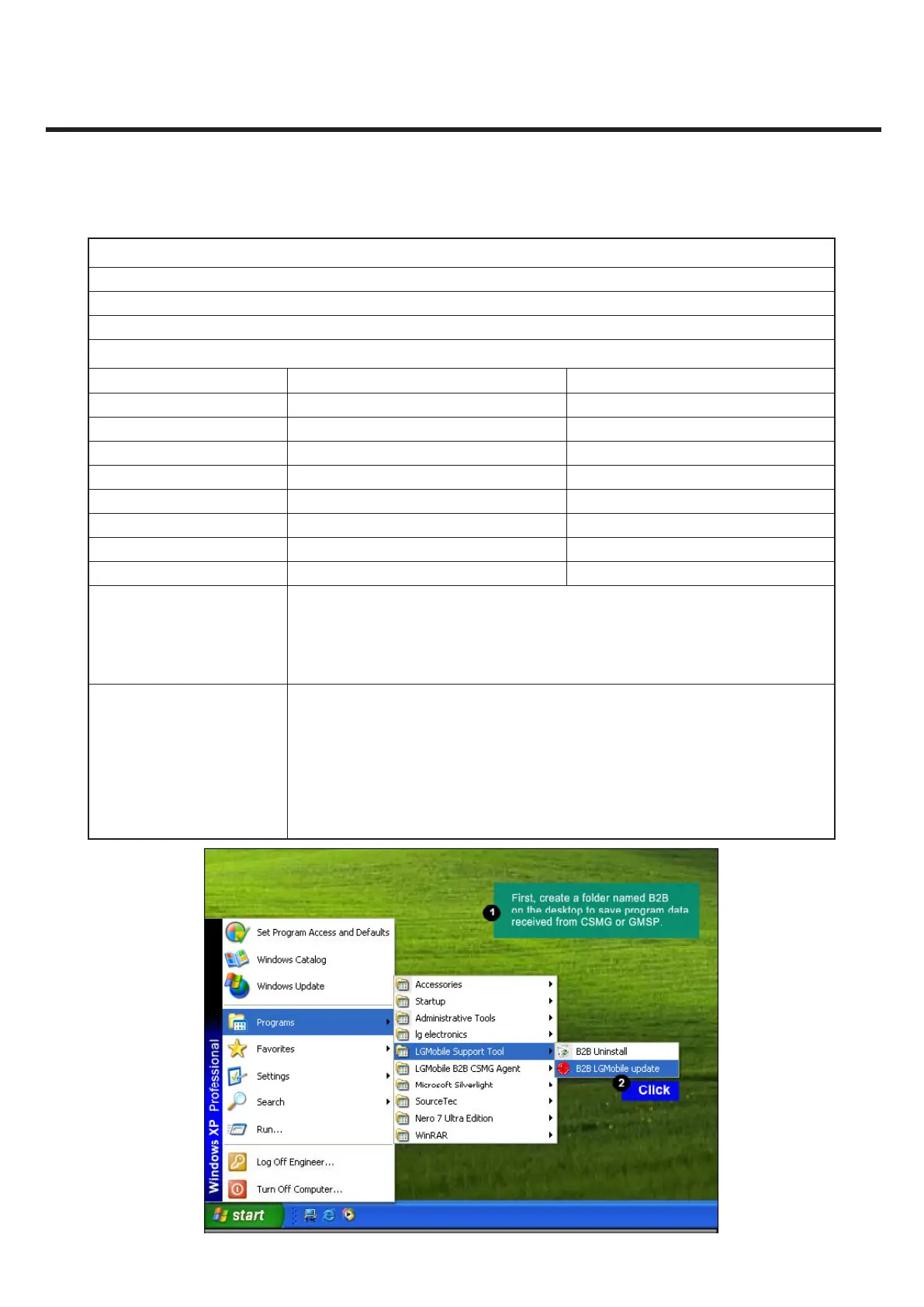
Please Check the Version to “B2B”
H/W
Name Part No.
PIF PIF200(All Type) BJAY0024021
USB Cable USB Cable RAD32247898
Power Cable DC Power Cable RAD32247878
I/O Cable 5P E-SATA_DC_Plug RAD32167861
RF Cable_Main MS-156C BJAY0024004
Power Supply_PIF Power Supply 5.3V
Power Supply_Phone Power Supply 5.0V
RF Test Equipment E5515C(8960)
NOTICE
1. Use the Battery (Refer to Attached image)
1) Phone states: Power o / 2) If do not use the battery, GSM 850 TX fails.
2. Port Setting (Refer to Attached image)
1) Uart Port1 : Use the “LGE CDMA USB Serial Port” / 2) Uart Port2 : Use the “LGE CDMA USB
GPS NMEA Port”
CMW500 RF Cable connection
Reference to Attached image
-> How to connect between phone RF switch and RF 800A: It has to be connected as below
- Number(1) RF switch of phone to left(A) of RF 800A
-> Numbering: RF mobile switch on left side of phone battery connector is Number(1).
The next clockwise next RF mobile switch is number (2). And then, the next is (3),(4)
sequentially.
-> How to connect between CMW500 and RF800A ; It has to connected as below
- CMW500 [RF1COM] to RF-800A [left COM], - CMW500 [RF2COM] to RF-800A [Right COM]



 To Next Page