3. CIC AND SERVICE CENTER
- 26 -
Copyright © 2012 LG Electronics. Inc. All right reserved.
Only for training and service purposes
LGE Internal Use Only
No FAQ Q&A
3 Q I use it abroad, but 3G connection doesn’t work.
A
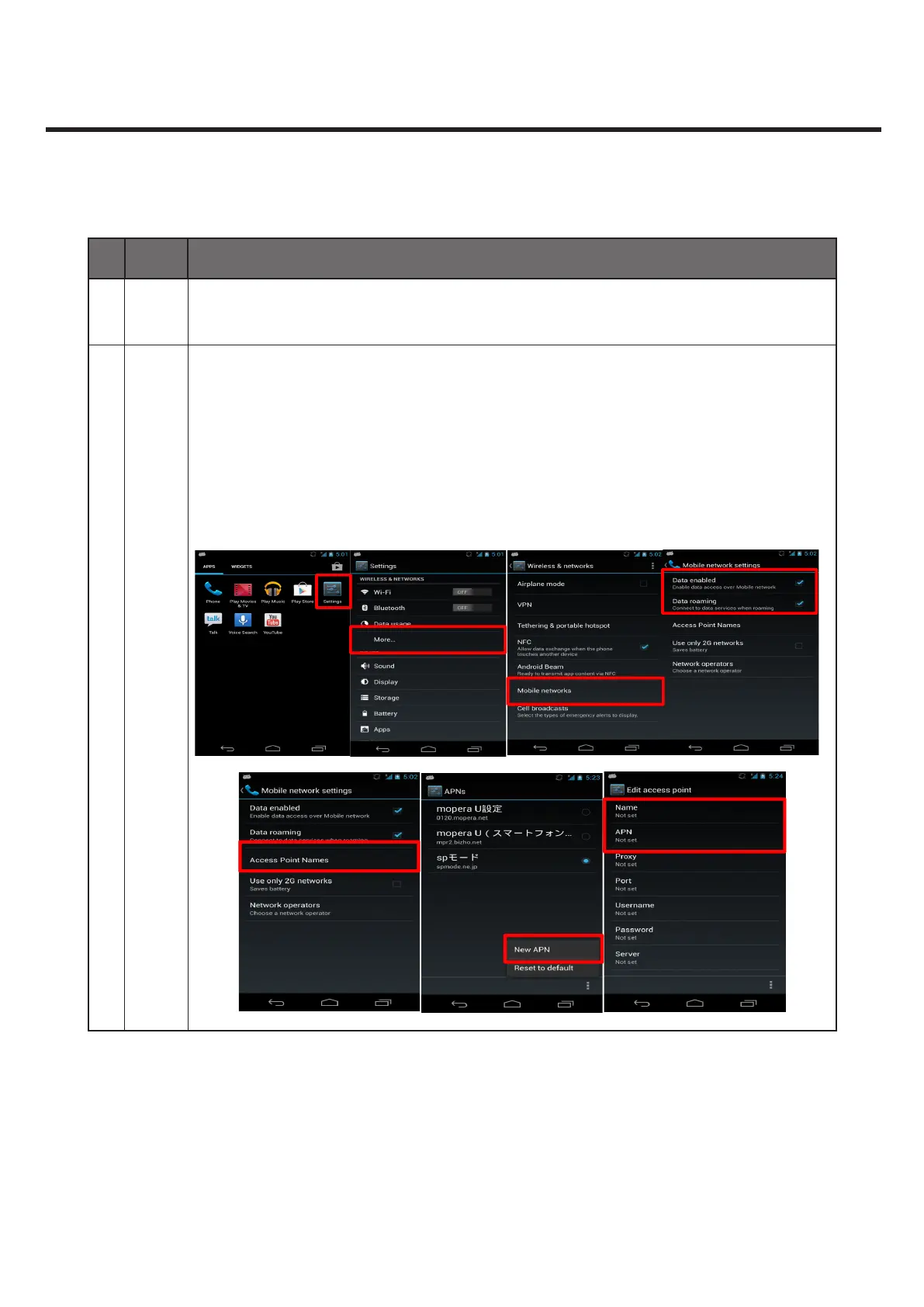
1. Verify “Data enabled” and “Data roaming” is checked.
- Enter the menu “Settings > More... > Mobile networks”
- If these elds are unchecked, 3G data connection is cannot established in
roaming.
2. Check access point name
- If there’s no APN in the “Access Point Names” menu, create new APN coresponding
to network operator and save it.



 To Next Page