3. CIC AND SERVICE CENTER
- 31 -
Copyright © 2012 LG Electronics. Inc. All right reserved.
Only for training and service purposes
LGE Internal Use Only
No FAQ Q&A
13 Q
What should I do to connect PC Sync program
with the phone?
A
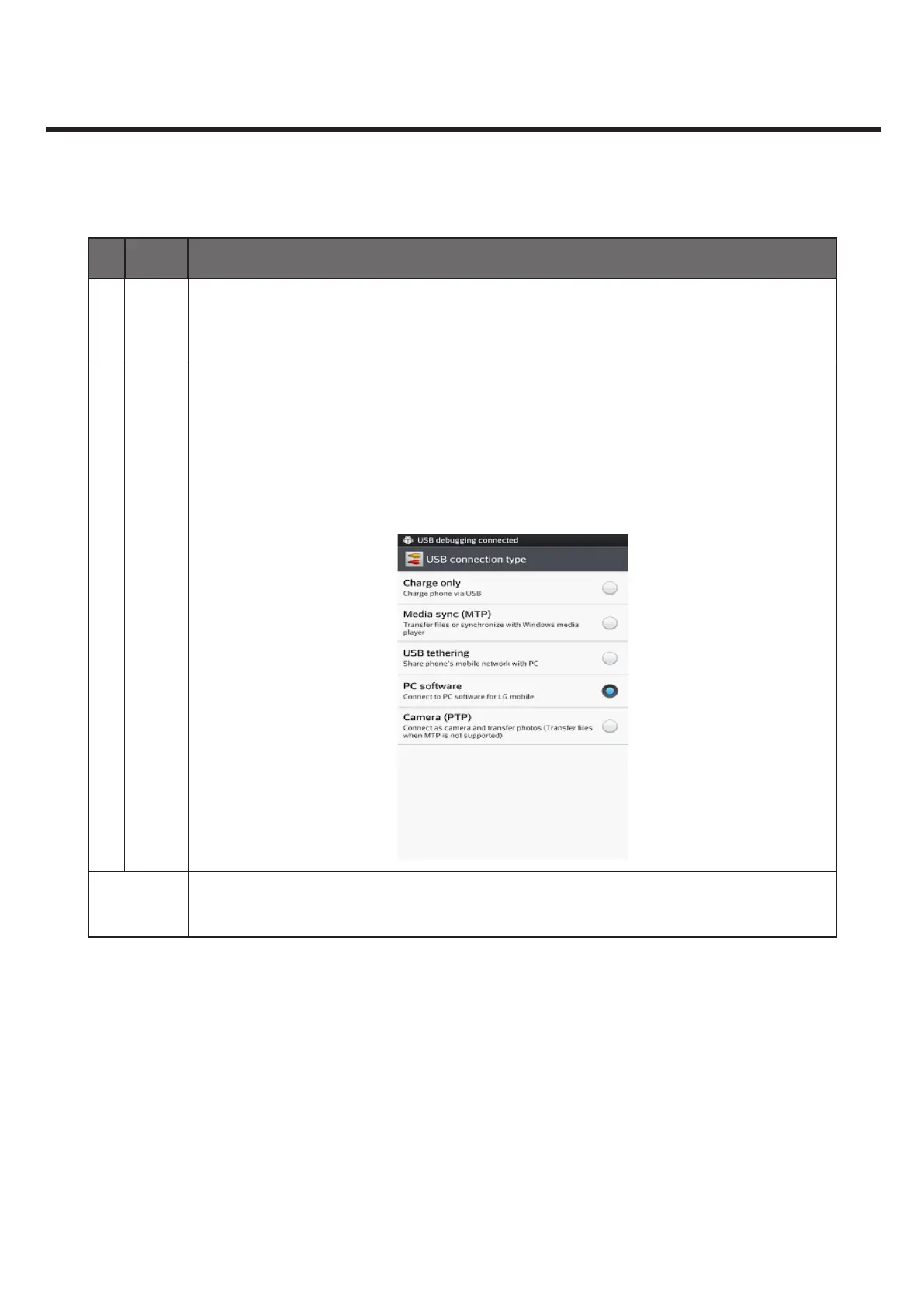
Connect the USB cable and run the connection mode on the terminal by choosing
PC Software > PC Suite for automatic connection.
Unless automatic connection works, on the PC Suite main screen choose Connect
Phone > USB Cable Connection.
Or, try Bluetooth On > Discoverable On > Connect Phone on the PC Suite main
screen > Bluetooth Connection > choose the terminal to connect to.
Request for
development
N/A



 To Next Page