3. CIC AND SERVICE CENTER
- 33 -
Copyright © 2012 LG Electronics. Inc. All right reserved.
Only for training and service purposes
LGE Internal Use Only
No FAQ Q&A
15 Q How do you Reset and Factory Reset?
A
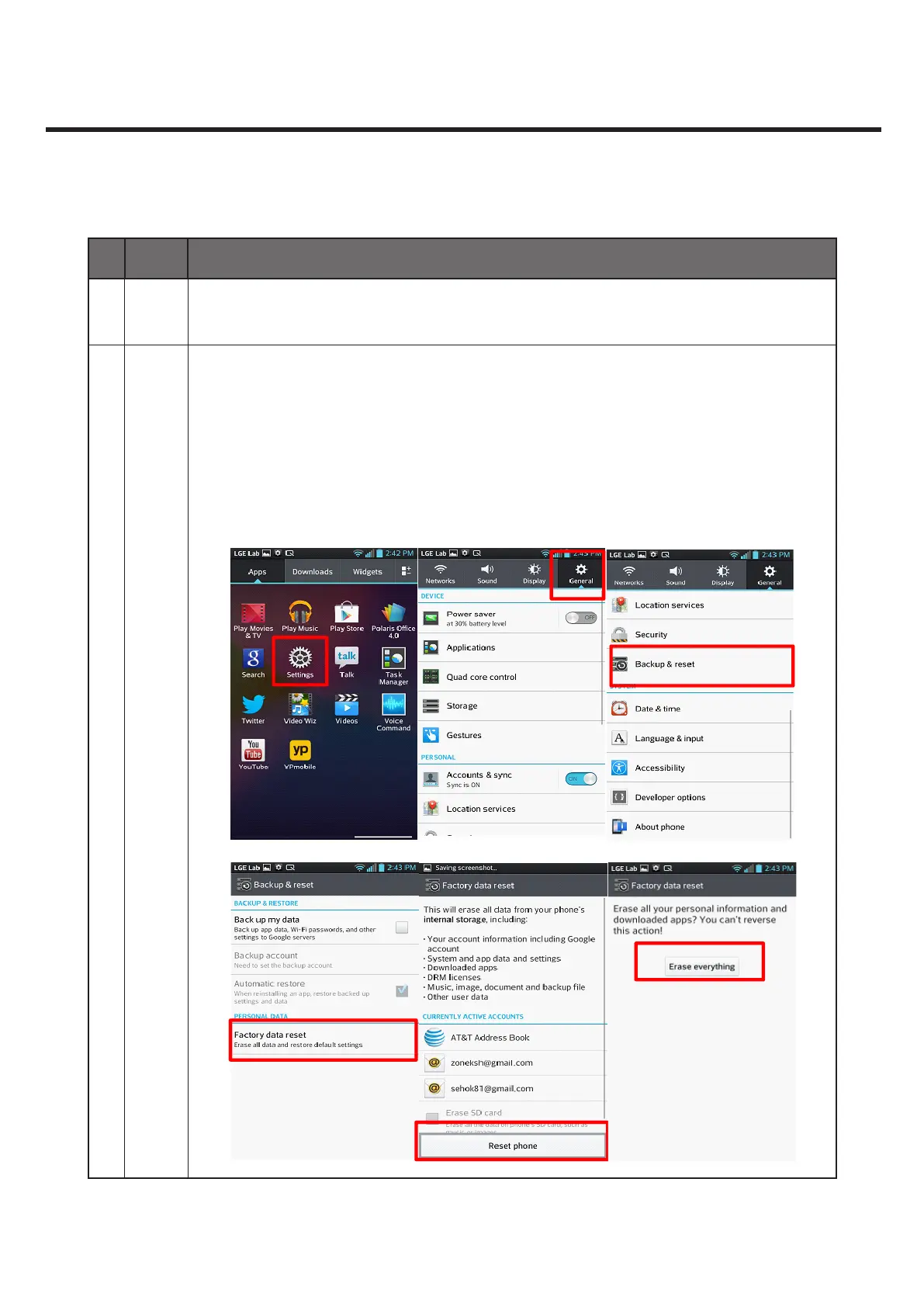
Reset can be done as below.
(On resetting the phone, select the SD card check box and the data on the SD card
will be deleted as well.)
- Go to ‘Settings - General - Back up & Reset - Factory data reset’.
Factory Reset can be done as below.
It can be executed by pressing power key with pressing volume down key together,
with Power O.



 To Next Page