3. CIC AND SERVICE CENTER
- 35 -
Copyright © 2012 LG Electronics. Inc. All right reserved.
Only for training and service purposes
LGE Internal Use Only
No FAQ Q&A
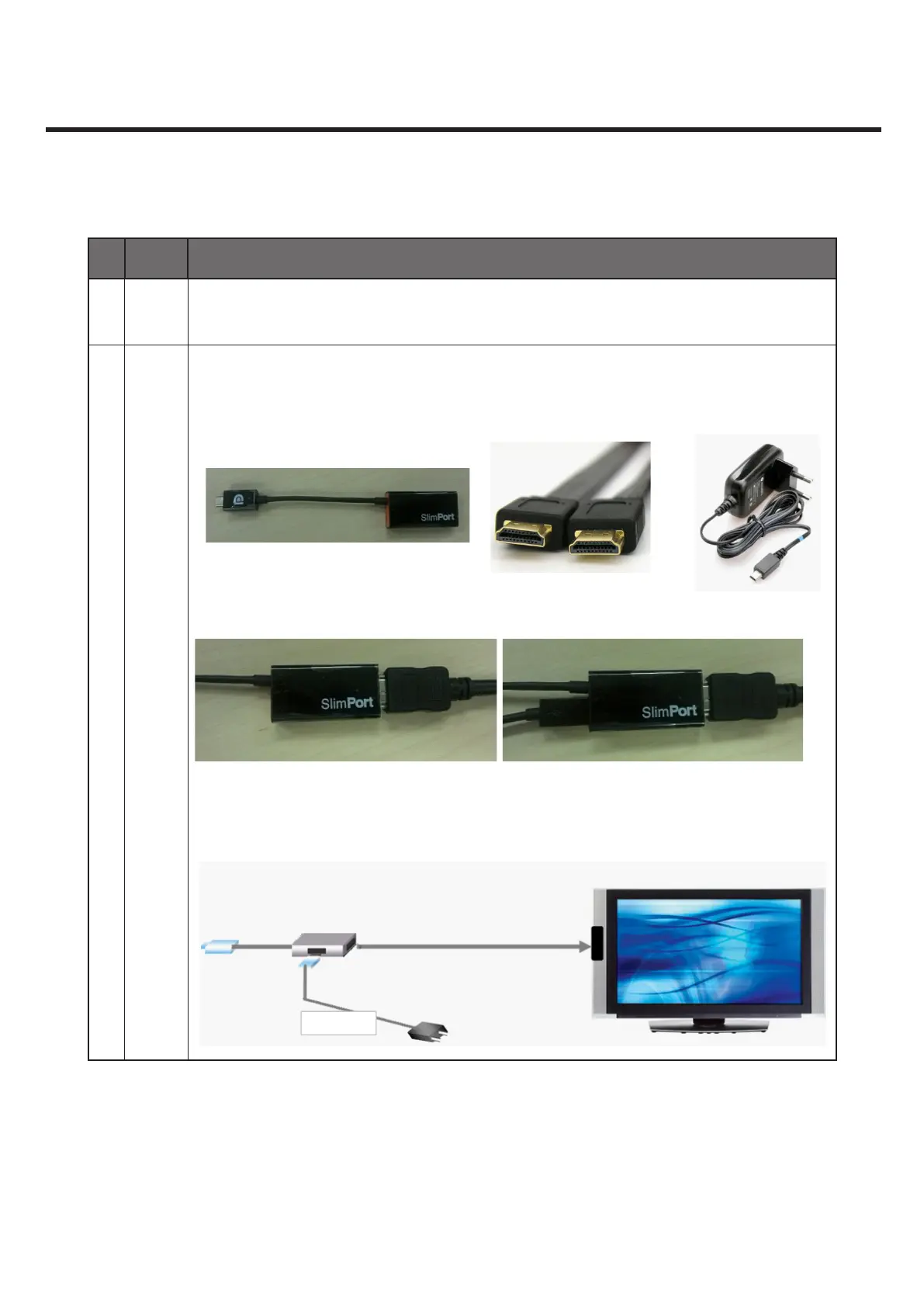
18 Q How do you use HDMI?
A
1. Prepare slimport gender, HDMI cable and charger(optional) as shown in the
picture below
slimport gender HDMI cable charger(Optional)
2. Connect the cable and gender as shown in the picture below
3. Plug the HDMI to target device(TV, Monitor etc), then select “HDMI mode” in the
Input List of target device.



 To Next Page