EasyManua.ls Logo

LG LGD521 - PC Viewer Configuration - Settings 2; Advanced Camera and Time Settings

LG LGD521
26 pages
Print Icon
To Next Page IconTo Next Page
To Previous Page IconTo Previous Page
Loading...
Non LCD FHD-HD DASHCAM
Item Description
Camera
Sensor
Settings
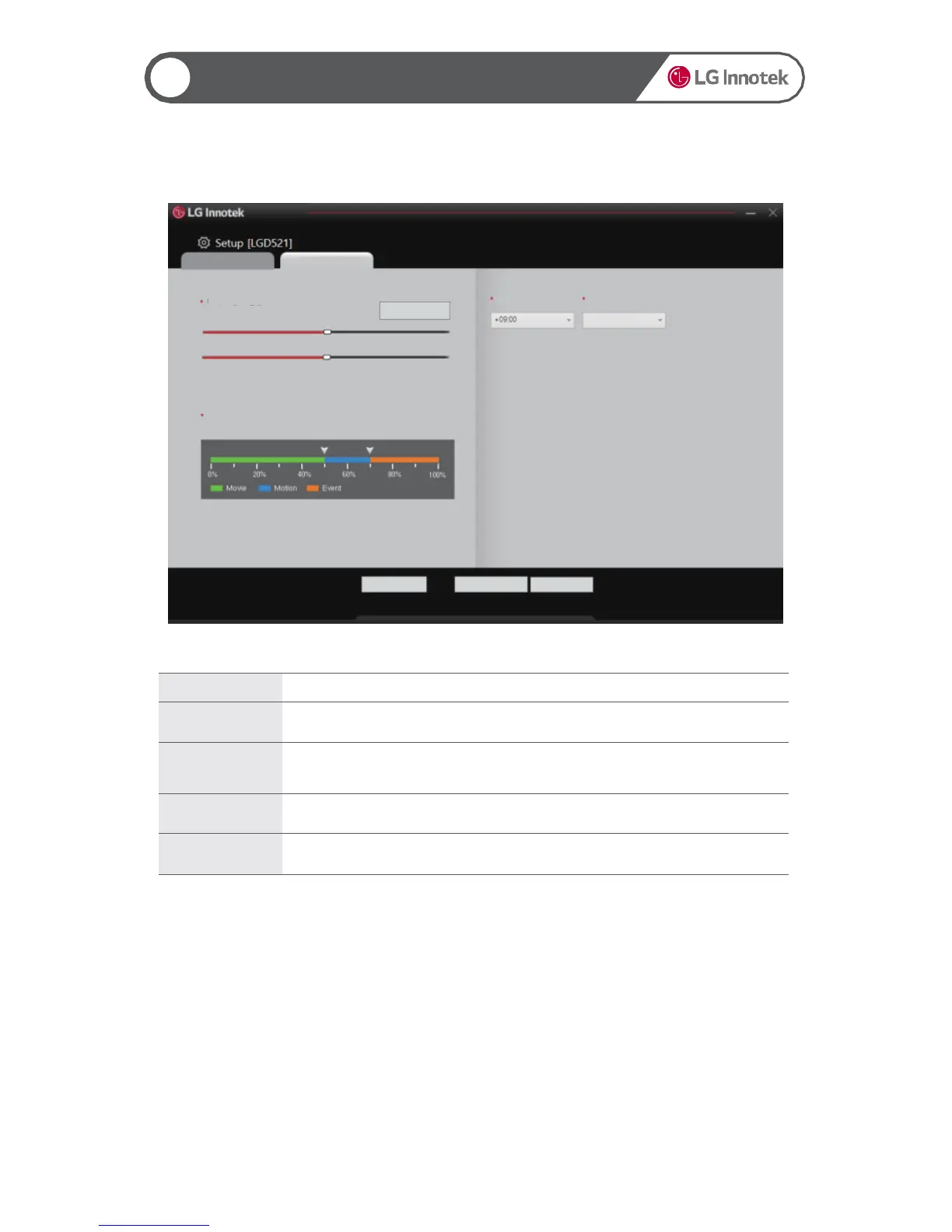
Set the brightness, contrast, and saturation. Press the Reset button to reset the
sensor to the default settings.
Adjust
Percentage of
SD Card
Folders
Set the storage percentage for each recording file type.
Time Zone
If GPS is used, it automatically synchronizes with the time zone for the region.
Daylight
Saving Time
Set whether to apply the daylight saving time.
22
Settings 2
21
Using the PC Viewer
Reset OK Cancel
Basic Settings
System Settings
Camera Sensor Settings
Reset the Sensor
Brightness
Color
Adjust Percentage of SD Card Folders
Some files may be deleted when the black box boots.
Time Zone Daylight Saving Time
No