Non LCD FHD-HD DASHCAM
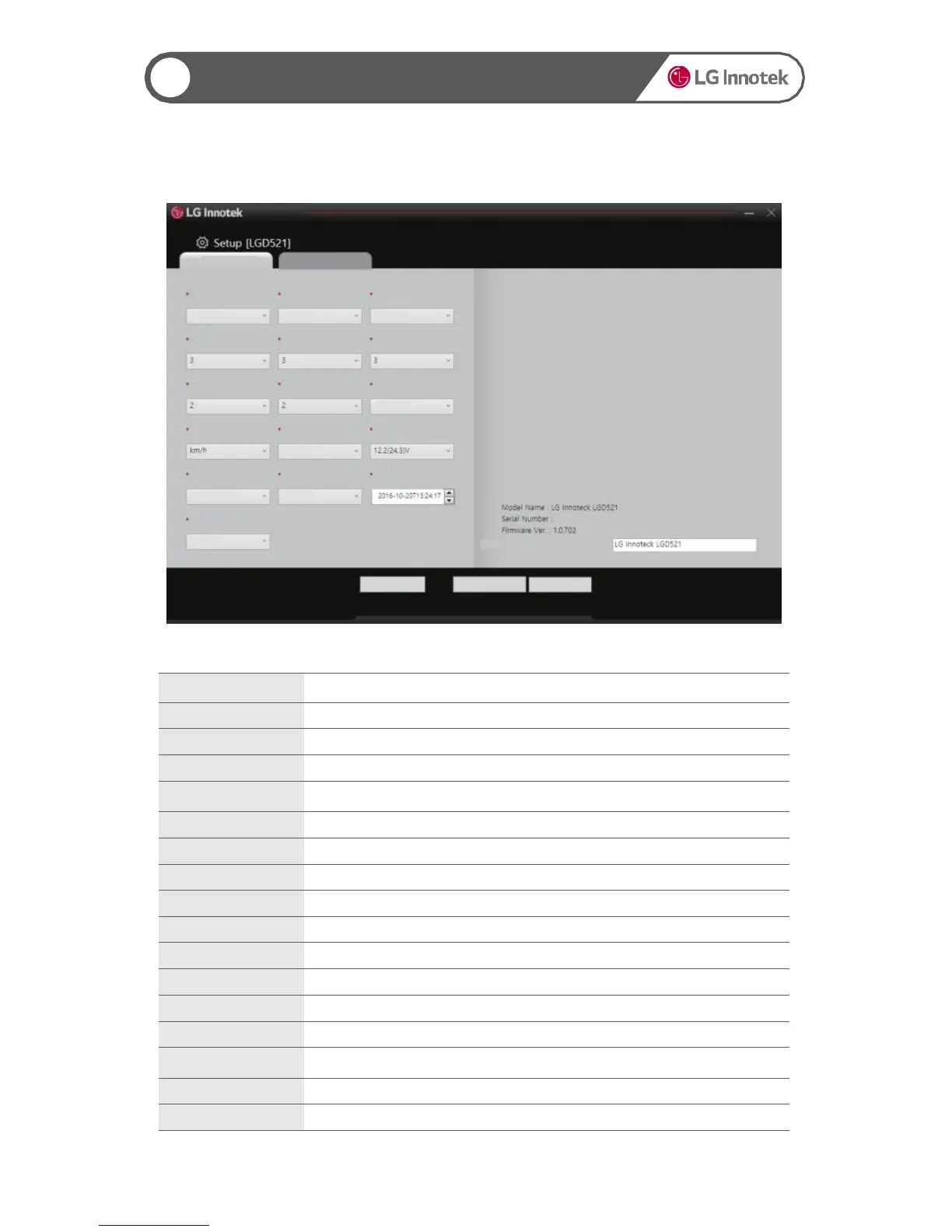
Item Description
Recording Mode Set the recording mode.
Front Video Definition Set the definition of the front recording video.
Rear Video Definition Set the definition of the rear recording video.
Motion Detection
Sensitivity
Set the motion detection sensitivity in the parking mode.
Driving Mode G-Sensor
Set the G-Sensor event sensitivity in the driving mode.
Parking Mode G-
Set the G-Sensor event sensitivity in the parking mode.
Voice Output Volume Set the guide voice volume.
Set the voice recording volume.
OSD Output Set the OSD output for video.
Speed Unit Set the speed unit.
LED Output Set the front security LED lighting.
Cut-off Voltage Set the cut-off voltage when using the constant power.
Set the recording channels.
Apply Time Settings
Apply the time changed in the Time Settings option. (You must select Yes to apply the
changed time.)
Time Settings Set the time of the recorded file.
Language Settings Set the guide voice language.
21
▶ Settings 1
21
Using the PC Viewer
Custom Information
Korean
Language Settings
Select Recording
Channel
Apply Time Settings Time Settings
Cut-off Voltage
OSD Output
Parking Mode
G-Sensor
Rear Video Definition
Front Video Definition
Recording Mode
Driving Mode
G-Sensor
Voice Recording
Volume
LED Output
Speed Unit
Voice Output
Volume
Motion Detection
Sensitivity
Basic Settings System Settings
2 Channels
No
Yes
Yes
High
High Normal
Reset OK Cancel


 To Next Page