EasyManua.ls Logo

LG LH-C6230 - User Manual

LG LH-C6230
46 pages
Print Icon
To Next Page IconTo Next Page
Loading...
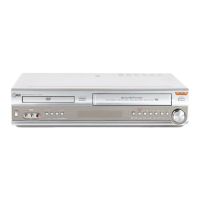
DVD/CD/VCR RECEIVER
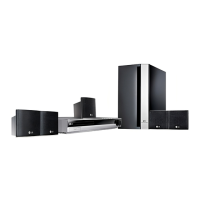
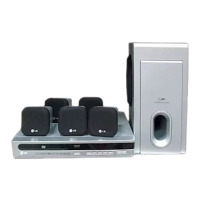
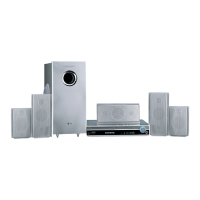
Home Cinema System
OWNER’S MANUAL
MODEL: LH-C6230
(Main Unit: LH-C6230Y
Speakers: LHS-C6230T, LHS-C6230W)
Before connecting up, operating or repairing this product,
please read this instruction booklet carefully and completely.
CD-R/RW
PAL
LH-C6230Y NA8PLL-ENG
P/N: 3828R-D032X

Table of Contents

Questions and Answers

  • A
    Alan MitchellAug 15, 2025
    Why is timer recording not working on my LG Receiver?
    • B
      brittanyjohnsonAug 15, 2025
      If timer recording on your LG Receiver isn't working, first, ensure the clock and timer are correctly set. If they are, press the POWER button and check that the timer indicator appears on the receiver's display. Finally, make sure the loaded tape has a record safety tab intact; if the tab is removed, insert a new tape or cover the hole with adhesive tape.
  • J
    Jeffrey TaylorAug 17, 2025
    What to do if recording cannot be started on LG LH-C6230?
    • M
      melissa29Aug 18, 2025
      If you can't start recording on your LG Receiver, it might be because there's no tape loaded or the tape's record safety tab has been removed. To fix this, insert a tape or cover the hole where the tab was removed with adhesive tape.
  • E
    Eric TannerAug 21, 2025
    How to enable Hi-Fi sound on LG Receiver?
    • R
      Richard DavisAug 21, 2025
      If you're not getting any Hi-Fi sound on your LG Receiver, the audio mode might not be set correctly. To fix this, repeatedly press the AUDIO button on the remote control to select 'STEREO'.
  • S
    stephaniemcgeeAug 25, 2025
    Why is tape-to-tape editing not possible on my LG LH-C6230?
    • U
      usimpsonAug 25, 2025
      If you can't perform tape-to-tape editing with your LG Receiver, the source (another VCR, camcorder) might not be properly connected. Ensure that the camcorder is correctly connected.
  • M
    mary71Aug 28, 2025
    How to fix the problem when the tape does not run on LG LH-C6230 Receiver?
    • M
      Matthew HillAug 28, 2025
      If the tape does not run in your LG DVD/CD/VCR Receiver, it might be in RECORD PAUSE MODE. Press PAUSE/STEP (X) to resume recording.
  • M
    Michelle RayAug 31, 2025
    What to do if breaks are noticeable in Hi-Fi soundtrack on LG LH-C6230?
    • C
      Christopher Reid DDSAug 31, 2025
      If you notice breaks in the Hi-Fi soundtrack on your LG Receiver, the automatic tracking mode might be engaged. Try switching to manual tracking.
  • R
    Robert JacksonSep 3, 2025
    Why is there noise during normal playback on my LG Receiver?
    • L
      Lindsey BatesSep 3, 2025
      If you're experiencing noise during normal playback on your LG Receiver, it could be because the automatic tracking mode is engaged. Try using manual tracking instead.
  • M
    Miss Jeanette SmithSep 6, 2025
    How to prevent moisture condensation in LG Receiver?
    • J
      Jose HubbardSep 7, 2025
      To prevent moisture condensation in your LG Receiver, keep it plugged into an AC power outlet with the power on. If condensation occurs, wait a few hours for the unit to dry before using it.
  • A
    Adrienne OsbornSep 12, 2025
    Why won't the tape rewind or fast-forward on my LG LH-C6230 Receiver?
    • J
      Jerry MoranSep 12, 2025
      If your LG Receiver tape won't rewind or fast-forward, make sure the tape isn't already fully rewound or fast-forwarded. Check the tape to confirm.

Summary

Safety Precautions and Warnings

General Electrical and Installation Safety

Important safety warnings regarding electric shock, moisture, and installation in confined spaces.

Laser System Safety Guidelines

Precautions related to the laser system, including avoiding direct exposure to the laser beam.

Copyright and Serial Number Information

Legal notes on copyrights and instructions for recording the unit's serial number.

Before Use: Disc and System Setup

Disc Playback Compatibility Guide

Information on supported discs, compatibility notes, regional codes, and playback terms for DVDs and VCDs.

Unit and Disc Handling Precautions

Essential precautions for handling and cleaning the unit and discs, and proper storage advice.

System Setup and Symbol Explanations

Guidance on setting the output source and understanding symbols used in the manual.

Front Panel Controls and Display

Disc and Tape Access Controls

Controls for loading, ejecting discs and tapes, and accessing the respective compartments.

Operation and Mode Selection Buttons

Buttons for various functions like copying, tuning, recording, input selection, and power.

Display Window and Indicators

Information displayed on the unit, including active deck status and output selection.

Volume Control Adjustment

Control for adjusting the audio volume level of the unit.

Display Window Indicators Explained

Media and Mode Status Indicators

Indicators showing media type, operating mode, playback status, and special features on the display.

Playback Details and General Status Indicators

Indicators for playback details such as track numbers, time, volume, and general status.

Remote Control Functions Overview

Comprehensive Remote Button Guide

Detailed explanation of all buttons on the remote control and their functions for operating the unit.

Navigation and Playback Control Buttons

Buttons used for navigating menus, controlling playback, and specific functions like search and repeat.

Mode, Input, and Feature Selection Buttons

Buttons for selecting power, input sources, sound modes, audio/subtitle languages, and disc menus.

Rear Panel Connections Guide

Audio, Video, and Aerial Connection Ports

Ports for connecting audio/video devices, aerials, and RF output to the TV.

Speaker and Power Cord Connections

Connections for speakers and the AC power cord to operate the unit.

Remote Control Operation Range and Battery

Guidelines for remote control operation range and battery installation.

Connecting Your Audio;Video System

TV and External Device Connection Methods

Detailed instructions for connecting the receiver to televisions and other external audio/video devices.

Connection Tips and Safety Precautions

Important tips and safety precautions to follow during the connection process.

Additional Component Connections

Connecting External Audio;Video Accessories

How to connect accessory components using AV input/output jacks on the receiver.

Radio Aerial Connection and Setup

Guidance on connecting FM wire and AM loop aerials for optimal radio tuning.

Speaker System Setup Guide

Connecting the Speaker System Components

Instructions for connecting the speaker system using the provided cords, ensuring correct polarity.

Speaker Connection Considerations

Important notes regarding speaker cable polarity and volume limits to prevent damage.

Optimal Speaker Positioning

Speaker Placement for Surround Sound

Recommendations for optimal placement of front, center, rear speakers, and subwoofer for surround sound.

Audio and Surround Sound Glossary

Audio Format Technology Definitions

Glossary defining audio technologies such as DTS, Dolby Digital, Pro Logic, and 3D Surround.

Sound Mode Selection Guide

Guide to selecting various sound modes for different listening experiences.

DVD Audio Stream and Playback Settings

Method for changing the audio stream of a DVD and information on last condition memory.

VCR Initial Setup Procedures

Video Channel Configuration

Procedure for setting the correct video channel for TV signal reception.

First-Time Receiver Setup and Tuning

Guide for initial setup, including automatic channel memory system (ACMS) tuning.

VCR Operation: Menu and Tuning

Navigating the Main Menu System

Guide to accessing and using the on-screen main menu for receiver configuration.

Automatic TV Station Tuning (ACMS)

Process for automatically tuning and storing TV stations using the Automatic Channel Memory System (ACMS).

VCR Manual Station Tuning

Manual TV Station Tuning Process

Detailed steps for manually tuning and saving TV stations, including station naming.

Fine-Tuning Radio Stations

How to fine-tune the signal for a station after manual tuning to improve clarity.

VCR Channel Management

Reordering Stored TV Channels

Steps to rearrange the sequence of tuned TV channels for easier access.

Deleting Unwanted TV Channels

How to remove specific TV stations from the receiver's channel memory.

VCR System Settings Configuration

Manual Clock and Date Setting

Step-by-step instructions for manually setting the clock and date on the receiver.

Colour System and RF Audio Setup

How to configure the colour system and RF audio settings for optimal picture and sound.

DVD Initial Operation and Features

DVD Playback Features Overview

Overview of DVD playback, on-screen display, and temporary feedback icons.

DVD and VCD Playback Control Details

Explanation of controls for DVD and VCD playback, including title, chapter, track, and audio settings.

DVD Personalization and Settings

Initial System Configuration Steps

Guide to setting initial preferences like language, picture aspect ratio, and other system options.

Language and Picture Aspect Ratio Settings

How to select desired languages for disc content and adjust TV aspect ratio settings.

DVD Advanced Playback Settings

5.1 Surround Sound Decoder Configuration

Detailed setup for 5.1 surround sound, including speaker adjustment and testing.

Special Playback Features Configuration

Configuration options for DRC, Vocal mode, PBC on Video CDs, and Auto Play functionality.

DVD Parental Controls and Region Settings

DVD Parental Rating and Password Management

Managing parental control settings, including ratings and password protection for DVDs.

DVD Country Code Configuration

Setting the appropriate country code for DVD playback based on region.

VCR Tape Playback Operations

Basic Tape Playback and Picture Adjustment

Instructions for playing tapes and adjusting tracking for better picture quality.

Tape Search and Commercial Skip Functions

Methods for searching tapes, skipping commercials, and optimizing playback.

Optimum Picture Response (OPR)

Guide to using the Optimum Picture Response (OPR) feature for enhanced playback quality.

VCR Recording Functions

Instant Timer Recording (ITR) Setup

Step-by-step guide for setting up Instant Timer Recording (ITR).

Timer Recording and Long Play (LP) Mode

Instructions for setting timer recordings and using Long Play (LP) mode for extended recording.

VCR Timer Recording Configuration

Setting Timer Recordings via On-Screen Display

Detailed steps for programming timer recordings using the on-screen display interface.

Intelligent LP and Timer Settings Verification

Information on Intelligent LP recording and how to verify timer recording details before saving.

VCR Timer Recording Management

Handling Overlapping Timer Recordings

Explains how the system manages overlapping timer recordings, prioritizing earlier entries.

Modifying or Deleting Timer Programs

Steps to edit existing timer programs or delete them from the memory.

DVD and Video CD Playback

Basic Disc Playback Procedures

Instructions for setting up and playing DVD and Video CDs, including menu navigation.

Navigating Titles, Chapters, and Tracks

How to navigate through titles, chapters, and tracks on DVDs and Video CDs.

DVD and VCD Search Functionality

Using the search feature to find specific content on DVDs and Video CDs.

DVD and VCD Enhanced Playback Features

Advanced Playback Modes

Techniques for still picture, frame-by-frame, and slow motion playback of discs.

Repeat Playback Functions

Utilizing repeat functions for chapters, titles, tracks, discs, or specific segments (A-B repeat).

3 D Surround Sound Effect Activation

How to enable and disable the 3D Surround sound effect for a more immersive audio experience.

DVD and VCD Special Features

Image Zoom and Scene Marking

Using zoom for image enlargement and marker search for saving playback points.

DVD Menu Navigation and Options

Accessing and utilizing special features of DVDs, including menus, camera angles, audio, and subtitles.

Audio CD and MP3;WMA Disc Playback

Playing Audio CDs, MP3 s, and WMAs

How to play Audio CDs, MP3 files, and WMA files from discs.

MP3;WMA Disc Compatibility Notes

Important notes and compatibility requirements for MP3 and WMA discs.

Audio CD and MP3;WMA Playback Controls

Basic Playback Control Functions

Controls for pausing, navigating tracks, and searching within audio discs.

Repeat Playback and Sound Mode Selection

Using repeat functions, A-B repeat, 3D Surround, and audio channel selection for audio discs.

JPEG Disc Image Viewing

JPEG Disc Playback and Navigation

Steps for viewing JPEG files and navigating through them on a disc.

Image Manipulation and Viewing Options

Functions for still viewing, flipping, rotating images, and adjusting slide show speed.

JPEG Disc Compatibility Considerations

Important notes on file size, quantity, and compatibility for JPEG discs.

Programmed Playback Features

Creating Custom Playback Sequences

Guide to creating custom playback orders for Audio CDs, MP3/WMA, and Video CDs.

Managing Programmed Playlists

Options for repeating tracks, erasing individual tracks, or clearing the entire programmed playlist.

Speaker System Configuration and Settings

5.1 Surround Sound Decoder Setup

Detailed setup for 5.1 surround sound, including speaker selection, level, distance, and testing.

Last Condition Memory Feature

Details on the receiver's ability to memorize and recall last playback settings for discs.

VCR Additional Operations

On-Screen Information Display

Displaying clock, tape counter, and tape remaining information on the TV screen.

Troubleshooting Assistant and Repeat Function

Using the Video Doctor for troubleshooting and the easy repeat function for quick playback loops.

VCR Audio and Widescreen Features

Hi-Fi Stereo Sound and NICAM Capabilities

Explains Hi-Fi stereo sound recording/playback and selecting audio modes including NICAM.

16:9 Widescreen Playback and Recording

How to set up and use the widescreen (16:9) compatibility for recording and playback.

Special Recording Functions

Copying DVDs to VHS Tapes

Step-by-step guide for copying content from a DVD disc to a VHS tape.

Recording from External Video Sources

Instructions for recording video from other devices such as VCRs or camcorders.

Radio Tuning and Management

Presetting and Storing Radio Stations

Guide to presetting and storing FM and AM radio stations for easy tuning.

Selecting and Clearing Radio Stations

How to listen to preset stations and clear them from memory.

Radio Tuning and RDS Features

Manual and Automatic Radio Tuning

Procedures for manually tuning stations and using automatic station search.

Radio Data System (RDS) Information

How to use and interpret Radio Data System (RDS) information for FM radio.

Troubleshooting Common Issues

Power, Unit Functionality, and Display Problems

Solutions for power, unit responsiveness, and lack of video output issues.

Audio, Playback, and Remote Control Issues

Troubleshooting for audio problems, poor playback quality, playback failure, and remote control malfunctions.

VCR Tape Operation Troubleshooting

Tape Motion and Recording Problems

Solutions for tape motion, picture display, noise, and recording start problems.

Hi-Fi Sound, Timer Recording, and Editing Issues

Troubleshooting Hi-Fi sound, timer recording failures, and tape editing issues.

Moisture Condensation Management

Guidance on managing moisture condensation within the unit to prevent damage.

Product Specifications Overview

General Unit and DVD Section Specs

Overall unit specifications and detailed technical data for the DVD playback section.

VCR, Tuner, and Amplifier Section Specs

Technical specifications for the VCR, radio tuner, and audio amplifier sections of the unit.

Speaker and Accessory Specifications

Speaker System Technical Data

Detailed technical specifications for the satellite speakers and the passive subwoofer.

Included Accessories List

A list of all accessories provided with the unit.

LG LH-C6230 Specifications

General IconGeneral
BrandLG
ModelLH-C6230
CategoryReceiver
LanguageEnglish

Related product manuals