EasyManua.ls Logo

LG LH-C3603SE - User Manual

LG LH-C3603SE
53 pages
Print Icon
To Next Page IconTo Next Page
Loading...
1
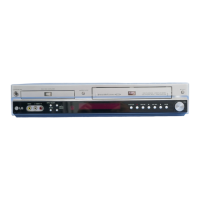
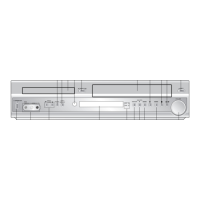
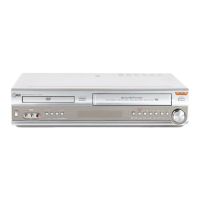
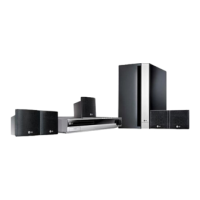
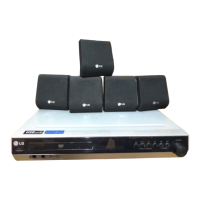
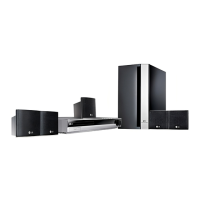
DVD/VCR COMBI RECEIVER
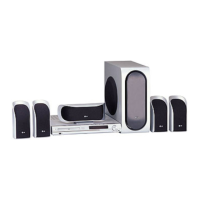
Combi Receiver System
OWNER’S MANUAL
MODEL: LH-C360
(Main Unit: LH-C360SE
Speakers: LHS-36SES, LHS-36SEW)
Before connecting up, operating or repairing this product,
please read this instruction booklet carefully and completely.
LH-C3603SE.NA3GLLD_ENG-124N
CD-R/RW
PAL

Table of Contents

Questions and Answers

  • P
    Philip LewisSep 23, 2025
    Why tape-to-tape editing is not possible on my LG DVD VCR Combo?
    • R
      russobrianSep 23, 2025
      If tape-to-tape editing is not possible on your LG DVD VCR Combo, confirm that the camcorder is properly connected, as the clock or the timer may have been set incorrectly.
  • D
    Donald SantiagoAug 25, 2025
    Why is there no sound from my LG LH-C3603SE, or is the sound very low?
    • T
      Tamara MaldonadoAug 25, 2025
      If you're experiencing sound issues with your LG Receiver, consider these potential causes: 1. The equipment connected with the audio cable is not set to receive DVD audio signal output: Select the correct input mode of the receiver. 2. The audio cables are not connected securely: Connect the audio cable into the jacks securely. 3. The power of the equipment connected with the audio cable is turned off: Turn on the equipment connected with the audio cable. 4. The audio connecting cable is damaged: Replace it with new one.
  • B
    Brittany HarrisonAug 25, 2025
    Why does the LG Receiver remote control not work properly?
    • J
      jennifer32Aug 26, 2025
      The LG Receiver remote control might not be working for several reasons: * Ensure the remote is pointed directly at the remote sensor on the DVD/CD Receiver. * Make sure you are within 23 ft (7 m) of the DVD/CD Receiver. * Check for any obstacles between the remote and the receiver and remove them. * The batteries in the remote control might be dead; replace them with new ones.
  • E
    Erin JohnsonAug 27, 2025
    How to fix LG LH-C3603SE when there is no sound?
    • V
      vgordonAug 27, 2025
      If you are experiencing a lack of sound or very low sound levels with your LG Receiver, consider the following: * Ensure that the equipment connected with the audio cable is set to receive DVD audio signal output. * Check that the audio cables are securely connected. * Verify that the equipment connected to the audio cable is powered on. * The audio connecting cable may be damaged. If so, replace it.
  • K
    kwhiteAug 27, 2025
    What to do if my LG DVD VCR Combo has no power?
    • L
      Lisa ReillyAug 27, 2025
      If your LG DVD VCR Combo has no power, the power cord might be disconnected. Ensure the power cord is securely plugged into the wall outlet.
  • M
    Molly StewartSep 14, 2025
    How to brighten the front panel display on LG LH-C3603SE Receiver?
    • B
      Bailey SanchezSep 14, 2025
      To brighten the front panel display on your LG Receiver, press DIMMER on the remote control.
  • J
    James HouseSep 12, 2025
    Why won't my LG Receiver DVD/CD player work even when power is on?
    • Z
      Zachary DavisSep 12, 2025
      If the power is on but the LG DVD/CD Receiver isn't working, make sure a disc is inserted. Check that the DVD or audio CD indicator in the DVD display is lit.
  • T
    tiffanygomezSep 13, 2025
    Why radio stations cannot be tuned in with LG Receiver?
    • M
      Miranda MossSep 13, 2025
      If you are unable to tune into radio stations with your LG Receiver, consider the following: * Ensure the antenna is securely connected and properly positioned. * If the signal strength is weak, try tuning in the station manually. * Preset the stations.
  • J
    jamesvincentSep 5, 2025
    What to do if nothing is displayed on the front panel of my LG LH-C3603SE Receiver?
    • S
      Shannon ButlerSep 5, 2025
      If nothing is showing on the front panel display of your LG Receiver, press the DIMMER button on the remote control.
  • E
    Emily BurchSep 2, 2025
    How to fix loud hum or noise heard from LG Receiver?
    • E
      espinozadannySep 2, 2025
      If you're hearing a loud hum or noise from your LG Receiver, check these: 1. The disc is dirty: Clean the disc. 2. The speakers and components are connected poorly: Connect the speakers and components securely. 3. The DVD/CD Receiver is located too close to the TV: Move your TV away from the audio components.

LG LH-C3603SE Specifications

General IconGeneral
TypeHome Theater System
Channels5.1
DVD PlayerYes
Audio Formats SupportedDolby Digital, DTS
BluetoothNo
USB PortYes
TunerFM

Related product manuals